
AI agents & automation
Work that repeats can run itself. You still decide.
We build custom AI agents and automation workflows that read the business context you approve, act through the tools you already run, and stop for a person on the steps that matter.
Can you quote 40 units on the usual terms, delivered before the 30th?A. Nair, Sample Company
- Account
- Sample Company CRM
- Owner
- Priya · Sales CRM
- Last order
- 24 units · Aug Orders
- Agreed rate
- Tier 2 Price list
AIQuote request · 40 units · wanted before the 30th
Thanks for coming back to us. Forty units at your Tier 2 rate comes to a total we can hold until the 30th, and stock is available for delivery on the 27th. I have attached the updated quote.
Illustrative workflow · sample data
Where it starts
Start with one job, not a promise to automate the company.
The projects that work begin somewhere small enough to describe in a sentence.
A useful AI automation project usually starts with one repetitive workflow that already has a clear trigger, information the team knows where to find, a decision that repeats, and a visible next step. Once that one workflow runs reliably, the same context and connections make the second one much cheaper to add.
- Spot the new enquiry in a shared inbox
- Copy the details somewhere
- Open the CRM to see who they are
- Find the agreed rate in another file
- Write the reply from scratch
- Create a task so it is not forgotten
- Remember to follow up on Thursday
Every time. For every enquiry.
- Starts when
- A quote request arrives from the website or inbox
- Needs to know
- Who they are, what they bought before, the agreed rate
- Decides
- What is being asked for, and what a good reply says
- Stops for you
- Before anything goes to the customer
- Ends with
- A reply sent, the record updated, a follow-up booked
If you can answer those five lines about a job your team does every week, it is a candidate.
Trigger and context
A system is only useful when it knows what happened.
Something starts the workflow. Then it reads only what it has been given permission to read.
A workflow begins with a trigger — a form submitted, an email received, a stage changed, a file delivered or a scheduled check falling due. Before anything is interpreted or drafted, the workflow gathers context from the sources it has been given access to, so the AI step is working from your records rather than from a guess.
- A form is submittedWebsite, landing page or internal form
- An email arrivesA shared or monitored inbox
- A record changesA CRM stage, an order status, a field update
- A file landsA document, sheet or export arrives
- A check falls dueA scheduled review, a renewal, a reconciliation
Which sources a workflow may read is decided per project, and is part of what we agree before anything is built.
Can you quote 40 units on the usual terms, delivered before the 30th?A. Nair, Sample Company
- Account
- Sample Company CRM
- Owner
- Priya · Sales CRM
- Last order
- 24 units · Aug Orders
- Agreed rate
- Tier 2 Price list
AIQuote request · 40 units · wanted before the 30th
Thanks for coming back to us. Forty units at your Tier 2 rate comes to a total we can hold until the 30th, and stock is available for delivery on the 27th. I have attached the updated quote.
The actual difference
Most of a workflow is ordinary software. AI is the part that reads.
This is the distinction most AI pages skip, and the one that decides whether a project is worth doing.
Traditional automation is strongest where the rule is fixed: create the record, move the stage, send the standard notification. AI earns its place on the steps that involve language — understanding a request written in someone’s own words, classifying it, pulling the relevant details out of it, summarising it, or drafting a reply worth sending. A good workflow uses both, and is explicit about which is doing what.
Language stepsReading, classifying, drafting
- SysRequest received from the website form01
- SysMatched to an existing account — Sample Company02
- SysRead the last three orders and the agreed rate03
- AIRead the message and classified it: quote request04
- AISummarised what is being asked for05
- AIDrafted a reply using the agreed rate06
- SysHeld for approval — the reply goes to a customer07
- YouApproved with one edit08
- ToolReply sent by email09
- ToolRecord updated — stage moved to Quote sent10
- ToolFollow-up created for Thursday11
- SysRequest closed12
The split matters commercially too: an AI step costs more to build, test and monitor than a fixed rule, so a workflow that uses AI only where language is genuinely involved is cheaper to run and easier to trust.
Control
Important actions can stop for a person.
Approval is not a safety net bolted on afterwards. It is a step in the workflow, with its own state.
Any step can be set to pause and wait for a person before it runs. The reviewer sees what the workflow understood, what it is proposing to do, and what it would change — and can approve it, edit it first, or reject it. The rest of the workflow simply waits, and what happened is recorded either way.
- What it understood
- A quote request from an existing account
- What it is proposing
- Send this reply, then update the record
- What it would change
- Stage → Quote sent · Follow-up → Thursday
Thanks for coming back to us. Forty units at your Tier 2 rate comes to a total we can hold until the 30th, and stock is available for delivery on the 27th. I have attached the updated quote.
- Anything a customer will read
- Pricing, discounts and commitments
- Changes to important records
- Escalations and anything unusual
Which steps wait for approval is a decision per workflow, not a fixed policy. Some run unattended because nothing they touch is worth reviewing; others stop every time.
Connections
It works through the tools you already run.
Read what it needs, prepare the action, write the result back where your team already looks.
An agent is only as connected as the systems around it allow. Before a workflow is designed we confirm what each existing tool can expose — what can be read, what can be written, and what it will not let anything else touch — and the workflow is built around that rather than around an assumption.
- The request, the threadInbox and messagingThe reply
- Account, owner, historyCRM and recordsStage, notes, fields
- Rates, templates, exportsDocuments and sheetsA generated document
- Availability, workloadCalendar and tasksThe follow-up
- Tickets, queues, statusHelpdesk and internal toolsAn update, an assignment
- Whatever the system exposesApproved APIsWhatever it permits
Some do not, and that is a real constraint rather than a detail. The usual answers are a scheduled file exchange, a database or reporting view, a supported export, or leaving that step with a person and automating everything around it. We would rather scope that honestly at the start than discover it halfway.
When it does not add up
A workflow that cannot finish should say so.
The difference between automation you trust and automation you audit every morning.
When required information is missing, or a rule cannot be resolved safely, a well-built workflow does not guess. It pauses, asks for what it needs, or routes the item to a person — and it records why it stopped, so the gap can be fixed rather than repeated.
- Needed
- Customer account
- Found
- No record matched “Sample Company Ltd”
- So it
- Ask the sender to confirm, or send to review
- Needed
- One account
- Found
- Two accounts share this domain
- So it
- Route to the owner to pick
- Needed
- Agreed rate
- Found
- This product has no Tier 2 price
- So it
- Hold, and ask sales for the rate
- Needed
- CRM write
- Found
- The system did not respond
- So it
- Retry, then flag it rather than continue
Every pause is a record, not a dead end. The item is still there, with the reason attached.
The record
What did it actually do?
The whole run, in order, with the actor on every line.
Every step a workflow takes can be recorded: what triggered it, what it read, what the AI step produced, who approved it, which tools acted and what they changed. That history is what makes an automated process reviewable — and it is the difference between a system a team trusts and one it quietly stops using.
- SysRequest received from the website form01
- SysMatched to an existing account — Sample Company02
- SysRead the last three orders and the agreed rate03
- AIRead the message and classified it: quote request04
- AISummarised what is being asked for05
- AIDrafted a reply using the agreed rate06
- SysHeld for approval — the reply goes to a customer07
- YouApproved with one edit08
- ToolReply sent by email09
- ToolRecord updated — stage moved to Quote sent10
- ToolFollow-up created for Thursday11
- SysRequest closed12
- SysSystemThe workflow itself: rules, records, status and routing.
- AIAIThe steps that need language: reading, classifying, summarising, drafting.
- YouYour teamThe person who approves what carries real business weight.
- ToolToolsThe systems you already run, doing the things they are allowed to do.
- AnswerableSomebody asks what happened on the 12th, and there is an answer.
- ImprovableThe steps that stall the most are the ones worth fixing first.
- ReviewableA run can be read end to end without opening five systems.
The same shape
One workflow structure, pointed at different work.
The spine does not change. What arrives, what gets read and what counts as done do.
Most business workflows share the same six moves: something triggers them, context is gathered, a step requires interpretation, a tool acts, a person reviews what matters, and a record closes. What changes between a sales workflow and an operations one is the trigger, the sources and the definition of finished — which is why the second workflow a business automates is usually far quicker than the first.
A new enquiry, answered and followed up
An incoming order or document, processed
An incoming issue, triaged
A recurring check or summary
- 01TriggerAn enquiry arrives from the siteA document or order landsA ticket or email arrivesA scheduled review falls due
- 02ContextAccount, history, agreed rateSupplier, terms, previous linesCustomer, plan, recent ticketsThe sheet, the export, last week
- 03AI stepClassify it and draft the replyRead it and pull the fields outClassify it and suggest a responseSummarise it and flag what moved
- 04ActionSend it, update the stageCreate the record, file the documentRoute it, set the priorityPost it where the team reads
- 05ReviewAnything going to a customerAnything outside the usual termsEscalations and anything unusualAnything that looks wrong
- 06CompleteReplied, and a follow-up bookedLogged, with the file attachedAssigned, with a suggested replyCirculated, with the numbers attached
Illustrative shapes, not a menu. What a project includes is decided from your actual workflow.
Scope
One workflow, proven. Then the next one is cheaper.
What makes an AI automation project bigger is rarely the AI.
The first workflow carries the setup: agreeing what may be read, connecting the systems, deciding what waits for approval and proving the behaviour is right. The second workflow reuses most of that, so it costs far less. What makes one project larger than another is usually the number of workflows, the number of systems involved, the state of the existing data, how many steps genuinely need interpretation, and how much has to be reviewed, logged or monitored.
- 01One workflowBounded, valuable, and easy to describe
- 02ProvenRun against real cases until the behaviour is right
- 03A second workflowReuses the context and the connections
- 04A shared layerCommon records, permissions and history
- WorkflowsHow many jobs are in scope
- SystemsHow many tools it reads from and writes to
- Existing dataWhether records are clean and complete
- InterpretationHow many steps genuinely need language
- ApprovalsHow much waits for a person, and who
- ExceptionsHow many ways it can legitimately stop
- Custom screensWhether your team needs its own interface
- VolumeHow often it runs, and how fast it must be
- Audit depthHow much has to be recorded and kept
- MonitoringWhat happens when something needs watching
No. Some workflows are entirely fixed rules and are better, cheaper and more predictable that way. An AI step is worth adding where a person is currently reading something and deciding what it means.
A workflow reads from the sources agreed for it and no others, acts through accounts scoped to what it needs, and records what it did. Where a particular standard or certification applies to your data, we confirm what it requires and design the scope around it rather than assuming it away.
Selected work
Systems we have built, running real business processes.
Published projects where the work of a business moves through something we designed and built.
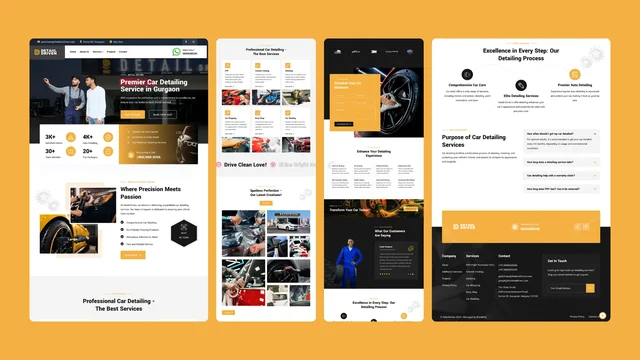
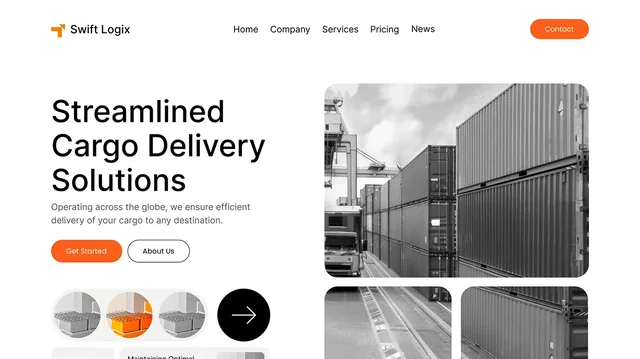

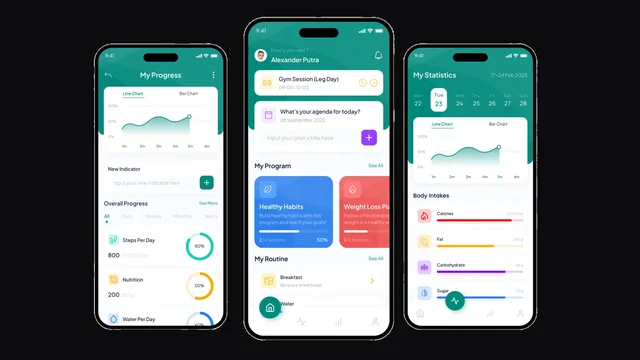

Selected build work. What each project covered is listed from its own record.
Questions
AI agents and automation, answered.
- What is an AI agent?
- An AI agent is a system that moves a task through a business workflow. It is started by something specific, reads the business context it has been given access to, uses an AI step where the work involves language, acts through connected tools, and stops for a person where the workflow says it should.
- What is AI automation?
- AI automation is an ordinary automated workflow with one difference: at least one step uses AI to interpret something written in a person’s own words — reading a request, classifying it, extracting details or drafting a response — instead of following a fixed rule.
- What is the difference between an AI agent and a chatbot?
- A chatbot primarily handles a conversation with a person. An AI agent moves a task forward through a workflow using approved context and connected tools. A chatbot can be one way a request enters an agent’s workflow, but answering a question and completing a business job are different problems.
- How is this different from normal automation?
- Normal automation follows a fixed rule and produces a predictable action, which is exactly what you want for creating records, moving stages and sending standard notifications. AI-assisted automation adds interpretation — language, classification, summarising or drafting — inside the same controlled workflow.
- What business tasks are good candidates for AI agents?
- Work that repeats, happens often, uses information the team knows where to find, involves a decision that follows a pattern, and has a visible next step. Enquiry handling, document and order processing, support triage, and recurring internal checks and summaries are common starting points.
- What should stay under human control?
- Steps that carry real business weight are usually best kept behind an approval: anything a customer will read, pricing and commitments, changes to important records, escalations, and anything unusual enough that the workflow has not seen it before.
- Can an AI agent use our existing business data?
- Yes, within the access it is given. A workflow reads from the sources agreed for it — a CRM, an inbox, documents, sheets, internal tools — and those sources are decided per project before anything is built.
- Can it connect to our CRM, email, calendar and documents?
- Where those systems allow it. We confirm what each existing tool can expose — what can be read, what can be written, and what it will not permit — and design the workflow around what is actually available rather than assuming an integration exists.
- Can a person approve actions before they happen?
- Yes. Any step can be set to wait for a person. The reviewer sees what the workflow understood, what it proposes to do and what it would change, and can approve it, edit it first or reject it. Which steps wait is decided per workflow.
- What happens when information is missing?
- The workflow pauses rather than guessing. It can ask for what it needs, route the item to a person, or hold it for review — and it records why it stopped, so the item is still there with the reason attached.
- Can different workflows have different permissions?
- Yes. Access is scoped per workflow, so a workflow that only needs to read an inbox and write a task is not given the ability to change financial records.
- Can we start with one workflow?
- That is usually the right way to start. The first workflow carries the setup — agreed access, connections, approvals and proving the behaviour — and the second one reuses most of it.
- Does every project need an AI model?
- No. Some workflows are entirely fixed rules and are better, cheaper and more predictable that way. An AI step is worth adding where somebody is currently reading something and deciding what it means.
- Can you automate a process we currently do manually?
- That is the usual starting point. We work from what your team actually does today — what starts the job, what they check, which tools they open, what they decide and what happens next — and design the workflow from that.
- What if one of our systems has no API?
- It is a real constraint and we scope it at the start. The usual answers are a scheduled file exchange, a database or reporting view, a supported export, or leaving that one step with a person and automating everything around it.
- How are the agent’s actions tracked?
- Each run can record what triggered it, what it read, what the AI step produced, who approved it, which tools acted and what they changed — so a run can be read end to end without opening five systems.
- What makes one AI automation project larger than another?
- Usually the number of workflows, the number of systems it connects to, the state of the existing data, how many steps genuinely need interpretation, and how much has to be approved, logged or monitored. The AI step itself is rarely the largest part.
- How does a project start?
- With one workflow described in plain terms: what starts it, what your team checks, which tools they use, what decision happens and what should happen next. That is enough to agree scope and shape the first build.
Start here
Bring us one repetitive job.
Not a strategy, not a wish list. One job your team does every week.
- What starts it
- The form, the email, the change, the date
- What your team checks
- The records they open before replying
- Which tools they use
- Where the information lives now
- What they decide
- The judgement that repeats
- What should happen next
- What finished looks like