Branditify

Software & systems

Find the system your business actually needs.

Branditify builds software around real business workflows — from CRM and HRMS to portals, dashboards, ERP, inventory, booking and industry systems. Start from the problem and the system follows.

Explore all software
  • 8 system families
  • 10 sectors
  • Built, not licensed

What you need

System family

Recommended system
CRM
Sales
Every enquiry gets an owner, a stage and a next date, so nothing sits unanswered.

Core modules

  • Pipeline
  • Follow-ups
  • Quotes
  • Ownership
For teams tracking enquiries across WhatsApp, email and memory.

The full catalogue

All Products & Tools

Every system and tool Branditify builds and runs — operating software for a specific job, and free tools you can use today. Each one goes straight to its own page.

ProductAI Sales CopilotDrafts, summaries and suggested next steps on live deals, with a person approving each one.View productProductCommission ManagementEligible events, versioned rules, calculated statements and a clean payout handoff.View productProductCRM & SalesPipelines, contacts and next actions in one record a team will actually keep current.View productToolAI Brand AuditA scored review of how consistently a brand presents itself across its own site.Open toolProductAI ChatbotAnswers drawn from your own approved content, and a handover the moment it should stop.View productProductAI Music GeneratorOriginal tracks generated to a brief, for teams that need music they can actually use.View productProductAI Voice AgentInbound and outbound calls handled on a script you control, with the transcript kept.View productProductRAG Knowledge BaseAnswers retrieved from your own documents, with the source shown beside every one.View productProductSEO & AEO CheckerHow a page reads to search engines and answer engines, and what is worth fixing first.View productProductBilling & InvoicingInvoices with tax fields, approval before issue, recorded payments and a balance you can defend.View productProductEcommerce StorefrontCatalogue, cart and checkout owned properly — and the order handed on cleanly.View productProductOrder ManagementConfirmed orders, split fulfilment, returns and exceptions in one operating record.View productProductPOS & RetailCounter sales, outlets and stock movement on a till staff can run all day.View productProductAuto WorkshopVehicles in, job cards, parts used and the bay each one is occupying.View productProductField ServiceJobs scheduled to technicians, with on-site state coming back from the field.View productProductFleet & LogisticsTrips, vehicles, drivers and delivery state held on one dispatch record.View productProductInventory ManagementStock by item and location, with every movement recorded rather than inferred.View productProductManufacturing ERPProduction orders and job cards followed from release to completion on the floor.View productProductProperty ManagementUnits, tenancies, leases and renewals held as one property record.View productProductVendor & ProcurementRequirements, quotes, purchase orders and goods receipt against one requirement.View productProductWarehouse ManagementReceiving, put-away, picking and packing as states a supervisor can see.View productProductBooking & ReservationsAvailability, slots and confirmed bookings against a resource you actually own.View productProductHotel ManagementReservations, room state, housekeeping turnover and the stay from check-in to folio.View productProductRestaurant ManagementTable and service context, kitchen tickets and item readiness, with every change kept.View productProductSalon & Spa ManagementAppointments, stylists and chair time, with the service history sitting on the client.View productProductClinic ManagementAppointments, consultations and clinical notes at clinic scale, not hospital scale.View productProductCollege ManagementProgrammes, semesters, course registration, attendance and progression, term by term.View productProductLab ManagementSample accessioning, worklists, result review and release with the reviewer named.View productProductLearning ManagementCourses, cohorts and progress on a learning surface that carries your own brand.View productProductSchool ManagementAdmission, class, attendance and results held as one student record per year.View productProductAgency ManagementClients, scope, deliverables and approvals on the engagement an agency is running.View productProductInsurance ManagementPolicies, renewals, endorsements and claim status held on one policy record.View productProductLegal Practice ManagementMatters, deadlines with their sources, document versions and what a client may see.View productProductLoan ManagementApproved loans, repayment schedules, instalment state and account closure.View productProductPhotography StudioShoots, crew, equipment and delivery for a studio running several jobs at once.View productProductClient PortalA controlled surface where a client sees exactly what you decided to share.View productProductDashboards & AnalyticsThe numbers a team argues about, on one screen with the derivation underneath.View productProductHRMS & PayrollEmployees, leave, attendance and payroll inputs in a portal a team logs into.View product

Showing 38 of 38 products & tools

Where to start

Start with the problem, not the product name.

Almost nobody arrives knowing whether they need a CRM, an ERP, a portal or a dashboard. They arrive knowing that leads go missing, that four spreadsheets disagree, or that the monthly report takes two days. The system name is the answer, not the question.

The problem

What it signals

Enquiries land in four places and none of them records whose job it is next.

The system

CRMSales family
  • Pipeline
  • Owners
  • Follow-up rules
  • Quotes
Branditify CRM

What changes

Every enquiry has an owner, a stage and a date it is due back.

What it signals

The same record exists four times and no version is the one everyone trusts.

The system

Operations systemOperations family
  • Records
  • Approvals
  • Workflow
  • Audit trail

What changes

One record, one owner per step, and a history of who changed what.

What it signals

The information exists — it just has to travel through a person to reach them.

The system

Client portalCustomer family
  • Orders
  • Documents
  • Requests
  • Invoices
Client Success Portal

What changes

Customers log in and see it themselves; the team answers exceptions, not everyone.

What it signals

The numbers are being copied out of systems instead of read from them.

The system

DashboardsAnalytics family
  • Live KPIs
  • Saved views
  • Scheduled reports
  • Exports

What changes

The report is already true on the first, and nobody rebuilt it.

Software finder

Three questions, one starting system.

A strong starting point, not a quote. It narrows thousands of possible systems to the one architecture a build would usually start from.

01What are you trying to manage?

02Who will use it?

03What do you need it to do?

Three answers narrow thousands of possible systems to one architecture. What actually gets built — the modules, the roles, the integrations — is scoped in a conversation, not by a form.

A strong starting point

CRM & sales system
Sales & customer
Everything that decides whether an enquiry becomes revenue lives in one place, with an owner on every stage.

Starting modules

  • Pipeline
  • Accounts
  • Follow-ups
  • Quotes

Likely extensions

  • WhatsApp
  • Dashboard
  • Client portal
  • AI scoring
An internal admin your team works in, with roles scoped to what each job needs.

The software universe

Eight families cover almost every build.

A family is a starting architecture, not a product. What gets built is that architecture shaped to your workflow.

Front officeWhere revenue and customers are handled.
Running the businessThe systems the day passes through.
Knowing and teachingWhat turns the first two into decisions and capability.
Sales & customerCRMBranditify CRM

Systems in this family

  • CRM
  • Lead management
  • Sales pipeline
  • Customer success portals

What is inside them

  • Pipeline
  • Accounts
  • Quotes
  • Follow-ups
  • Targets

The workflow it runs

  1. 01Enquiry
  2. 02Qualify
  3. 03Quote
  4. 04Close
  5. 05Handover
Portals & bookingClient portalClient Success Portal

Systems in this family

  • Client portal
  • Vendor portal
  • Booking & reservations
  • Self-service

What is inside them

  • Accounts
  • Documents
  • Requests
  • Slots
  • Reminders

The workflow it runs

  1. 01Log in
  2. 02Request
  3. 03Approve
  4. 04Deliver
  5. 05Record
CommerceOrder managementD2C Storefront

Systems in this family

  • Ecommerce
  • Order management
  • POS
  • Inventory

What is inside them

  • Catalogue
  • Cart
  • Orders
  • Stock
  • Returns

The workflow it runs

  1. 01Catalogue
  2. 02Order
  3. 03Pick & pack
  4. 04Dispatch
  5. 05Return
People & HRHRMSHR Portal

Systems in this family

  • HRMS
  • Attendance
  • Payroll
  • Employee portal

What is inside them

  • Attendance
  • Leave
  • Payroll
  • Documents
  • Appraisals

The workflow it runs

  1. 01Join
  2. 02Attend
  3. 03Approve leave
  4. 04Run payroll
  5. 05Record
OperationsERPBuilt to your workflow

Systems in this family

  • ERP
  • Workflow management
  • Procurement
  • Field service
  • Job cards

What is inside them

  • Planning
  • Inventory
  • Procurement
  • Quality
  • Dispatch

The workflow it runs

  1. 01Order
  2. 02Plan
  3. 03Source
  4. 04Produce
  5. 05Dispatch
FinanceBilling & invoicingBuilt to your workflow

Systems in this family

  • Billing
  • Invoicing
  • GST
  • Commission
  • Payments

What is inside them

  • Invoicing
  • Tax
  • Collections
  • Commission
  • Statements

The workflow it runs

  1. 01Order
  2. 02Invoice
  3. 03Tax
  4. 04Collect
  5. 05Reconcile
AnalyticsDashboardsBuilt to your workflow

Systems in this family

  • Dashboards
  • Reports
  • KPIs
  • Operational intelligence

What is inside them

  • Live KPIs
  • Saved views
  • Scheduled reports
  • Drill-down
  • Exports

The workflow it runs

  1. 01Collect
  2. 02Model
  3. 03Visualise
  4. 04Alert
  5. 05Decide
LearningLMSBranded LMS

Systems in this family

  • LMS
  • School & college systems
  • Course platforms
  • Assessments

What is inside them

  • Courses
  • Cohorts
  • Assessments
  • Certificates
  • Progress

The workflow it runs

  1. 01Enrol
  2. 02Learn
  3. 03Assess
  4. 04Certify
  5. 05Report

Industry systems

The same families, named the way your sector names them.

Selecting a sector shows the system that leads it, the workflow it actually runs, and the live industry page where one exists.

Sector

Healthcare · the system that leads it

Hospital management system

How the sector actually runs

  1. 01Appointment
  2. 02Patient
  3. 03Consultation
  4. 04Lab
  5. 05Billing
Explore Healthcare

Systems around it

  • Clinic management
  • Lab management
  • Patient portal
  • Pharmacy & stock

Modules inside them

  • Scheduling
  • Patient records
  • Lab orders
  • Consent
  • Billing & claims

Education · the system that leads it

School management system

How the sector actually runs

  1. 01Admissions
  2. 02Attendance
  3. 03Fees
  4. 04LMS
  5. 05Parent portal
Explore Education

Systems around it

  • College management
  • LMS & training
  • Coaching institute management
  • Parent portal

Modules inside them

  • Admissions
  • Timetable
  • Gradebook
  • Fees
  • Transport

Hospitality · the system that leads it

Hotel & restaurant management

How the sector actually runs

  1. 01Booking
  2. 02Order
  3. 03Kitchen
  4. 04Billing
  5. 05CRM
Explore Hospitality

Systems around it

  • Restaurant management
  • Cafe & cloud kitchen POS
  • Booking & reservations
  • Guest CRM

Modules inside them

  • Reservations
  • Table & room
  • KOT
  • Inventory
  • Guest history

Professional services · the system that leads it

Practice management system

How the sector actually runs

  1. 01Enquiry
  2. 02Engagement
  3. 03Work
  4. 04Time
  5. 05Invoice
Explore Professional services

Systems around it

  • CA practice management
  • Law firm management
  • Consultancy portal
  • Agency project management

Modules inside them

  • Client records
  • Matters
  • Documents
  • Time
  • Compliance calendar

Real estate · the system that leads it

Real estate CRM

How the sector actually runs

  1. 01Lead
  2. 02Site visit
  3. 03Negotiation
  4. 04Booking
  5. 05Payments
Explore Real estate

Systems around it

  • Property management
  • Broker & channel partner portal
  • Rental & lease management
  • Site visit app

Modules inside them

  • Lead routing
  • Inventory
  • Site visits
  • Agreements
  • Collections

Retail & commerce · the system that leads it

POS & retail management

How the sector actually runs

  1. 01Catalogue
  2. 02Order
  3. 03Pick & pack
  4. 04Dispatch
  5. 05Return
Explore Ecommerce

Systems around it

  • Inventory management
  • Ecommerce order management
  • D2C storefront
  • Loyalty

Modules inside them

  • Catalogue
  • Billing
  • Stock
  • Returns
  • Offers

Manufacturing · the system that leads it

Manufacturing ERP

How the sector actually runs

  1. 01Procurement
  2. 02Inventory
  3. 03Production
  4. 04QC
  5. 05Dispatch
Explore Manufacturing

Systems around it

  • Warehouse management
  • Procurement
  • Production & job cards
  • Quality

Modules inside them

  • BOM
  • Work orders
  • Stores
  • Quality checks
  • Dispatch notes

Logistics · the system that leads it

Logistics management system

How the sector actually runs

  1. 01Booking
  2. 02Allocation
  3. 03In transit
  4. 04Delivery
  5. 05POD
Explore Logistics

Systems around it

  • Fleet management
  • Dispatch & delivery
  • Courier & last-mile
  • Driver app

Modules inside them

  • Consignments
  • Fleet
  • Routing
  • Proof of delivery
  • Freight billing

Automobiles · the system that leads it

Auto workshop management

How the sector actually runs

  1. 01Lead / vehicle
  2. 02Job card
  3. 03Parts
  4. 04Service
  5. 05Billing

No automobiles page yet — these are built to the brief.

Systems around it

  • Dealer CRM
  • Spare parts inventory
  • Vehicle inspection
  • Service history

Modules inside them

  • Job cards
  • Estimates
  • Parts
  • Warranty
  • Invoicing

Finance & operations · the system that leads it

Billing & invoicing system

How the sector actually runs

  1. 01Order
  2. 02Invoice
  3. 03Tax
  4. 04Collection
  5. 05Statement
Explore Finance

Systems around it

  • GST billing
  • Commission management
  • Loan & EMI management
  • Payment reconciliation

Modules inside them

  • Invoicing
  • Tax
  • Collections
  • Commission
  • Statements

Automobiles has no matching industry page yet, so it carries no link rather than a guessed one.

What the system looks like

Six families. Six genuinely different places to work.

Illustrative interfaces, not screenshots. They show how differently each family is organised — what you navigate, what you watch, what a record looks like and what you do to it.

CRMSalesNew enquiry
Open pipeline
Due today
Won this month
Inbound · websiteAssignedQualifiedToday
ReferralAssignedQuotedTomorrow
Inbound · WhatsAppUnassignedNewOverdue
OutboundAssignedNegotiationThis week
Repeat clientAssignedWon
Log an activityEnquiryActivity typeOutcomeNext dateSave & schedule

The workflow it runs

  1. 01Enquiry
  2. 02Qualify
  3. 03Quote
  4. 04Negotiate
  5. 05Close

Modules inside it

  • Pipeline
  • Accounts
  • Quotes
  • Follow-ups
  • Targets
Branditify CRM
HRMSPeopleAdd employee
Present today
Leave pending
Payroll ready
Full timeOperationsPresentAccrued
Full timeSalesOn leaveApproved
ContractDeliveryPresentAccrued
Full timeFinanceNot markedAccrued
ProbationSupportPresentPending
Approve leaveEmployeeLeave typeDatesCoverApprove request

The workflow it runs

  1. 01Join
  2. 02Attend
  3. 03Request
  4. 04Approve
  5. 05Pay

Modules inside it

  • Attendance
  • Leave
  • Payroll
  • Documents
  • Appraisals
HR Portal
ERP / OperationsOperationsNew work order
Orders in plan
Below reorder
Ready to dispatch
Made to orderIn productionIssuedPassed
Stock buildPlannedShortPending
Made to orderQuality checkIssuedIn check
ReworkIn productionIssuedRecheck
Stock buildDispatchedConsumedPassed
Raise a purchase requestItemQuantityVendorRequired bySend for approval

The workflow it runs

  1. 01Order
  2. 02Plan
  3. 03Source
  4. 04Produce
  5. 05Dispatch

Modules inside it

  • Planning
  • Inventory
  • Procurement
  • Quality
  • Dispatch
Built to your workflow
DashboardsAnalyticsSchedule report
Revenue trend
Fulfilment rate
Collections ageing
Pipeline valueCRMUpLive
AttendanceHRMSFlatLive
Stock coverInventoryDownLive
Order cycleOperationsUpLive
Overdue invoicesBillingUpLive
Build a saved viewMetricsFiltersGroupingRecipientsSave & schedule

The workflow it runs

  1. 01Collect
  2. 02Model
  3. 03Visualise
  4. 04Alert
  5. 05Decide

Modules inside it

  • Live KPIs
  • Saved views
  • Scheduled reports
  • Drill-down
  • Exports
Built to your workflow
Client portalPortalRaise a request
Open requests
Awaiting you
Settled
OrderDeliveryShippedToday
InvoiceBillingPaidThis week
Change requestSupportOpenToday
ContractDocumentSignedLast month
OrderDeliveryIn transitToday
Raise a requestRelated toRequest typeDetailsAttachmentsSubmit request

The workflow it runs

  1. 01Log in
  2. 02Request
  3. 03Approve
  4. 04Deliver
  5. 05Record

Modules inside it

  • Orders
  • Documents
  • Invoices
  • Requests
  • Notifications
Client Success Portal
Inventory & POSRetailNew sale
Sales today
Low stock lines
Returns open
Fast movingMain storeHealthyOutward
Fast movingWarehouseBelow reorderInward due
SeasonalMain storeHealthyHeld
Slow movingWarehouseExcessHeld
New lineIn transitAwaitedInward
Bill at the counterCustomerItemsDiscountPayment modeComplete sale

The workflow it runs

  1. 01Catalogue
  2. 02Sell
  3. 03Pick
  4. 04Invoice
  5. 05Restock

Modules inside it

  • Counter
  • Catalogue
  • Stock
  • Purchases
  • Returns
D2C Storefront

How these are built

The system gives us the starting structure. Your workflow shapes the final product.

A CRM, an HRMS, an ERP, a portal, a dashboard or a booking system is a starting architecture — a sensible shape for a known problem. It is not a licence, a template or a product with a version number. What gets built is that architecture rearranged around how your business actually works.

Starting systemA sensible shape for a known problem

CRMERPHRMSPortalDashboardBooking

Your business shapesSix things get rearranged around how you already work

ModulesOnly the ones you run. A module nobody uses is a cost, not a feature.
Roles & permissionsWho sees what, scoped to the job rather than to a plan tier.
WorkflowsYour stages, your approvals, your terminology — not a vendor's.
IntegrationsThe tools already in use stay in use, connected rather than replaced.
AutomationsThe repetitive steps in your process, removed where they are safe to remove.
Interface & reportingScreens built for the people who live in them, and the numbers you actually run on.

Your system

Built around your workflow, owned by you

Branditify does not sell boxed licences or per-seat SaaS subscriptions. Every system on this page is built for one business and owned by that business.

Two different questions

This page helps you decide. The service page explains the build.

This page

What system do I need?

  • You know the problem, not the product name
  • Narrow to a family, a system and its modules
  • See what that system looks like to work in
  • Find the sector version of it

Custom software

How do you build it?

  • You already know roughly what you need
  • Discovery, architecture and the delivery method
  • Ownership, security, integrations and handover
  • What the engagement actually involves
Need something completely custom?Custom software development

Built and shipped

Systems we have actually delivered.

Three projects that are software rather than brand work. Only Lotus Professional carries a published number; the other two are described by scope, because that is all we can evidence.

Lotus Professional — commerce platform

Commerce platform

Lotus Professional

A beauty commerce platform with an AI-led skincare analysis flow, consultation-led UI, product recommendations and a mobile-first buying journey.

  • eCommerce platform
  • AI skincare analysis flow
  • Recommendation experience
  • UX/UI design system
  • Analytics & tracking

10,000+units soldpublished on that case study

View case study
LeanTrack — mobile app

Mobile app

LeanTrack

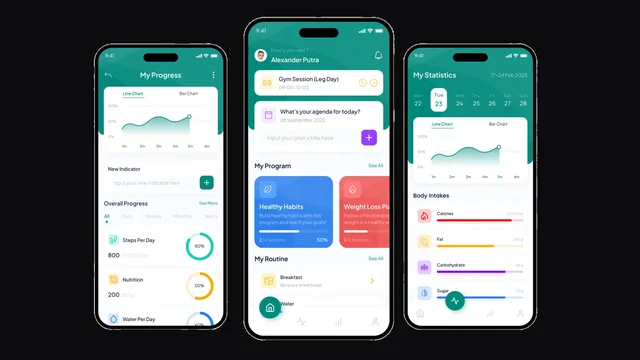
A health and fitness tracking app covering weight management, personalised insights and progress tracking.

  • Mobile app development
  • Product experience design
  • Gamified UX
View case study
Swift Logix — operations surface

Operations surface

Swift Logix

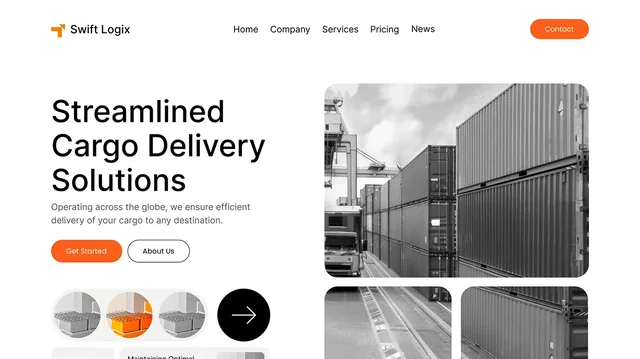
A logistics platform surface for cargo management, service booking and shipment tracking.

  • Service flow design
  • Booking & tracking UI
  • Responsive build
View case study

Branditify helped Lotus Professional create a smoother and more personalized beauty eCommerce experience. The platform made skincare discovery easier through expert recommendations, consultation-led UI, and a mobile-first shopping journey.

By sector

Explore software by industry.

Only sectors with a live page appear here. Manufacturing and logistics are linked from the explorer above; automobiles is covered there until it has a matching page.

Cost

What actually moves the number.

Two businesses asking for "a CRM" can be a long way apart on cost. These are the things that decide it — and none of them can be answered by a page.

System familyA booking system and a manufacturing ERP are not the same build.
ModulesHow much of the architecture you actually switch on.
Users & rolesHow many kinds of people use it, and how differently.
IntegrationsWhat it has to talk to, and how well those systems talk back.
SurfacesAdmin only, or admin plus a customer portal plus a mobile app.
Data migrationWhat has to come across, and what state it is in.
AutomationHow much of the process runs without a person.
ComplexityRules, exceptions and compliance the workflow has to carry.

Questions

Software and systems, answered.

What kinds of business software can Branditify build?

CRM and sales systems, HRMS and payroll, ERP and operations, billing and finance, dashboards and analytics, client and vendor portals, booking systems, inventory and POS, LMS and training platforms, and the sector versions of all of these — hospital, school, hotel, workshop, practice and logistics systems. Eight families cover almost every build.

How do I know which system I need?

Start from the problem rather than the product name. Leads going missing points at a CRM; four spreadsheets disagreeing points at an operations system; the same status question every day points at a client portal; a report that takes two days points at dashboards. The finder on this page narrows three answers to one starting architecture.

What is the difference between a CRM, an ERP and an HRMS?

A CRM manages the relationship before the sale — enquiries, owners, stages and follow-ups. An ERP manages what happens after it — planning, materials, production and dispatch. An HRMS manages the people who do the work — attendance, leave, payroll and records. Many businesses need two of the three, connected rather than merged.

Can one system include several modules?

Yes, and most do. A CRM with invoicing, an HRMS with a dashboard, a portal with booking — the third question in the finder exists precisely because a real system usually carries a second capability. What matters is that the modules you switch on are ones you actually run.

Can the software be customised around our workflow?

That is the whole method. The system family gives the starting structure; the modules, roles, workflows, integrations, automations, interface and reporting are then arranged around how your business already works. Your terminology and your approval steps, not a vendor's.

Can it integrate with the tools we already use?

Where those tools expose an API or a supported export, yes — accounting, payments, messaging, logistics and marketing tools are the common ones. What is genuinely possible depends on the specific tool, so integrations are scoped explicitly rather than promised in general.

Can we start with one module and expand later?

Yes, and it is usually the better way in. One module that replaces a real spreadsheet is worth more than a full system nobody has adopted. The architecture is designed so later modules attach to it rather than requiring a rebuild.

Do you sell fixed SaaS licences or build custom systems?

We build. There is no per-seat subscription and no boxed licence — the system is built for one business, shaped to its workflow and owned by it. The product names on this page are starting architectures we have built before, not products sold off a shelf.

How is software pricing decided?

By the system family, how many modules are switched on, how many kinds of user it serves, what it has to integrate with, whether it needs a mobile or customer-facing surface, how much data has to migrate and how much of the process is automated. The pricing page explains how we scope it; a number needs a conversation.