
Warehouse Management System
Stock is a number until somebody has to walk to it.
One receipt, from the dock to a bin to a pick to a packed carton staged to leave the building. A warehouse system built around where things actually are.
Now
Receiving dock
Inbound
Next
Bin B-14
Storage
Status40 counted against the receipt
Address
- FacilityWarehouse A
- Zone—
- Rack—
- Bin—
- Next action
- Put away 40 units to B-14
- Reference
- RCV-2048
- Can be picked
- Not from here
Illustrative interface · sample dataStep through the receipt. The address resolves as it moves.
Received. Receiving dock. Cannot be picked from here.The count agrees with the paperwork and the units are standing on a dock. Inventory can already report them. Nobody can be sent to fetch one.
A location has been decided and a task exists to move the units into it. The address is known before the units are in it, which is the whole point of issuing the task.
Now the units have an address four segments deep, and a picker can be sent to it. This is the first state in which the warehouse can answer the question the whole system exists for.
Eight units are leaving a bin that holds forty. The bin does not empty and the SKU does not change state — a quantity moves out of one place and into another.
Packed units are in a station, not a bin. They are no longer pickable and not yet outbound, which is exactly the state most spreadsheets have no column for.
This is where the warehouse stops. What happens to the carton after it leaves the bay is a vehicle, a driver and a trip, and that is a different system.
When the goods arrive
Counted is not stored.
A receipt that balances is a good start and it is not a location. Two systems can both be right about a delivery and only one of them can send somebody to it.
- Expected
- 40
- Received
- 40
- Variance
- 0
Standing atReceiving dockWarehouse A · inbound
What is already true
The stock exists, it is counted, and a stock system can report it against the SKU from this moment.
What is not yet true
There is no bin on it. A pick issued against this SKU cannot be sent to the dock, because a dock is where things stop being trucks, not where things are kept.
Nothing here is an accounting or purchase-order receipt. This is the operational moment goods physically enter the building — what a purchase order said, who approved it and what it cost belong to a different system.
The gap between goods arriving and goods being findable is where most warehouse days are actually lost.
What is a Warehouse Management System?
A warehouse management system runs the physical side of stock: receiving goods into a facility, putting them away into a zone, rack or bin, picking against requests, packing, staging and handing the result to whoever moves it. It answers where a unit is and what has to happen to move it, rather than how many exist in the business.
What does WMS software manage?
Facilities and their internal locations, the receipt of goods into them, put-away, the relationship between a SKU and the bins holding it, pick requests and picking, packing, staging, the handoff out of the building, the movement history behind all of it, and the exceptions that stop any of it — plus who is allowed to do each.
What is put-away in a warehouse?
Put-away is the step between receiving and storage: taking goods that have been counted at the dock and moving them into the location they will be kept and picked from. Until it is done, stock exists on the record and has no address anyone can be sent to.
The put-away decision
Somewhere becomes B-14.
Four segments, decided one at a time, by a rule somebody in the business wrote down.
- FacilityWarehouse AThe receipt was booked against this warehouse.
- ZoneZone BFittings and fasteners are kept in Zone B.
- RackRack 04Rack 04 holds this product family.
- BinB-14B-14 is the bin configured for this SKU, at pick-face height.
Put-away taskPA-1180Move 40 units · Receiving dock → B-14
The location came from a rule, not from an algorithm
B-14 was assigned because somebody configured where this product family lives and at what height it should be reachable. Nothing here scores a location, learns from picking frequency or re-slots a warehouse on its own. Rules can be as simple as one bin per SKU or as involved as the operation needs — but they are written by the business and they are readable.
A suggested location is only as good as the rule behind it. Where an operation has no rule yet, put-away is a decision a person makes and the system records — which is still better than a decision nobody records.
The value is not that the system picked a bin. It is that from now on everybody agrees which bin it is.
What is a warehouse bin or location?
A location is the smallest place the warehouse names — usually a bin, sometimes a shelf, a pallet position or a floor spot. Locations sit inside a hierarchy such as facility, zone, rack and bin, and the depth is a configuration decision: some operations need four levels, some work perfectly at zone level.
Can the system suggest where to put something?
Yes, from rules the business defines — this family lives in this zone, this SKU has this bin, fast movers stay at pick-face height. That is a configured assignment, not an optimisation engine. Dynamic slotting that re-scores locations from picking behaviour is a separate piece of work and is scoped as one.
Inventory and warehouse
The same 120 units, counted twice.
One system counts them. The other can walk to them. Both are right, and they are not answering the same question.
Inventory Management
What exists, and what state it is in
120On hand
- Reserved
- 30 Committed to something
- Available
- 90 Not yet committed
Available is a fact about commitments. Addressed is a fact about aisles. A unit can be available and still be nowhere anybody can be sent.
Warehouse Management
Where it is, and what it takes to move it
- 40Bin B-14Zone B · Rack 04Stored
- 32Bin B-18Zone B · Rack 06Stored
- 24Pick face P-03Zone A · pick lineAt the pick face
- 24Receiving dockInbound · no bin yetAwaiting put-away
Same units120
The place figures add up to the stock figure, because they are the same units. What they cannot do is stand in for each other.
The stock side of this has its own system
On hand, reserved and available, and what those numbers mean across the business — that is Inventory Management, and it is a page of its own. The two connect: a warehouse movement produces a stock event, and a reservation is a reason not to empty a bin.
Inventory Management SystemThe pick request
Eight units leave a bin that has forty.
The question a warehouse is asked all day: can we pick this, and from where.
PK-2048SKU-3187Hinge assemblyReady
Bin B-14
Zone B · Rack 04
40→32
8units move
Pick cart
PK-2048 · in motion
0→8
- PackedPack station 28 units packed against PK-2048PK-2048
- StagedStaging lane 1Ready to leave the buildingDSP-2048
A pick that cannot be filled from its source is a short pick, and the system records that rather than quietly finding the balance elsewhere. Whether it then suggests another location is a rule the operation writes.
Picking is not a list. It is a quantity leaving one place and arriving in another, and both places have to be right afterwards.
What is warehouse picking?
Picking is taking a quantity of a SKU out of a specific location against a request. The request names what and how much; the warehouse names where. When it is confirmed, the source location holds less and whatever the units moved into holds more — a cart, a tote or a station.
Picking and packing — what is the difference?
Picking takes units out of their storage locations. Packing turns what was picked into the thing that will leave the building: checked against the request, boxed, labelled and moved to a pack station. Picked stock is in motion; packed stock is a carton waiting for a lane.
Does it support wave, batch or zone picking?
Those are picking strategies rather than a default. Single-order picking is the baseline. Grouping picks into waves, batching several orders into one run or splitting a pick across zones are each real pieces of scope, decided from how the floor actually works and how many lines a day it handles.
What needs a person now
Four places where the floor is waiting.
Not a dashboard. Four locations with something stuck in them, and what each one is blocking.
- Receiving dockInboundReceived three hours ago, no put-away task startedNothing on this dock can be pickedAssign a location and issue the put-awayNeeds a decisionRCV-2049
- Bin B-18Zone B · Rack 06Picked six of eight — the bin was shortOne pick is incompletePick the balance elsewhere or short the lineNeeds a decisionPK-2041
- Pick face P-03Zone ACounted 22, the record says 24The bin is frozen until it is countedCount is scheduled — no picks from here meanwhileWatchingCC-0142
- Pack station 2OutboundPacked, with no staging lane assignedA finished carton is occupying a stationAssign a lane and move itNeeds a decisionPK-2044
And one thing this list will not tell you
None of these are detected. Each one is a state somebody recorded or a condition the record can see for itself — a receipt with no put-away task, a pick confirmed short, a count that disagrees. There is no prediction here, no risk score and no automatic rerouting of work.
A warehouse where every exception is urgent is a warehouse nobody reads. Three of these need a decision today and one is simply being watched, which is what the difference is for.
A warehouse system that only shows the work going well is a system that gets checked once and then ignored.
Where it has been
How this SKU got to a pack station.
Five places, five references. A movement history is about locations, not about value.
- 40Receiving dockInboundReceived against the receiptRCV-2048Also a stock event
- 40Bin B-14Zone B · Rack 04Put away and confirmedPA-1180
- 8Pick cartIn motionEight released against a pickPK-2048Also a stock event
- 8Pack station 2OutboundPacked and checkedPK-2048
- 8Staging lane 1OutboundStaged for handoffDSP-2048
A stock ledger records 2 of these 5 movements — the receipt and the issue — because those are the two that change what the business owns. The warehouse records all 5, because it is the one that has to find them.
How much history moves across from an old system depends entirely on what that system can export. Current locations almost always move. Years of movement lines usually do not, and usually do not need to.
Every question a warehouse argues about is a question about a movement somebody did or did not record.
One receipt, five systems
The warehouse ends at the loading bay.
The same units pass through several systems, and exactly one of them is this page.
- PackedPack station 2
- StagedStaging lane 1
- ReadyHanded to dispatch
- CollectedFleet owns it from here
Dispatch means two different things, and both are correct
Warehouse dispatch is the moment goods leave the building’s own process — packed, staged, handed over. Fleet dispatch is the moment a vehicle and a driver are released into a trip. One ends where the other begins, and a business that runs both wants them to be two records that meet rather than one record doing both jobs badly.
- How many of these exist?Inventory ManagementOn hand, reserved and available — the business-wide stock picture, which this page does not own. The warehouse produces the events behind it, and stops there.Inventory Management System
- Where is it, and what moves it?Warehouse ManagementReceiving, put-away, zones and bins, picking, packing, staging and the handoff out. This page.
- Where is the vehicle carrying it?Fleet & Logistics ManagementOnce a staged carton is collected, it belongs to a vehicle, a driver and a trip that closes on delivery proof. The warehouse hands over; it does not follow.Fleet & Logistics Management
- What are we making, and where is it up to?Manufacturing ERPProduction orders and job cards decide what needs building and pull material for it. The warehouse is what physically finds the material and stores what comes back.Manufacturing ERP
- Who did we buy it from, and was it approved?Vendor and procurementThe supplier, the requirement, the approval and the purchase order sit upstream of everything here. The warehouse starts when goods physically reach the building, which is why receiving on this page is an operational step and not an accounting one.
Warehouse Management is not a stock ledger with bin names added, and it is not a delivery system that happens to start indoors. It is the record of a building.
And when the question is bigger than one warehouse
Operations that need several of these connected — stock, warehouse, production, purchasing — are usually one engagement rather than one product. That is a service conversation, and it starts by working out which record owns which fact.
ERP & OperationsEvery one of these is a real system with a real owner. A warehouse page that answers all five is a page nobody will trust with any of them.
Inventory Management vs Warehouse Management — what is the difference?
Inventory management answers what stock exists, how much of it there is and what state it is in — on hand, reserved, available, across the business. Warehouse management answers where those units physically are inside a facility and what has to happen to move them: received, put away, in a bin, being picked, packed, staged. The same units, two questions.
Does a WMS manage inventory?
It manages stock at the level of place. A warehouse system knows that forty units sit in B-14 and twenty-four are still on the dock, and every movement it records is a stock event. What it does not own is the business-wide picture — valuation, reorder levels, reservations across channels, multi-location totals. Those belong to inventory management, and the two are usually connected rather than merged.
Warehouse Management vs Fleet Management — what is the difference?
Warehouse management is everything inside the facility: receiving, put-away, locations, picking, packing and staging. Fleet and logistics management is everything once movement leaves it: the vehicle, the driver, the trip, the stops and the proof that closes a delivery. They meet at one moment — a staged carton handed over — and it is cleaner as a handoff between two records than as one system pretending to be both.
Warehouse Management vs Manufacturing ERP?
Manufacturing ERP owns the production order: what has to be made, which job cards exist and where production stands. Warehouse management owns the physical goods around it — finding and issuing the material a job pulls, and storing what production finishes. A factory usually needs both, connected at the point where material is requested.
Warehouse Management vs procurement software?
Procurement owns the supplier relationship and the buying decision: requirements, quotes, approvals and purchase orders. Warehouse management starts later, when goods physically arrive at a facility. Receiving on this page is the operational act of counting goods in and putting them somewhere — not the accounting event of accepting a supplier invoice.
Does a warehouse system replace an ecommerce platform?
No. The storefront owns the customer, the catalogue and the order. A released order can create a pick request in the warehouse, and the warehouse tells it when the carton is staged. Fulfilment execution and the buying experience are two different products, and connecting them is usually a better outcome than merging them.
What it meets · what changes size
The parts every warehouse gets, and the parts that are a decision.
Some of this is the system. The rest is scoped from how the floor actually works.
- Facilities, zones, racks and binsScoped per projectThe address depth is a configuration choice. Four segments suit a rack warehouse; two suit an operation that works at zone level.
- Receiving and put-awayIn every buildGoods in against a receipt, a location decided, a put-away task confirmed. The step that turns stock into findable stock.
- Picking, packing and stagingIn every buildA request, a source location, a confirmed pick, a pack station and a staging lane, with the quantity right in every place afterwards.
- Movement historyIn every buildEvery location a unit has been in, with the reference that moved it. This is the part that settles arguments.
- Exceptions and holdsIn every buildShort picks, put-away pending, count discrepancies, frozen bins — recorded, visible and assignable.
- Roles and accessIn every buildWho can put away, who can confirm a pick, who can adjust a location and who can only look.
- Identifiers and scanningScoped per projectSKU codes, barcodes, QR and printed location labels are ordinary parts of a warehouse, and which of them exist is a decision rather than a default. Which devices read them is scoped around the hardware the operation already has or intends to buy.
- Serial, batch and expiryScoped per projectReal requirements in some operations and dead weight in others. They change how a pick is confirmed, so they are decided early rather than added later.
- ReplenishmentScoped per projectMoving stock from reserve storage to a pick face on a configured threshold. A rule the business writes, not a forecast the system invents.
- Multiple facilitiesScoped per projectMore than one warehouse, each with its own locations. Deciding which one should ship an order is a separate question and a separate piece of work.
- Returns and quality holdsScoped per projectGoods coming back, or goods held pending inspection, need their own locations and their own release step.
- A floor appScoped per projectWhether put-away and picking happen on a phone, a rugged handheld or a desk screen changes the interface more than the system. Offline behaviour is its own decision on top.
- Address depth and number of locationsA hundred bins and ten thousand bins are different systems to configure and to label.
- Lines picked per dayVolume decides whether picking can be a screen or has to be a scan-driven flow.
- Scanning hardwareWhich devices, which providers, and whether anything has to work with no network.
- Serial, batch or expiryTracking an identity per unit changes every confirm step in the system.
- Number of facilitiesOne building is configuration. Several buildings is a model decision.
- Systems it has to meetStock, orders, production or purchasing — each connection is real work and each is worth doing on purpose.
What we check before anything is quoted
What the current locations look like, whether they are labelled, how many SKUs and bins exist, how many lines are picked in a day, what hardware is on the floor, which systems must keep working, and who is allowed to do what. That conversation decides the shape of the build more than any feature list does.
Can barcode or RFID workflows be included?
Barcode and QR workflows are ordinary parts of a warehouse build and are scoped around the labels and devices the operation uses. RFID is a different proposition — it needs specific tags, readers and an environment that suits it, so it is treated as its own piece of work rather than assumed.
Can warehouse scanning hardware connect?
Connections are scoped around the devices and providers actually in use. Handhelds, phones and label printers all have their own requirements, and the honest answer before looking at a specific device is that it depends on what it can talk to. Nothing on this page claims compatibility with hardware we have not looked at.
Can a WMS support multiple warehouses?
Yes, where the operation runs more than one. Each facility carries its own zones, racks and bins, and a unit belongs to exactly one location in one facility at a time. What that does not mean is a network optimisation layer deciding which warehouse should ship an order — that is a separate decision and a separate piece of scope.
Who owns the system and the data after a custom build?
You do. The code, the database and the hosting account are yours, and the location data in it is yours. There is no per-user licence and nothing that stops working if a relationship ends.
What determines the scope of a WMS project?
Mostly four things: how deep the location model has to be, how many lines are picked in a day, whether identity tracking such as serial or batch is required, and how many other systems it has to stay in step with. Feature lists are a poor predictor; those four are a good one.
Going live
Getting a warehouse onto it.
The risky part is not the software. It is the day the bin list becomes the truth.
- What exists nowSpreadsheets, a bin list, a SKU master, an old WMS export, paper pick sheets, a map on a wall. We look at what can actually be exported before promising anything.
- A sample firstOne zone, real data. It surfaces the things a schema never does — bins with two names, SKUs that live in three places, labels that stopped matching the shelf.
- SKU and location mappingEvery SKU to a code, every location to an address in the new hierarchy. This is the step that decides whether go-live is calm.
- CleanDuplicate bins, retired locations, stock recorded in places that no longer exist. Decided with you, not silently.
- Import and countLocations and opening stock loaded, then physically verified. A warehouse system that starts from a wrong opening position never recovers on its own.
- ReadyRoles set, labels printed, the floor trained on the two screens they will actually use every day.
Before it is the system of record
- Locations exist and are labelledEvery address in the system is a place somebody can stand in front of.
- Opening stock is counted, not imported on trustThe count is the baseline, and everybody agrees on it before the first pick.
- The floor can do a pick without helpIf it needs the project team present, it is not live yet.
RCV-2048The system of record
Only then does the old spreadsheet stop being consulted. Running both for a fortnight is normal and worth budgeting for.
Nobody can promise every historical movement will come across. What matters at go-live is that the current picture is right — where things are today — and that the history worth keeping is identified rather than assumed.
A warehouse goes live properly on the day the floor stops checking the old list, and not before.
Can spreadsheet or bin data be migrated?
Usually, and the first job is finding out what the current tools can export rather than assuming. SKU lists, bin lists and current stock positions normally move across cleanly. Movement history depends on whether the old system kept it in a form anything can read.
What should a warehouse digitise first?
Locations. A named, labelled address for every place that holds stock is what everything else is built on — put-away has somewhere to send goods, picks have somewhere to be sent, and history has something to be a history of. Digitising picking before locations exist just moves the confusion onto a screen.
Custom WMS or off-the-shelf warehouse software?
Off-the-shelf is the right answer more often than agencies admit: if the workflows are standard and the main requirement is supported hardware and provider integrations, buy it. A custom build earns its place when the layout or the rules are genuinely specific, when several existing systems have to stay in step, or when the standard product forces a workaround the floor has to remember every day.
Does every business need a warehouse management system?
No. An operation with a few dozen SKUs, one room and low pick volume is usually better served by good inventory management and a labelled shelf. A warehouse system starts paying when the building itself is complex enough that finding stock costs real time — many locations, many picks, more than one person, or more than one facility.
Selected work
Relevant capability work.
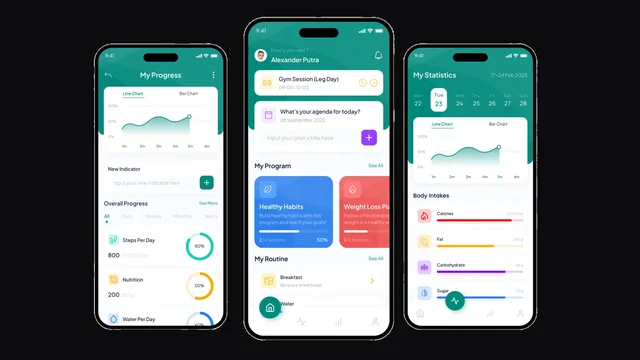
Branditify has not delivered this exact system. These are delivered projects shown for the capability they document — the records, states and interfaces behind them — each listed as what it actually was.


Straight answers
What warehouse managers ask before they commit.
- We run the warehouse on a spreadsheet and people’s memory. Is that a problem?
- It is a problem the day somebody is away. A spreadsheet can hold a bin list; it cannot stop two people picking the same stock, record who moved what, or tell a new picker where B-14 is. If the building is small and stable, memory works. If it is growing, memory is the thing that fails first.
- Do we need barcode scanners to start?
- No. A warehouse system works with typed codes and printed location labels, and plenty of operations run that way for a long time. Scanning reduces mistakes and speeds up confirms, so it is usually the next step rather than the first — and it is scoped around the devices you have.
- What happens when there is no network on the floor?
- That depends on how the system is built and it should be settled before it is built. Offline behaviour — queueing confirms on a device and syncing when the signal returns — is real work with real edge cases, so it is a scoped decision rather than an assumed feature.
- Can it tell us the best place to put something?
- It can apply the rules you define — this family in this zone, this SKU in this bin, fast movers at pick-face height. What it does not do by default is score locations, learn from picking behaviour or re-slot the warehouse. Dynamic slotting is a separate build.
- Can one SKU live in several bins?
- Yes, and in most real warehouses it does — reserve stock in one place, a pick face in another, something still on the dock. The system holds a quantity per location, and the sum of those is the stock the business has in that facility.
- What happens when a picker finds the bin short?
- It is recorded as a short pick against that location and that request, so the gap is visible instead of being absorbed. What happens next — pick the balance from another location, short the line, or trigger a count — is a rule the operation decides.
- Can it handle stock coming back, or held for inspection?
- Where it is scoped in, yes: returns and quality holds get their own locations and their own release step, so held stock is not accidentally pickable. It is worth naming early because it changes what a location is allowed to do.
- Who can move stock or change a location?
- Whoever you decide. Put-away, pick confirmation, location adjustment and the ability to override a hold are separate permissions, because in most warehouses they belong to different people.
- Does it connect to our stock, order or accounting system?
- That is usually the point. Warehouse movements produce stock events, released orders produce pick requests, and staged cartons produce something dispatch needs to know. Each connection is scoped against what the other system can actually expose, rather than assumed to exist.
- How long before the warehouse is actually running on it?
- It depends on the location model, the pick volume and the state of the current data — which is why no timeline appears on this page. What we can say is the sequence: locations first, then receiving and put-away, then picking, and the count before any of it becomes the system of record.
- What happens after it goes live?
- The system is yours — code, database and hosting account. Most operations want changes in the first few months as the floor discovers what it actually wants, and that is either an agreed period of work or an ongoing arrangement. Neither is a licence.
Start a project
Tell us about the building.
The useful first conversation is about locations and pick volume, not about features.
- How many facilities, and how deep the locations go
- Roughly how many SKUs and how many bins
- How many lines get picked on a normal day
- What is on the floor now — scanners, phones, paper, nothing
- Which systems have to keep working
- What breaks most often today