
HRMS & payroll
One system for attendance, leave, payroll and employee records.
Days get recorded as they happen.
Someone asks for two days off.
A day is wrong. It usually is.
The month closes for payroll.
A person checks it before anyone is paid.
Only now does the payslip go out.
Present, absent, late, remote — straight from the attendance machine, a manager, or the employee.
The manager approves it, and attendance updates itself — so payroll sees the same answer later.
A missed punch is raised, the manager confirms it, and the change is kept with their name on it.
On the date you choose the month stops changing. Anything later moves to next month, on the record.
Payable days, approved leave and adjustments are read off this record — nothing is rebuilt by hand.
It lands in their own login, and what was approved — by whom, and when — stays on the same record.
This month
- Attendance recorded22 days so far
- Leave approvedTwo days · by the manager
- Correction approvedOne day · missed punch
- Month closedNothing left open
- Payroll reviewedApproved by HR
- Payslip releasedTo their own login
Payroll review
- Collected
- Reviewed
- Released
Still collecting the month
Still collecting the month
One correction still open
Month collected · waiting on review
Reviewed by HR
Released after review
Illustrative interface. Sample data, not Branditify or client results.
Branditify designs and builds HRMS systems for businesses that need employee records, attendance, leave, payroll workflow, approvals, documents, self-service and reporting in one place — shaped around how your month actually runs.
The problem
Attendance never lives in one place, which is why payroll is a week of chasing.
Attendance arrives from a device, a register, a message and a manager’s memory. Leave arrives separately. Corrections arrive later still. An HRMS is what turns those six inputs into one employee record, one attendance ledger and one approval history — which is what makes a payroll run take an afternoon instead of a week.
Six inputs
One employee recordSix dead ends
One employee record · One attendance ledger · One approval history
Every input lands against the same employee, and the month can be read rather than reconstructed.Payroll starts by rebuilding the month from scratch, and nobody can prove what was agreed.
Illustrative interface. Sample data, not Branditify or client results.
The ledger
A month of attendance, and the exceptions inside it.
Attendance and leave live in the same ledger, because payroll needs them together. Each day carries a shift, a state and — where something is wrong — an exception and who has to resolve it. Which states exist, and what each one does to payable days, is configured for your business.
A full day worked on the assigned shift.
An approved absence drawn against a leave balance.
Part of the shift worked, by policy or by approval.
Attendance recorded outside the shift window.
A working day recorded away from site, where that is configured.
The record is disputed and has not been resolved.
Nothing. This is the month working correctly.
Nothing further — it was approved before the day.
Confirm which half-day rule applies before the cut-off.
Apply the late policy, or raise a correction.
Nothing, if remote is an allowed state for that employee.
A manager has to accept or reject it before the cut-off.
Days in this state
Illustrative interface. Sample data, not Branditify or client results.
Leave
A request, a balance and a decision that is written down.
Leave is a workflow, not a form. The request carries dates and a type, the balance is checked against the policy configured for your business, a manager decides, and the attendance ledger updates so payroll uses the same answer.
- 01Employee requestDates, type and a reason
- 02Manager reviewRouted to the reporting manager
- 03Balance and policy checkAgainst the configured rules
- 04Approve or rejectWith the decision recorded
- 05Attendance updatedThe ledger and payroll agree
The request, as everyone sees it
- Employee
- EMP-1042 · Operations
- Type
- As configured for your business
- Dates
- Two days
- Balance before
- Checked at request
- Routed to
- Reporting manager
- Decision
- Recorded with a timestamp
Leave types, balances, accrual, carry-forward and approval routing are configured to your policy. Nothing here describes a statutory entitlement, and none is implied.
Illustrative interface. Sample data, not Branditify or client results.
The run
Payroll is the month, added up and checked by a person.
A payroll run does not start from a blank sheet. It reads the attendance ledger, the approved leave and the adjustments recorded during the month, applies the salary structure configured for each employee, and puts the result in front of someone to review before anyone is paid.
The review, before anyone is paid
An employee with an open correction is held, not pushed through. The run does not close around a record nobody has resolved.
Payroll rules, salary structures, components, deductions, exports and compliance-related workflows are scoped and configured to your business requirement. No statutory compliance, filing or payroll accuracy is automatic or implied unless it is expressly included in the agreed scope.
Illustrative interface. Sample data, no salary values and no real employee records.
The person
One employee, one record — not a profile card.
Everything the month produced attaches to the same employee: the attendance ledger, the leave register, what payroll did, the documents on file, the assets issued and the history of every change. An HR system that cannot answer "what happened, and who approved it" is a directory, not an HRMS.
EMP-1042
Operations · Shift A
- Status
- Active
- Reporting to
- Operations manager
- Attendance
- Recorded to date
- Open items
- One correction
The employment facts the rest of the system reads from.
The month as the ledger holds it, day by day.
Requests, decisions and what the balance did.
What each cycle did for this employee — states, not salary.
What is on file for this employee, and which version.
What was issued, and what has to come back at exit.
Every change to this record, and who made it.
Which documents are stored, and for how long, is configured for your business. Nothing here is an exhaustive or legally required document set.
Illustrative interface. Sample data, not Branditify or client results.
Whose screen
The same month, four different jobs.
Different roles can and should see different things in the same HRMS. An employee sees their own record; a manager sees their team and the decisions waiting on them; HR runs the cycle; leadership sees the summary and the exceptions. What each role can reach is agreed before it is built.
What did my month look like, and what do I need?
What is waiting on me before the cut-off?
Is the month ready to pay?
Is anything wrong, and what does the month cost in people?
On this screen
Illustrative interface. Access is agreed per project.
Beyond one month
One record stays with the person, from their first day to their last.
A month is a cycle. A person is a story. The same record is opened on their first day and closed on their last — so two years later you can still see what they were paid, what they were promised and who agreed it, without going looking in four places.
The record exists before they walk in: their team, their shift, the documents you need from them and the list of things that have to happen in week one.
Every month adds to the same record — attendance, leave, corrections, payroll. Nothing starts a new file.
A change is dated and kept, not written over. You can still see what it was before — which matters when someone asks about a payslip from six months ago.
If you run review cycles, what comes out of them — the document, the acknowledgement — sits on the same record as everything else.
The laptop, the access, the final month — all on one list instead of in somebody’s head. And the record stays for as long as your policy says, rather than disappearing at the door.
What the record says
- Status
- Joining
- Team
- Operations
- Shift
- Not set yet
- Reports to
- Operations manager
- Status
- Working
- Team
- Operations
- Shift
- Shift A
- Reports to
- Operations manager
- Status
- Working
- Team
- Operations
- Shift
- Shift B · changed
- Reports to
- Operations lead · changed
- Status
- Working
- Team
- Operations
- Shift
- Shift B
- Reports to
- Operations lead
- Status
- Leaving
- Team
- Operations
- Shift
- Ended
- Reports to
- Operations lead
What is in use
- Their details
- Documents
- Onboarding list
- Their details
- Attendance
- Leave
- Payroll
- Documents
- Their details
- Attendance
- Leave
- Payroll
- Documents
- History
- Their details
- Attendance
- Leave
- Payroll
- Documents
- History
- Reviews
- Their details
- Attendance
- Leave
- Payroll
- Documents
- History
- Clearance
What is on file
- Appointment letter
- ID
- Appointment letter
- ID
- Signed policy
- Appointment letter
- ID
- Signed policy
- Change letter
- Appointment letter
- ID
- Signed policy
- Change letter
- Review document
- Appointment letter
- ID
- Signed policy
- Change letter
- Review document
- Exit paperwork
Illustrative interface. Sample data, not Branditify or client results.
What happens on its own
The chasing that nobody enjoys, done by the system.
Most of the work in an HR month is remembering: who has not been assigned, whose correction is still sitting somewhere, what is still open before payroll. The system can watch for those instead. Everything below is agreed with you first, nothing runs unless you want it to, and none of it decides anything about a person.
WhenA manager approves two days off
WhenA day is recorded outside the shift
WhenA new employee record is created
WhenThe date you chose is close
WhenAn exit is recorded
Today
Someone remembers to update the attendance sheet, and the balance, and tell payroll.
It is spotted at month end, if it is spotted, and then somebody has to reconstruct what happened.
A checklist somewhere, half-remembered, different every time.
HR chases people to find out what is still open.
A laptop nobody chased and an account nobody closed.
With the system
The attendance record and the leave balance update themselves, and payroll already has it.
It goes straight onto the manager’s list the same day, while everyone still remembers the day.
The onboarding list starts itself and the documents you need get asked for.
HR gets told what is still open, and who it is sitting with.
The clearance list starts, with what is still out on it.
What that savesThree places nobody has to remember
What that savesA month-end argument
What that savesThe bit of onboarding that always slips
What that savesThe week before payroll
What that savesThe things that go missing at the door
Lands withThe employee record
Lands withThe reporting manager
Lands withHR and the manager
Lands withHR
Lands withHR, IT and the manager
Illustrative examples. What gets set up is agreed before it is built.
All of this moves records and creates reminders. None of it hires, ends employment, sets pay or judges anybody — every decision about a person stays with a person, on the record.
And if AI helps, it helps a person
AI can be added where it genuinely saves time. It answers questions and drafts things for someone to check. It does not make hiring, exit, pay or performance decisions, and none of it is switched on unless you ask for it.
- Answer "how much leave do I have left" from your own policy
- Find the right policy without reading the whole handbook
- Point out where two records disagree
- Draft a routine HR message for someone to send
How it fits in
One thing happens. Everything that needs to know, knows.
Pick something that happens in a normal week and follow it. The point is not the plumbing — it is that the thing only gets recorded once, and everyone downstream is already looking at the same answer.
Pick one
- Attendance machinePunch recordedAt the machine, 9:02
- HRMSEmployee identifiedEMP-1042 · Operations
- HRMSAttendance updatedToday marked present
- HRHR checks what is openBefore the cut-off
- PayrollPayroll reads itOne more payable day
- EmployeeLeave requestedTwo days, from a phone
- HRMSManager notifiedWith the balance already checked
- ManagerManager approvesDecision kept on the record
- HRMSBalance updatesAnd attendance with it
- PayrollPayroll reads itTwo days, approved
- YouYour spreadsheetHowever it is laid out today
- SetupColumns matched upWhich column means what
- SetupChecked firstDuplicates, blanks, old rows
- HRMSRecords createdOne per person
- HRMSReady for month oneAttendance can start
What changed
- Attendance machines connect differently. We check what your device can share before deciding how the HRMS should read it.
- Several sites can feed the same attendance record, so the month is one picture rather than one per branch.
- The HRMS can also pass approved data to the other systems your team uses, where those systems allow it.
What can connect depends on the access each system actually provides — an interface, a database or an export. We confirm that before anything is promised, and no named device or platform is promised here.
Bringing your data in
Your people data moves across, checked before it lands.
Nothing is copied blindly. We take a sample of what you actually have, see what is in it, agree what each column means, and only then create the records — so the first month starts from something you trust.
What you have today
- Spreadsheets
- An HR system export
- Employee lists
- Leave balances
- Past attendance
- Payroll records
- 01We read a sampleA real extract from your data, not a demo file.
- Rows read
- A representative sample
- What we look for
- Blanks, duplicates, old rows
- 02Columns get agreedYou tell us what each column means. We do not guess.
- Full name
- Employee name
- DOJ
- Joining date
- Bal
- Leave balance
- 03It gets cleaned upDuplicates merged, blanks flagged, leavers separated from current staff.
- Duplicates
- Merged, with your say-so
- Blanks
- Flagged for you to fill
- 04Records are createdOne record per person, ready for the first month.
- Result
- One record per person
- Ready for
- Attendance from day one
- Joined
- From your list
- Leave balance
- Carried across
- Documents
- Where you had them
We never assume everything survives a move. What can be brought across is agreed from your own sample first.
Who sees what
Everybody opens the same system and sees a different amount of it.
Nobody should have to trust that the wrong person cannot see a salary or a private note. Each role opens the same employee record and reaches only the part of it that their job needs — and that is decided with you before anything is built.
Opens onTheir own month
Opens onTheir team, and what is waiting on them
Opens onThe records, and the month
Opens onThe summary, and anything wrong
They can check their own attendance, ask for leave and get their payslip — without going through HR for it.
They see their own team’s attendance and the approvals sitting with them. What people are paid is not part of that job, so it is not on their screen.
HR runs the cycle, so HR reaches the employee records, the corrections and the payroll run — within whatever scope you agree.
Headcount, leave patterns and what is stuck. Deliberately not every private note on every person — that is the point of drawing this line.
Security and compliance requirements are scoped per project. No certification or compliance standard is implied unless expressly included in the agreed scope.
And where they do it
A phone app is a separate build. Everything above works in a browser, on a phone, without one. Mobile app development
Illustrative interface. Access is agreed per project.
Reporting
Enough reporting to run the month.
An HRMS answers the questions HR asks about its own cycle. Anything wider — cross-system reporting, executive analytics, operational dashboards — is a dashboard project rather than an HRMS one.
Cost
What changes the cost of an HRMS.
Custom HRMS pricing is decided by scope, not by a headcount licence. These are the things that actually move it. We scope them with you and price the build that results.
In short
What an HRMS is, and what it is responsible for.
- What is HRMS software?
- An HRMS is the system a business uses to hold employee records and run the employee month — attendance, leave, approvals, payroll workflow and the documents attached to each person — in one place rather than across a device export, a register, an inbox and a spreadsheet.
- What is the difference between an HRMS and an HR portal?
- A portal is a place employees log in to. An HRMS is the system underneath it: the attendance ledger, the leave register, the payroll cycle and the approval history. Self-service is one surface of an HRMS, not the whole thing.
- Can attendance, leave and payroll live in one system?
- Yes, and they should. Payroll reads the attendance ledger and the approved leave directly, so the payable days a manager approved are the payable days payroll uses — with no export, re-keying or reconciliation between them.
- How does payroll use attendance and leave data?
- At the cut-off, the month’s attendance and approved leave are frozen for the cycle. The run reads payable days, paid and unpaid leave and any recorded adjustments, applies the salary structure configured for each employee, and puts the result in front of a person to review before anything is released.
- Can employees see their own records and request leave?
- Yes, where self-service is in scope. An employee can view their attendance, request leave against their balance, follow the status of a request, reach their documents and see a payslip where that is included. Not every build includes every function.
- Can HR policies and workflows be customised?
- Yes — that is the point of a custom HRMS. Leave types, balances, accrual, shift patterns, half-day and late rules, approval routing and salary structures are configured to your policy rather than to a product’s defaults.
- Can existing employee data be imported?
- Usually. Spreadsheets, an existing HR system export, employee lists, leave balances and historical attendance can all be sources. What actually comes across depends on source quality, field mapping, duplicates, formats and how far back the history goes — so it is established from a sample of your real data first.
- Can different roles have different access?
- Yes — permissions are set per role. An employee reaches their own record, a manager reaches the people reporting to them, and HR reaches employee records within the agreed scope. Something sensitive like salary can be closed off on its own without hiding the whole record.
- Can an HRMS work on mobile?
- Yes, as responsive web — leave requests, attendance and approvals work from a phone browser, and an employee view can be built compact for exactly that. A native mobile app is a separate build rather than part of an HRMS scope by default.
- What affects the cost of a custom HRMS?
- Scope rather than headcount: attendance complexity and shift patterns, how many leave rules and approval levels, how much of payroll is included, how many integrations and what access they allow, how much history is migrated, what employees can do for themselves, and whether a native app is needed.
An HRMS is one system in a wider stack. If you are still deciding what to build, start with the software hub; if you already know the system is bespoke, the custom software service explains how it is designed and delivered.
Relevant capability work
Records, roles and operational state.
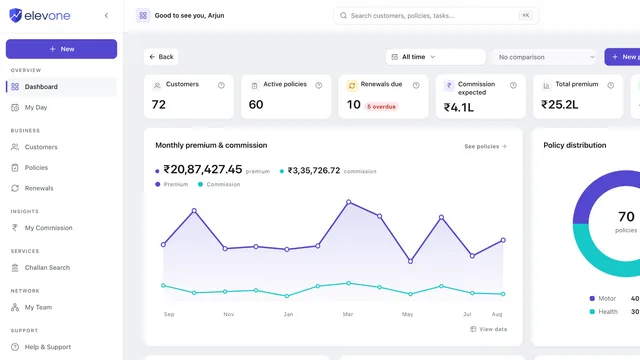
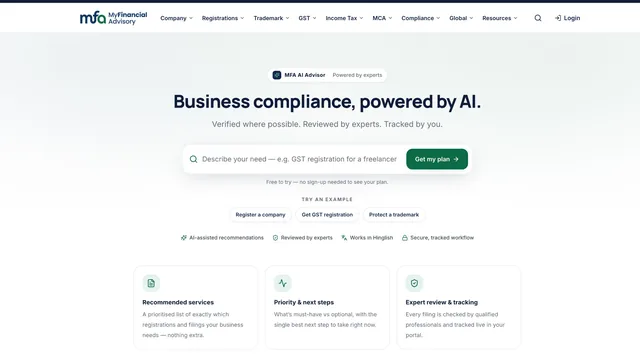
No HR or payroll case is published yet. These are delivered platforms whose own records list role-based access, operations consoles and billing — not attendance or payroll systems.
Questions
HRMS, answered.
- What is HRMS software?
- HRMS software holds employee records and runs the employee month: attendance, leave, approvals, corrections, the payroll cycle and the documents attached to each person. It replaces the device export, paper register, inbox and spreadsheet that HR data otherwise scatters across.
- What can a custom HRMS manage?
- Employee records, attendance and shifts, leave requests and balances, corrections and approvals, the payroll cycle and its review, payslips and documents, assets, onboarding and exit, self-service, and reporting on all of it.
- Can an HRMS handle attendance and leave together?
- Yes, and it has to. They belong in the same ledger because payroll reads both — an approved leave day and a present day both change payable days, so keeping them apart is what makes month-end reconciliation necessary in the first place.
- Can payroll be part of the same system?
- Yes. The payroll run reads the frozen attendance and leave for the cycle, applies the salary structure configured for each employee, and presents it for review before release. Payroll rules, components, deductions and exports are scoped and configured to your requirement — no statutory compliance or filing is automatic or implied unless it is expressly in the agreed scope.
- Can employees access their own records and payslips?
- Where self-service is in scope, yes: their own attendance, leave requests and balances, request status, documents, and payslips where those are included. Employees reach their own record only.
- Can managers approve leave and attendance corrections?
- Yes. Requests and corrections go to the reporting manager, and their decision is kept against the employee record with who decided and when — so the approval history is part of the record rather than a message thread. Manager permissions are set separately from HR’s.
- Can employee data be imported from spreadsheets or another HR system?
- Usually. Spreadsheets, HR exports, employee lists, leave balances, historical attendance and payroll records where available are all possible sources. Because employee data is personal data, what can be brought across and how it is handled is established from a sample first — migration is never assumed to be lossless.
- Can an HRMS connect with attendance devices or accounting systems?
- Where the other system allows it. Connections depend on that device or system’s API, database, export or other available access. We confirm what each device or system can expose during scoping, then define the integration around what is genuinely there.
- Can an HRMS work on mobile?
- Yes, as responsive web — attendance, leave requests and manager approvals all work from a phone browser, and the employee view can be built compact for exactly that. A native mobile app is a separate build rather than part of an HRMS scope by default.
- What affects custom HRMS development cost?
- Scope rather than a per-employee licence: attendance complexity and shift patterns, leave rules and approval levels, how much of payroll is in scope, salary components, integrations and the access they allow, how much history is migrated, what self-service includes, documents, reporting depth and whether a native app is needed.
Explore next