
Fleet & Logistics Management
The vehicle left at seven. Where the trip actually is, is a different question.
One trip, from the moment a vehicle and a driver are assigned to the moment a delivery is confirmed by something better than a phone call.
TR-2048
Moving
Delhi Hub→Gurugram
- Vehicle
- VH-2048 · Light commercial
- Driver
- Rohan K.
- Reference
- ORD-7741
Route
- Delhi HubOriginLoaded and releasedConfirmed
- Transfer pointCheckpointPassed and recordedConfirmed
- GurugramDestinationHandoff and proofNext
NextArrive at the destinationWithDriverProofNot due yetTripOpen
Illustrative interface · sample data
Step through the trip. The route fills as it goes.
The trip exists before it moves.
A vehicle, a driver and a movement, attached to one record. Everything after this points back at it — which is why an operator that starts here can answer for the day, and one that starts at the gate cannot.
Released, and the origin is behind it.
Dispatch is the moment the trip stops being a plan. The record now says who released it and when, so a vehicle that left late is visibly late rather than a matter of opinion.
Between stops, and the record still knows where.
The spine advances by confirmed stops rather than by a position on a map. Where a tracking provider exists it can fill this in automatically; where one does not, the trip is still answerable — which is the difference between a system and a subscription.
Arrived, and not finished.
The vehicle is at the destination and the delivery has not closed. This is the state most operations lose track of, and it is held rather than complete precisely so that somebody can see it.
Proof closes it, and nothing else does.
A confirmed handoff, recorded against the trip with who accepted it and when. The trip becomes history that can be produced months later when somebody says the delivery never arrived.
Before anything moves
Three things have to be true, and a trip that is missing one should not leave.
A trip is not a route. It is an assigned record, and the release state is the consequence of the assignment rather than a button somebody presses.
TR-2048one trip
- A vehicleVH-2048 · Light commercialAssigned to this trip and to nothing else while it runs. A vehicle held open by a service job is not available, which is the one place this system asks another one a question.
- A driverRohan K.Named on the record, not remembered. Who was driving is the first thing anybody asks when a delivery is disputed, and the last thing a spreadsheet can answer.
- A movementDelhi Hub → GurugramWhere it starts, where it ends and what it is carrying a reference to. Without this a trip is a vehicle leaving the yard for reasons nobody wrote down.
Ready to dispatchAll three are attached, so the trip can be released.
Every argument about a delivery starts with a trip that went out before one of these three was actually settled.
What is fleet management software?
Fleet management software is the system that keeps track of the vehicles and drivers a business runs and what each is committed to: which vehicles exist and what condition they are in, who is licensed and available to drive them, what each vehicle is assigned to today, and the history of what it has done. Its job is to answer availability and assignment questions without somebody walking to the yard — and in an operation that also delivers, it is the half that makes dispatch possible at all.
What is logistics management software?
Logistics management software owns the movement: turning a delivery requirement into a trip, releasing it to a driver, following it through the stops it has to make, recording the handoff at the destination and closing it with proof. Where fleet software answers what you have available, logistics software answers what is happening to the thing you sent out. For an operator running its own vehicles the two are halves of one working day, which is why they belong in one system rather than two.
Why combine fleet and logistics management in one system?
Because the same record answers both questions. A dispatcher asking "what can go out at two" is asking a fleet question, and thirty seconds later asking "where is the two o'clock" is asking a logistics one — about the same vehicle, the same driver and the same trip. Splitting them across two systems means the availability picture and the movement picture disagree by mid-afternoon. What this is not is a transport management system in the freight sense: booking external carriers is a different job with a different buyer, and this owns your own vehicles and your own drivers.
The morning, on one screen
Four trips, four different problems, and no phone calls.
Not a map and not a dashboard. Where each trip is in the workflow, and which of them is waiting on somebody.
ReadyAssigned, not yet released
- TR-1994Loaded, driver assignedWaiting on release
MovingReleased and under way
- TR-2048Delhi Hub → GurugramBetween stops
HeldStopped, waiting on somebody
- TR-2031Arrived, recipient unavailableWaiting on a decision
CompletedClosed with proof
- TR-1950Handed over and confirmedClosed this morning
These are states the record already knows, shown deliberately. Nothing here predicts an arrival time, scores a driver or reroutes anything — a trip is held because somebody held it, and for no cleverer reason than that.
One of these four needs a decision in the next ten minutes. Knowing which one is most of what a dispatcher needs the system for.
What does dispatch management software do?
It turns a movement requirement into an assigned trip and then follows that trip until it closes: assigning the vehicle and driver, releasing the job, communicating it to whoever is driving, recording the stops as they are confirmed, and holding the trip open until the delivery is proved. The useful part is not the assigning — most operations manage that on a whiteboard — it is that every trip has a state, so the difference between "moving" and "stopped waiting on a customer" is on a screen rather than in somebody's memory.
Can fleet software manage multiple vehicles and drivers?
Yes, and it is usually the point at which a whiteboard stops working. Each vehicle and each driver carries what they are assigned to and when they are free, so a dispatcher can see what is genuinely available rather than reconstructing it from calls. Where an operation runs several depots or hubs, each keeps its own trips and people while vehicle history stays attached to the vehicle — which is what makes a vehicle transferred between depots still answerable for what it did last month.
When it does not go to plan
The trips worth looking at are the ones that stopped.
Movement mostly works. What a system earns its place on is the small number of trips that did not, and whether anybody can see them.
Dispatchhas to act2
- Recipient unavailableTR-2031Arrived at the destination, nobody to accept it→Reschedule the drop or bring it backNeeds a decision
- Held at originTR-2080Destination not ready to receive→Confirm the window before releasingWatching
Driverhas to act1
- Proof not capturedTR-1968Handed over, nothing recorded against the trip→Capture it, or send the trip for reviewNeeds a decision
Operationshas to act1
- Vehicle unavailableTR-2077A service job is open on the assigned vehicle→Reassign the trip to another vehicleNeeds a decision
And one of these is another system answering
A vehicle held by an open service job is not a fleet fact — it is a workshop fact that fleet has to respect. Where the two systems are connected the availability answer arrives on its own; where they are not, somebody records it. Either way the trip is not quietly assigned to a vehicle that is on a lift.
Auto Workshop ManagementNothing here detects a problem. Each of these is a state somebody recorded or a condition the record can see for itself, surfaced so it is not lost — there is no prediction, no risk score and no automatic rerouting.
A delivery system that only shows the trips going well is a system that will be checked once and then ignored.
What closes a trip
Arrived is not delivered.
The absorbed dispatch-and-delivery workflow, and the one state most operations lose: a vehicle at the destination with nothing recorded yet.
At the destinationHeld
- Stops confirmed
- 3 of 3
- Handed over
- Recorded
- Proof
- Pending
- Trip
- Open
Proof capturedThe only way past
After the handoffCompleted
- Stops confirmed
- 3 of 3
- Handed over
- Recorded
- Proof
- Captured
- Trip
- Closed
Same trip, same stops, same handoff. Two rows differ — and the second is only true because the first is.
What is not claimed is that any of this is legally sufficient, biometrically valid or automatically verified. It is a record of what was captured, by whom and when — which is what settles almost every delivery dispute, and it is a different thing from a certified signature.
And what counts as proof is your decision
A name and a time is enough for some operations. Others want a photograph at the door, a signature, a reference read back, or different requirements for different customers. That is configured around how the business actually confirms a delivery, and it is worth settling early because it decides what the driver is asked to do at every single drop.
The trips that cost money are not the ones that failed. They are the ones nobody can prove succeeded.
One vehicle, five systems
The same van, asked five different questions.
Every one of these is a real system with a real owner. A fleet page that answers all five is a fleet page nobody will trust with any of them.
VH-2048one vehicle
- What is this trip doing?Fleet & LogisticsAssignment, dispatch, the stops, the handoff and the proof that closes it. This page.
- Is the vehicle being serviced?Auto WorkshopThe inspection, the job card and the repair. It decides whether the vehicle can be assigned at all.Auto Workshop Management
- Does the stock exist?InventoryWhat the business holds and what is free. A trip may carry goods; it never owns the stock truth.Inventory Management System
- Where is it inside the building?WarehouseReceiving, put-away, picking and packing. It ends where the vehicle is loaded, and this begins there.
- What visit is happening?Field ServiceThe service request, the technician and the job at the customer site. The technician may travel; the visit is not a trip.
Warehouse management and field service management are systems Branditify builds, each with its own operating record. They are described here rather than linked because each is a separate build with its own scope — and a fleet system quietly growing a picking workflow or a technician schedule is how all three end up done badly.
And the service that builds any of them
ERP & Operations is the Branditify engagement for designing and developing custom operational software. This page is one of the systems that engagement produces; if what you need is a different shape, it starts in the same place.
ERP & OperationsAn operator usually needs two or three of these. Almost nobody needs one system pretending to be all five.
Can proof of delivery be captured digitally?
Yes, and the useful question is what your business counts as proof rather than what a feature list offers. A recipient name and a timestamp against the trip settles most disputes on its own; a photograph at the door, a signature on a screen, a reference read back or a scan can each be added where the operation genuinely needs them, and different customers can reasonably need different things. What matters is that the proof is attached to the trip rather than sitting in somebody’s phone, and that a trip without it stays visibly open. What it is not is a certified or legally validated signature.
Can courier and last-mile delivery workflows be included?
They are the same record run at higher frequency and shorter distance, so yes. A last-mile run is a trip with more stops, tighter proof requirements and a higher rate of failed handoffs — which means the parts that matter most are the exception states and the retry, not the routing. Where an operation is genuinely courier-first, that shapes what gets built: more attention on the driver’s surface and on what happens when nobody answers the door, and less on long-haul trip planning.
What is the difference between fleet management and auto workshop software?
They hold the same vehicle for opposite reasons. Fleet asks what the vehicle is doing: what it is assigned to, which trip it is on, where that trip has reached. Auto workshop asks what is being done to it: what the inspection found, what work is open, which parts that work needs. They meet at exactly one question — is this vehicle available to assign — and a vehicle held by an open job is a workshop fact that fleet has to respect. Operators with their own garage usually need both, connected at the vehicle rather than merged.
What is the difference between fleet management and field service management?
A technician travelling to a site is not the same thing as a delivery, even though both involve a vehicle. Field service owns the service request, the technician, the schedule and the work done at the customer's premises. Fleet owns the vehicle, the driver, the movement and the handoff. A business doing both often needs both, and the honest split is that the visit belongs to field service while getting there belongs to fleet — merging them produces a system that schedules badly and dispatches worse.
What is the difference between fleet management and warehouse management?
They meet at the loading bay and own opposite sides of it. Warehouse management owns everything inside the building — receiving, put-away, bins, picking and packing — and ends when the goods are loaded. Fleet and logistics begins there: the vehicle, the driver, the trip and everything that happens between the gate and the handoff. A distributor usually needs both, and keeping them separate is why the warehouse can change how it picks without anybody touching how trips are dispatched.
What it meets in the real world
Every tracking question has the same honest first step.
Four things a fleet system has to meet, each settled by looking at what you already run rather than by a feature list.
- Location and trackingChecked firstA trip advances by confirmed stops, which works with no tracking at all. Where a GPS or telematics provider already exists, what it can expose — and how often, and under what licence — is checked against that provider before anything is scoped around it. What is never claimed is that this system tracks a vehicle itself.
- The driver's surfaceScoped per projectWhoever is driving needs to confirm a stop and capture proof, and where that happens — a phone screen, a shared device, a call to the office that somebody records — is a design decision made around how the operation really runs. A dedicated app is one option among several, scoped rather than assumed.
- Stops and dispatch rulesScoped per projectWhich stops a trip has, in what order, and what may be released to whom, are defined around the operating model. There is no routing engine here: this system records the plan your operation makes, and it does not compute a better one.
- Orders, stock and the booksChecked firstA trip usually carries a reference to something — an order, a delivery note, a customer. What can be connected depends on what those systems will expose, and that differs between two operators running the same software. We look before scoping it.
- How a trip is structuredPoint to point is straightforward. Multiple stops, part loads, mixed customers on one run and returns each change the record itself, not just the screen.
- What proof has to beA name and a time is simple. Photographs, signatures, per-customer requirements and anything that has to be produced later are each defined work.
- What connectsA self-contained system is a contained build. A tracking provider, an order system, stock and accounting are each their own piece.
- The driver surfaceConfirming a stop from an office screen is one build. A dedicated surface a driver uses all day, with intermittent signal, is a materially different one.
- How many vehicles and depotsOne yard is contained. Several hubs, each dispatching its own trips while sharing vehicle history, changes the shape.
- Exception handling depthRecording a failed handoff is simple. Retry rules, partial delivery, returns and who may authorise each need deciding first.
- What history movesVehicles, drivers and open trips carry across quickly. Years of completed trip records are their own project.
What we need to start
What you move and roughly how many trips a day, how many vehicles and drivers, how a trip is recorded and released today, what happens when a delivery cannot be completed, what your business counts as proof, whether any tracking or telematics provider is already in place, which systems already exist that this must live alongside, and one recent delivery nobody could account for afterwards. The last one is usually the most useful part of the conversation.
Does fleet software include GPS tracking?
Not by itself, and it is worth being precise about why. This is a trip operating record, not a tracking product: it knows which stops have been confirmed, by whom and when, which is what an operator actually needs to answer for a delivery. Where a GPS or telematics provider is already in place, position data can often be brought in so stops confirm themselves — but what that provider exposes, how often, and on what terms is checked against them first. An operation with no tracking at all still gets a complete trip record, which is the part most spreadsheets cannot do.
Can a fleet system work without live GPS?
Yes, and a large number of operations run exactly that way. A trip advances when somebody confirms a stop — the driver, the receiving site, or the office recording a call — and the record is just as answerable afterwards as one fed by a device. What you lose is the between-stops picture, and what you gain is a system that does not depend on hardware being fitted, charged and working in every vehicle. Where tracking is added later, it fills in the same states rather than replacing them.
Does fleet software include route optimisation?
Not here, and the honest reason is that route optimisation is a specialist discipline with mature products behind it. This system records the stops and the order your operation decides on, and follows the trip against that plan. Where genuine optimisation matters — many drops, tight windows, cost per kilometre — the sensible route is a dedicated tool connected to this record rather than a routing engine rebuilt inside a custom build, and we would say so rather than sell the build.
Can telematics or GPS providers connect to a custom fleet system?
Often, and the first step never changes: find out what the provider will actually expose to a third party, at what frequency and under what commercial terms. That answer differs between two operators using the same device. Where a connection is available, trip states can be filled in from it and the manual confirmation stays as a fallback. Where it is not, the trip record works on confirmed events — which is why the system is designed around those rather than around a feed that may never arrive.
Custom fleet software or off-the-shelf?
Off-the-shelf is the right answer more often than a software company usually admits. If your operation looks like the standard one — assign, dispatch, deliver, confirm — and the providers you use are already supported, a mature fleet or delivery product will be faster to start and cheaper to run. Custom earns its cost when the dispatch workflow is genuinely specific, when existing systems must be kept and connected, when what counts as proof is unusual, or when a standard product would force a change to something that already works. The test is whether you would have to change how you operate in order to use the product.
Does every fleet need custom software?
No. An operator with a handful of vehicles, a regular route and one person who knows where everything is will often do better with an established tool, or occasionally with a well-kept sheet. The picture changes when trips start waiting on decisions nobody sees, when deliveries cannot be evidenced afterwards, when vehicles are assigned to jobs they cannot do, or when several people need the same answer at once. The signal is not the size of the fleet — it is how many phone calls it takes to find out where something is.
What determines the scope of a fleet and logistics project?
Mainly how a trip is structured and how much has to be proved. Point-to-point movements, one depot, a self-contained system and a simple confirmation is a contained build. Multi-stop runs, part loads and returns, per-customer proof requirements, a driver surface used all day on intermittent signal, several hubs sharing vehicle history, and connections to tracking, orders or accounts each add defined work. What rarely determines it is the length of a feature list — most operators need a narrower system built properly around how dispatch actually happens.
Who owns the system and data after a custom fleet build?
You do — the system, the source code and everything in it, including vehicle records, driver records and trip history. There is no licence to keep paying for the software itself, and nothing is withheld that would stop another team working on it later. Hosting, support and further development are separate arrangements you choose, not conditions of keeping what was built.
Getting a fleet onto it
A trip can be dispatched before a single old trip sheet moves.
Most operators arrive with a vehicle list, a driver list and a year of trip sheets in a drawer or a spreadsheet.
- SourceVehicle and driver lists, dispatch sheets, old software or provider exports, and the trip sheets themselves — whatever the current setup will give up.
- SampleA real slice of it, read properly, before anything is promised about the rest.
- MapWhich field is the vehicle, the driver, the origin, the destination — and which three rows are the same driver spelled differently.
- CleanVehicles sold last year, drivers who have left, destinations written six ways. This is the part that takes the time.
- ImportVehicles, drivers and open trips first, because that is what a dispatcher needs on day one.
- VerifyChecked against a real morning by somebody who dispatches, not accepted because the import reported success.
And then a trip becomes possible
- Vehicles and driversLoaded and de-duplicated
- PlacesOrigins and destinations defined
- PeopleDispatch roles and access set
TR-2048A trip can be assigned
A trip can be assigned as soon as vehicles, drivers and the places you move between exist, and the people who dispatch have accounts. Until those are true there is nothing to assign — which is why going live is a checklist rather than a date.
Your vehicle, driver and open-trip records are worth getting right. A year of completed trip sheets usually is not, and we say which is which after reading your data rather than before — a lot of that history is more useful archived than typed into a live system.
The first real trip dispatched on a new system is the only migration test that has ever counted.
Can existing trip sheets and spreadsheets be migrated?
The parts worth having, yes. Vehicle lists, driver records, customer or site lists and any trips still open carry across well because they are structured enough to map, and they are what a dispatcher needs to start. Completed trip history depends entirely on how it was kept — a spreadsheet with consistent columns will move, a drawer of handwritten sheets is usually better scanned and archived than retyped. The useful step is to read a real sample and say what will survive rather than promising everything will.
What should a transport or logistics operator digitise first?
Vehicles, drivers and the trip. A clean list of what you run and who can drive it, and every movement opening a trip record that carries its assignment and its stops, is the foundation everything else stands on. Proof, exceptions, tracking and connections all get easier once those are trustworthy — and starting there also gets the system genuinely used by the people dispatching, which decides whether the rest survives.
Background
Relevant capability work.
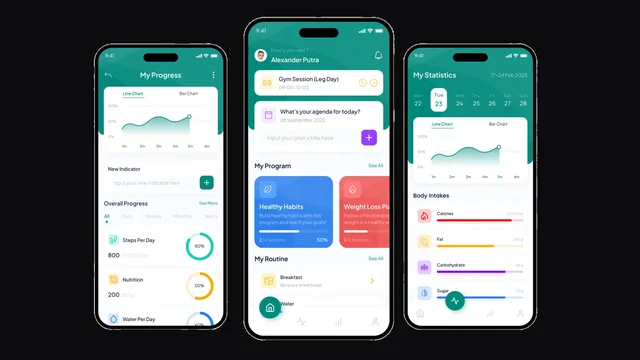
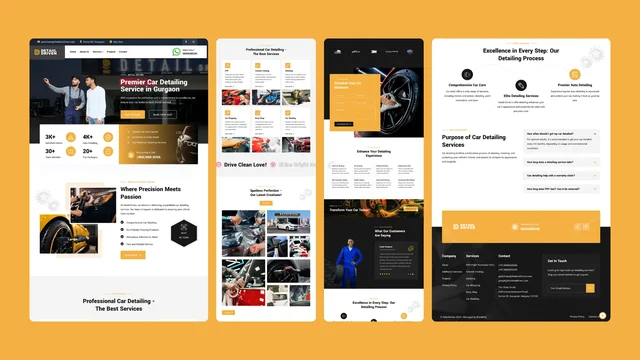
Branditify has not delivered this exact system. These are delivered projects shown for the capability they document — the records, states and interfaces behind them — each listed as what it actually was.

Questions
Asked before commissioning one.
- We run dispatch on a whiteboard and a phone. Is that a problem?
- Not automatically. A whiteboard works while one person can hold the day in their head and every driver answers the phone. It starts failing when somebody has to ring three people to find out where a load is, when a delivery cannot be evidenced a week later, or when two dispatchers give the same vehicle to two jobs.
- Do drivers need smartphones?
- It depends on what you want them to do. Confirming a stop and capturing proof needs some surface, but that can be a phone, a shared device in the vehicle, or a call to the office that somebody records against the trip. Designing for the second case is often the right answer and it is worth deciding early, because it shapes what the whole system assumes.
- What happens when there is no signal?
- That is a design decision for your operation rather than a feature that is either present or absent. What a driver surface may still do offline, what it queues, and how it reconciles when signal returns all shape the build. A system designed on the assumption of perfect coverage will find out otherwise on its first bad route.
- Can a customer be given a tracking link?
- Where the trip states support it, yes — a link showing the states you choose to share is straightforward. What it will not show is a live position unless a tracking provider is connected and permits it, and promising customers a moving dot you cannot actually deliver is a good way to create complaints instead of removing them.
- Can one trip have several drops?
- Yes, and it is worth deciding early because multi-stop reaches into the record rather than sitting on top of it. Each stop carries its own arrival, handoff and proof, which is what lets a run be partly complete — the state most single-drop systems cannot express and most courier operations need.
- What happens to a delivery that fails?
- It becomes a recorded exception with a reason and an owner rather than a gap. Whether the rule is retry tomorrow, return to the depot or wait for the customer is a decision your operation makes, and the system applies it consistently and keeps the failed attempt attached to the trip.
- Can it handle vehicles that are off the road?
- It should, because assigning a trip to a vehicle that is on a lift is one of the more expensive mistakes dispatch can make. A vehicle can carry an availability state, and where a workshop system exists that state can come from it rather than from somebody remembering. Where it does not, it is recorded manually and still prevents the assignment.
- Who can release a trip or change an assignment?
- Decided per role and built in from the start. Creating a trip, releasing it and reassigning a vehicle mid-run are three different levels of trust, and the last one is worth restricting — it is the action that makes a morning hard to reconstruct.
- Does it calculate fuel, tolls or trip costs?
- Values can be recorded against a trip where the operation captures them, and that is often genuinely useful for comparing routes after the fact. What it is not is a costing engine or an accounting system, and anything that has to reconcile to the books belongs with the software that owns them.
- How long before dispatch is actually running on it?
- That follows from how a trip is structured and how much connects, so it is scoped after seeing how you dispatch rather than quoted before. The part worth protecting in any plan is a first version narrow enough to be used properly for one depot or one route — a dispatch system people work around is worse than the whiteboard it replaced.
- What happens after it goes live?
- The first week of real trips changes the system, and that is expected rather than a failure of the build — dispatch always has habits the specification did not. Support and further development are arranged separately and are your choice, and you own the system and the code either way.
Start here
Tell us how a load leaves your yard, and where it usually goes quiet.
The second half of that is where the real system requirement is hiding.
- What you move, and roughly how many trips a day
- How many vehicles and drivers, and across how many depots
- How a trip is recorded and released today
- What your business counts as proof of delivery
- What happens when a delivery cannot be completed
- Whether any tracking or telematics provider is already in place
- One recent delivery nobody could account for afterwards