
Client portal development
One private portal where every client sees their own documents, requests and updates.
What your client sees
Signed in as the account owner
Their home screen
NewWhat your team sees
Signed in as your project lead
Your account view
PublishedYour team publishes the new plan.
It goes to one place the customer can always get back to, instead of an email that gets buried in a thread.
Branditify designs and builds client portals — a private place where each of your customers signs in, sees only their own account, sends you what you need, approves work and follows what is happening. Built around your business, not filled in from a template.
Why businesses build one
Every business gets this message. The portal is what answers it.
A customer asks where things stand. What happens next is the entire case for a client portal.
A customer, on a Tuesday morning
Hi — can you send me the latest version, and let me know where we are?
Without a portal
The chase
- 01It lands with one personWhoever they happened to email or message.
- 02That person asks someone elseBecause the latest file is not with them.
- 03Somebody digs out the fileFrom a drive, a chat, or an older email.
- 04A reply goes backWith a version nobody is certain is the latest.
- What the customer got
- One answer, from one person, once.
- What was recorded
- Nothing anyone else can find later.
- Next time they ask
- The whole thing happens again.
With a portal
The answer was already there
- 01They sign inTo their own account, on any device.
- 02The latest version is on the home screenMarked as the current one.
- 03The stage is written on itWhere things are, and what is next.
- 04Anything they send goes to the right placeFiled to their account, not an inbox.
- What the customer got
- The answer, whenever they look.
- What was recorded
- Everything, on the account.
- Next time they ask
- They mostly do not need to.
A portal does not stop people emailing you. It gives the answer somewhere to live, so the same question does not need answering twice.
The client side
What your customers would actually see.
One home screen for their account, and a small number of places to go from it. Pick one to see what it holds.
The one screen most customers only ever need.
Where the work has reached, what is happening next, and anything waiting on them.
- Stage
- In production
- Next
- First sample for approval
- Waiting on you
- Nothing right now
These are examples rather than a fixed set. Which sections a portal carries depends on the business, and most start with a focused few.
Illustrative interface · Sample data
The business side
What your team would control.
The same account, from the inside. Your team decides what exists, who can see it, and what gets published.
What the client sees
Nothing appears in a customer’s portal until someone on your team publishes it.
- Draft, then publishWork on something without the client watching it change.
- Choose the audienceEveryone on the account, or only certain contacts.
- UnpublishTake something back down if it went out early.
What arrives from them
Anything a customer sends becomes an item with an owner rather than an email.
- Assign an ownerSo it is somebody’s job, not everybody’s.
- Set a stateOpen, with us, answered, closed — visible to both sides.
- Internal notesNotes your team can see and the client cannot.
Who is on the account
Customers are organisations, not single people, and portals have to handle that.
- Invite their peopleAn owner, a finance contact, a site contact.
- Different access per personNot everyone at the client should see everything.
- Remove accessWhen somebody leaves that business.
What is kept
The account carries its own history, so nothing depends on one person’s memory.
- ApprovalsWhat was approved, by whom, when.
- Documents and versionsIncluding the ones that were replaced.
- ActivityWhat was shared, opened and answered.
A portal shows exactly what your business chooses to publish, so your internal systems stay internal and every customer sees only what your team has released.
Illustrative interface · Sample data
Access and permissions
Different customers see completely different things.
This is the question every business asks first. Permissions are set by your team at three levels, and no customer can ever see that another one exists.
Everything on their own account, and nothing beyond it.
Each customer only ever sees inside their own account.
Security and compliance requirements are scoped per project. Where a specific standard or certification is required, we confirm what applies and design the scope around it.
Illustrative interface · Sample data
Only what you need
Most portals are smaller than people expect.
Every client portal is shaped to its business. Three businesses, three genuinely different builds — each carrying only what its customers actually use.
A services business
Sells projects to a small number of clients who need to follow progress.
What this one has
What it deliberately does not
Their clients mostly want the current version and the current stage.
A B2B supplier
Sells repeatedly to trade customers who order, reorder and check paperwork.
What this one has
What it deliberately does not
Their customers come for paperwork and repeat orders, not progress updates.
A professional practice
Handles confidential matters for individual clients over long periods.
What this one has
What it deliberately does not
Collecting documents securely matters more than showing a pipeline.
The things a portal can hold
A portal is assembled from a business’s actual needs. This is the vocabulary, not a checklist.
Building fewer modules well is normal and usually better. A portal can grow later without being rebuilt.
How it is different
The difference is who signs in.
Most of what a business already owns is built for staff. A client portal is the one thing built for the customer.
A CRM
Signs in: Your sales team
Tracks leads, deals and follow-ups so your team knows what to do next.
It stays internal — your customer never needs to sign in to it.See CRM & sales systems
A project tool
Signs in: Your delivery team
Runs tasks, boards and internal timelines for the people doing the work.
Showing it to a customer means showing them your internal mess.
A shared drive or link
Signs in: Whoever has the link
Moves files quickly when you need to send something once.
No account, no record of who saw what, and links outlive the people they were sent to.
An HR portal
Signs in: Your employees
Gives staff their own leave, attendance and payroll self-service.
Same idea, different audience — that is an internal system, not a customer one.See HRMS & payroll
A client portal
Signs in: Your customer
Gives each customer their own private account with what you have shared and what you need back.
It works alongside the systems above rather than replacing them.
Businesses often keep their CRM and add a portal. The CRM stays the place your team works; the portal becomes the place your customer works.
Where it lives
It works with the website you already have.
A portal does not mean rebuilding your site. It is a signed-in area that sits alongside it, wherever suits you.
portal.yourbusiness.com
On your own subdomain
The most common choice. Your website stays exactly as it is, and the portal lives next to it.
Clean separation, your branding, nothing about the public site changes.
yourbusiness.com/portal
Inside your existing website
A signed-in area on the same domain, styled to match your site.
Feels like one product to your customer. Depends on how your current site is built.
Built together
As part of a new site
If the website is being rebuilt anyway, the portal is designed with it from the start.
One design system, one login, one build.
On a phone, without an app
Portals are built to work in a phone browser first, because that is where most customers open them.
- Does it work on mobile?
- Yes. It is designed for a phone screen, not squeezed onto one.
- Do my customers need an app?
- No. They open a link and sign in, the same as any website.
- Can they add it to their home screen?
- Yes, if you want that — it behaves like an app icon without an app store.
- Could we have a real app later?
- Possible, but it is a separate decision and rarely the first thing a portal needs.
Working with what you have
A portal is usually the front, not the whole system.
Most businesses already keep their information somewhere. The portal shows the parts a customer should see, and sends what they send back to where it belongs.
- Your CRM
- So an account in the portal is the same customer your team already knows.
- Your accounting or ERP
- So invoice status and order history come from the system of record.
- Your payment provider
- So paying works the way it already works for you.
- Your file storage
- So documents can live where your team already keeps them.
- Email and messaging
- So a customer still gets notified without signing in to check.
- Your website
- So signing in is a normal part of your site, not a separate world.
The portal
- Accounts and people
- What is shared
- What comes back
- Approvals and history
The honest part about integrations
Systems connect in different ways, and knowing which kind you have is what makes a scope accurate.
We confirm what each existing tool can expose before defining the connection, so the scope reflects the systems you actually run.
Your existing customers
Yes — the customers you already have can be brought in.
Nobody starts a portal empty. Existing accounts, contacts and documents come across before anyone is invited.
What you have today
- A spreadsheet of clients
- Your CRM or accounting system
- Folders of documents
- Old email attachments
- A previous portal or shared drive
- 01GatherEverything you have about your customers, from wherever it lives.
- 02MatchDuplicates merged, contacts attached to the right account.
- 03CheckYou review a sample before anything is loaded for real.
- 04LoadAccounts, people and documents go in — still invisible to customers.
- 05InviteYou choose who gets access, and when. Often a few customers first.
What comes across depends on the records you hold today. We look at the real data early, so the scope reflects the work involved.
Will my customers use it
The first visit has to explain itself.
One customer, the first time they ever open your portal. If it asks them to learn something, they will go back to email — so it should not ask.
The whole first visit, end to end.
The invitation
Your account is ready
Everything for your project, in one place you can come back to.
Open your accountAn email from your business, with your name on it — not from software they have never heard of.
One step in
Their email address
Choose a password
Nothing else is asked for.
One screen and one password. No forms about their company, no setup to work through first.
Their first screen
Nothing else on this screen is asking for attention.
Their own account, one thing waiting, and one obvious thing to do with it.
Nobody has to learn software. They open a link and the first thing they see is theirs — which is what makes a self-service portal get used rather than ignored.
If a customer stays in their inbox
Many will, and the portal is built for exactly that. It is where the account lives, working alongside the way you already talk to people.
Email still reaches them
Your business
Site plan v3 needs your approval
The update can go to their inbox, where they already are.
They can still just reply
Re: Site plan v3
Looks good — go ahead.
Email, phone and WhatsApp carry on. Nothing gets switched off.
Your team can act for them
Approval recorded
By your project lead, for the account owner
Somebody on your side records the approval or uploads the file on their behalf.
The record stays together
However it arrived, it lands on their account — so nothing depends on one person’s inbox, and the next person to look has the whole story.
How much your customers use a portal depends on them, on your business and on how you introduce it. What design controls is the effort involved — and that is what we design for, starting with the least willing user.
Ownership
It is yours.
A portal Branditify builds is your system, not a seat on ours.
- The portal
- Yours. It runs under your name and your domain, and it is not shared with anyone else.
- The data
- Yours. Your customers’ information belongs to your business.
- The code
- Handed over as agreed in scope, so you are not locked to us to make changes.
- Where it runs
- Your hosting account where you want that, so you keep the keys.
- What happens after launch
- Support and further work are a choice, not a condition of keeping it running.
The portal is yours outright — built for your business, owned by your business, running under your name. Branditify builds systems rather than renting them.
What happens if you enquire
What actually happens after you get in touch.
A conversation first, and a written scope once the business is properly understood.
- 01A conversationWe ask what your customers currently have to email or phone you for. That question usually defines the whole portal.A shared idea of whether a portal is even the right thing.
- 02Shaping the scopeWhich modules you actually need, who signs in, what they each see, and what it has to connect to.A written scope with what is included and what is deliberately left out.
- 03DesignThe client side is designed first, because it is the side that has to be obvious. Then the team side behind it.Screens you can react to before anything is built.
- 04Build and connectThe portal is built, your systems are connected where they can be, and your existing customers are brought in.A working portal with your real accounts in it, still private.
- 05A small first groupA few friendly customers get access before everybody does, so problems surface while they are small.Fixes based on real use rather than assumptions.
- 06Open it upThe rest of your customers are invited, at whatever pace suits you, with your team ready behind it.A portal in normal use, and a plan for what comes next.
Each step moves at the pace of the scope and of information coming back from your side, so the timetable is agreed once the scope exists.
What changes the cost
What a portal costs depends on a small number of things.
Every portal is a different build, so cost follows scope. These are the things that actually move it.
Straight answers
The questions businesses ask before they enquire.
Short answers first. Everything above is the longer version.
- What is a client portal?
- A client portal is a private, signed-in area where each of your customers can see and do the things they currently have to email or phone you about — their documents, the status of their work, requests, approvals, updates and, where relevant, invoices. Each customer sees only their own account.
- Why would my business need one?
- Because the same questions come back to your team repeatedly, and the answers live in one person’s inbox. A portal gives those answers a permanent place your customer can reach without asking, and gives your team one place to send and receive things instead of email threads.
- What would my customers actually see?
- A home screen for their account showing where things stand and anything waiting on them, plus a small number of sections such as documents, requests, uploads, approvals, updates and history. The exact set depends on your business — most portals start with four or five.
- What would my team control?
- Everything the customer sees. Your team publishes documents and updates, decides who on the customer’s side can see what, assigns incoming requests to a person, sets the state a customer can see, and keeps internal notes the customer cannot see.
- Can different customers see different things?
- Yes, and this is the default rather than an add-on. Access is by account first, so one customer can never see another customer’s information. Within an account, individual people can be given different access — an owner and a finance contact do not need the same thing.
- How is a client portal different from a CRM?
- A CRM is for your team: leads, deals and follow-ups, and your customer never signs in to it. A client portal is for your customer: their own account with what you have shared and what you need back. Businesses commonly keep the CRM and add a portal alongside it.
- Can it connect to our existing CRM, ERP, payment or storage tools?
- Usually yes, and how depends on the system. Some allow a live connection, some a scheduled copy, some work in one direction, and some keep their data in-house — in which case the portal holds it. We confirm what each existing tool can expose before defining the connection.
- Can you work with our existing website?
- Yes. A portal is normally a signed-in area on your own subdomain, or a section inside your current site if it can support it. Your public website does not have to be rebuilt for a portal to exist.
- Can our existing client data be brought in?
- Yes. Existing accounts, contacts and documents are gathered, de-duplicated, checked by you as a sample and then loaded before anybody is invited. How much work that is depends on how tidy the records are.
- Does it work on mobile, and do we need an app?
- It works on a phone browser and is designed for that first. No app is needed — customers open a link and sign in. It can be added to a phone’s home screen if you want it to feel like an app, and a real app remains a separate decision later.
- Who owns the portal, the data and the code?
- You do. The portal runs under your name and domain, your customers’ data belongs to your business, and code is handed over as agreed in scope. It is yours outright rather than licensed from us.
- Can Branditify build only the modules we actually need?
- Yes, and that is usually the right way to do it. A portal with four sections that people use beats twelve that they do not. Modules can be added later without rebuilding what already works.
Looking for a different system? These are the closest:
Selected work
A client portal, delivered.
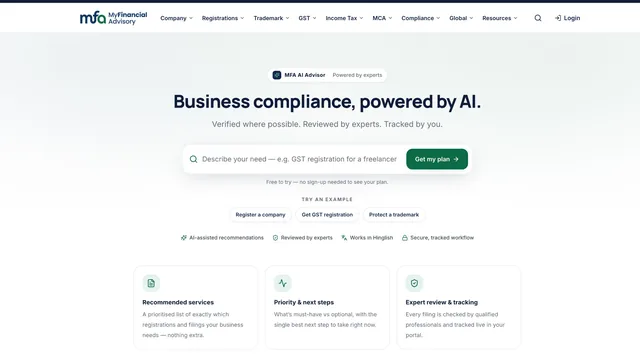
MyFinancialAdvisory is an approved Branditify case whose own record names this system: a customer portal for services, documents, approvals and invoices.
Questions
Before you get in touch.
- What is the project process for building a client portal?
- A conversation about what your customers currently have to ask you for, then a written scope, then design of the client side first, then the build and connections, then a small pilot group of customers, then opening it to everyone. Timelines depend on scope and are agreed once the scope exists.
- What happens if different clients need different access?
- That is handled at three levels: which account a person belongs to, what role they have within that account, and whether an individual document or section is shared with them. Your team sets all three, and can change them at any time.
- Will our customers find it complicated?
- They should not have to learn anything. The first sign-in is an invitation email and one password screen, and it opens on a single screen showing where things stand. Email notifications continue for customers who never sign in, and your team can act on a customer’s behalf.
- We already use email, WhatsApp and a shared drive. Why change?
- You do not have to stop using them. A portal adds the thing those tools cannot do: a permanent record attached to a customer account, which the customer can reach themselves and which does not depend on one person still working with you.
- Is a client portal the same as billing or invoicing software?
- No. Some portals show invoices and payment status because customers ask for them, but they show what your accounting system already knows. Creating invoices, tax handling and collections belong in accounting software, not in the portal.
- Is this a Branditify product, or is it built for us?
- It is built for you. Branditify designs and builds the portal around your business, and your business owns it outright — one system that is yours, rather than a plan or a seat count.
- How is security handled?
- Access is account-based with individual sign-ins, so people see only what your team has shared with them, and access can be removed when someone leaves. Security and compliance requirements are scoped per project. Where a specific standard or certification is required, we confirm what applies and design the scope around it.
- Which kinds of business do client portals suit?
- Any business whose customers need documents, status, approvals or paperwork moving back and forth — suppliers, manufacturers, professional practices, service businesses and education among them. The modules change with the business; the idea stays the same.
- Can we start small and add to it later?
- Yes, and most businesses should. A portal built around the two or three things your customers ask for most can be extended once you can see how it is actually used.
- What can we review before we start?
- Our selected software work, our client projects and the interfaces we have published — enough to judge the systems thinking, the interface craft and the execution behind a Branditify build. From there your portal is scoped around your customer journey, the access each person needs, the tools you already run and the work your team has to manage.
Where to go next
A portal is rarely the only system a business needs.
What usually sits around a portal, and where to look next.