
CRM & sales systems
Every enquiry should have an owner, a stage and a next step.
It arrived. Nobody has touched it yet.
- Account
- Retail prospect
- Source
- Website form
- Owner
- Unassigned
- Last activity
- Enquiry received
Next stepAssign an owner
Someone owns it, and it is worth pursuing.
- Account
- Retail prospect
- Source
- Website form
- Owner
- Inside sales
- Last activity
- Discovery call logged
Next stepSend scope and pricing
A quote exists, and the clock is running.
- Account
- Retail prospect
- Quote
- Sent · awaiting response
- Owner
- Inside sales
- Last activity
- Proposal opened
Next stepFollow up on the quote
Terms are moving. Every change is recorded.
- Account
- Retail prospect
- Quote
- Revision 2
- Owner
- Sales lead
- Last activity
- Terms discussed on call
Next stepConfirm revised scope
It closes, and it hands over — it does not vanish.
- Account
- Retail prospect
- Quote
- Accepted
- Owner
- Sales lead
- Last activity
- Agreement signed
Next stepHand over to delivery
Illustrative interface. Sample data, not Branditify or client results.
Branditify designs and builds CRM systems for businesses that need lead capture, pipeline ownership, customer and account records, follow-ups, quotes, sales workflows and clean handover — shaped around how your team already sells.
The problem
Enquiries do not go missing all at once. They go missing one channel at a time.
A lead can reach a business six different ways, and only some of those ways end up somewhere a person will look again tomorrow. A CRM captures every source in one place and gives each enquiry an owner, a stage and a next step — which is how leads stop getting lost.
Six ways in
One CRM inboxSix destinations
Every row gains owner, stage and next step.
Every channel lands in the same place, and every enquiry leaves it carrying three things.Each channel ends somewhere different. Nothing joins up, and no two people see the same picture.
Illustrative interface. Sample data, not Branditify or client results.
The workspace
A pipeline is a place to work, not a place to look.
A sales pipeline tracks where every open opportunity has reached, who owns it, how long it has been there and what has to happen next. Each stage carries different work, so selecting one changes the whole surface — the records in it, the fields it uses and the queue it generates.
Assign it, or lose it.
Understand it well enough to price it.
Get a number in front of them, then chase it.
Keep every change written down.
Hand it over cleanly.
Every enquiry needs a named owner and a first contact on the day it arrives.
A recorded requirement, a named decision maker and a timeline before anything is quoted.
A version-controlled quote, a date it was sent and a booked follow-up.
A recorded objection, what changed in the terms, and the meeting that settles it.
A recorded agreement, a named delivery owner and a written handover before sales lets go.
In this stage
Illustrative interface. Sample data, not Branditify or client results.
Underneath
The card is the summary. The record is the reason a CRM is not a board.
A CRM record stores everything attached to one account: the contacts, every call, message and note, the documents that were sent, the quote and its versions, the open tasks, the stage history and the next action. A card tells you where something is — the record tells you everything else.
Retail prospect
Website enquiry #1042
- Primary contact
- Operations
- Owner
- Sales lead
- Stage
- Negotiation
- Expected close
- Set
- Next action
- Confirm revised scope
Everything that happened to this account, in the order it happened.
Calls, messages and notes attached to the account, not to a person’s memory.
What was actually sent, and which version of it.
The commercial state of the deal, with its own version history.
The next step is a thing in the system, not a thing in someone’s head.
Who is actually involved — deals rarely have one person in them.
How it got here, and how long each stage took.
- Enquiry receivedWebsite form
- Owner assignedInside sales
- Discovery callNotes recorded
- Requirement changedPhased rollout preferred
- Quote sentVersion 1
- Quote revisedVersion 2
- Follow-up scheduledTerms review
- Revision 2With the customer
- Revision 1Superseded
- Scope
- Phased · three releases
- Changed since v1
- Phasing and start date
- Approver
- Sales lead
- Expected close
- Set
Illustrative interface. Sample data, not Branditify or client results.
Whose desk
The same pipeline, three different jobs.
Managers and sales reps can and should see different views of the same CRM. A rep opens on their own work for today; a manager opens on where the pipeline is stuck; a founder opens on what is close, what is large and what needs a decision. Follow-ups can be created and chased by the system rather than remembered.
What do I need to do today?
Where is the pipeline stuck?
What needs attention or a decision?
Today’s queue
Illustrative interface. Sample data, not Branditify or client results.
Automation
The system does the chasing that a person forgets.
Follow-ups and reminders can be automated. A CRM watches for a condition — an enquiry with no owner, a quote with no reply, a deal with no next step — and creates the task, assigns it and escalates it. Every rule below is illustrative: what gets automated is agreed with you before it is built, and nothing runs by default.
- 01When this happensWebsite enquiry receivedQuote sentStage unchangedDeal marked won
- 02And this is trueNo owner within the agreed windowNo response for a configured periodNo activity logged for a configured periodNo delivery owner attached
- 03Do thisAssign by rule and create a first-contact taskCreate a follow-up task and notify the ownerRaise it on the manager’s exception listCreate the handover task and block the close
- 04For this ownerInside salesDeal ownerSales managerDelivery team
Illustrative logic. Sample rules, not a configuration we ship.
AI-assisted, where it earns its place
AI-assisted capabilities can be scoped into the CRM where useful. They assist a person; they do not sell, qualify or close on their own, and none of them are included by default.
- Summarise a long account history
- Suggest the next action on a stalled deal
- Identify stale opportunities earlier
- Draft a follow-up for a person to send
- Surface anomalies in the pipeline
Connections
A CRM is only useful if the rest of the business can reach it.
A CRM can capture enquiries from the channels you already use and exchange data with the systems you already run. What is possible depends on the source system: connections depend on the source system’s API, database, export or other available access — which is checked in scoping, not assumed.
Enquiries in
Systems it exchanges data with
No named platform integration is promised here. Each one is confirmed against the actual access that system provides before it is scoped.
Bringing your existing data in
Existing leads, contacts and customer records can usually be brought in. What comes across depends on the data, not on the CRM.
Where data usually comes from
- Spreadsheets
- An existing CRM export
- Contact databases
- Historical opportunities
- Customer and account lists
What decides how much survives
Migration is never assumed to be lossless. What can be brought across is established from a sample of your actual data before anything is committed.
The commercial tail
Winning the deal is a change of owner, not the end of the record.
Quotes and proposals can live inside the CRM, versioned against the opportunity they belong to. When a deal is won the record does not close and disappear — it hands over, carrying everything the next team needs.
A quote, from raised to answered
- 01OpportunityRequirement recorded and priced
- 02Quote v1Issued against the opportunity
- 03RevisionWhat changed, and why
- 04ApprovalInternal sign-off where scoped
- 05SentRecorded with the date it went out
- 06Follow-upScheduled, not remembered
- 07Accepted or rejectedEither way, the reason is kept
What travels with a won deal
Where delivery, onboarding or customer success continues is a separate decision for each business — the CRM’s job is to hand over a complete record, not to dictate the process that follows.
Illustrative interface. Sample data, not Branditify or client results.
Access
Who can see which records, and where they work.
A CRM decides visibility by record and by stage, not by dashboard. A rep works their own pipeline; a manager sees the team’s and the exceptions in it; an admin sees more and can change configuration where that has been scoped.
Records this role can open
- Their own and assigned records
- Activities on those records
- Contacts on those accounts
- Their own follow-ups and tasks
Not in this role
- Other owners’ pipelines
- Configuration
Records this role can open
- The whole team’s pipeline
- Ownership and reassignment
- Exceptions and stalled deals
- Stage ageing across owners
Not in this role
- System configuration unless scoped
Records this role can open
- Broader record visibility
- Stage and field configuration where scoped
- User and role management
- Export and audit where scoped
Not in this role
- Nothing withheld at this level
Security and access requirements are scoped per project. No certification or compliance standard is implied unless expressly included in the agreed scope.
Where the work happens
A native app is a separate build, not part of a CRM scope by default. Mobile app development
Reporting
Enough reporting to run the pipeline.
A CRM answers the questions a sales team asks about its own pipeline. Anything wider — cross-system reporting, executive views, operational analytics — is a dashboard project rather than a CRM one.
Cost
What changes the cost of a CRM.
Custom CRM pricing is decided by scope, not by a seat count. These are the things that actually move it. We scope them with you and price the build that results.
In short
What a CRM is, and what it is responsible for.
- What is a CRM?
- A CRM is the system a business uses to record every enquiry, customer and account in one place, together with who owns each one, what stage it has reached and what happens next.
- What does a CRM manage?
- Leads, accounts and companies, contacts, opportunities, activities, quotes and proposals, follow-ups and tasks, and the handover once a deal is won.
- How does a CRM stop leads getting lost?
- By giving every enquiry three things the moment it arrives: a named owner, a current stage and a next step with a date. Anything missing one of the three becomes visible instead of being forgotten.
- Can leads arrive from multiple sources?
- Yes. Website forms, WhatsApp, phone calls, referrals, social messages and manual entry by the team can all land in the same pipeline, each keeping the source it came from.
- What does a sales pipeline track?
- Where every open opportunity has reached, who owns it, how long it has been in its current stage, and the action that stage requires next.
- What is stored in a CRM record?
- The account and its contacts, every call, message and note, documents and which version was sent, the quote and its revisions, open tasks and follow-ups, and the full stage history.
- Can managers and sales reps have different views?
- Yes. The same pipeline can open on a rep’s own follow-ups for today, on a manager’s stuck deals and ownership, or on a founder’s likely closes and exceptions.
- Can follow-ups be automated?
- Follow-ups can be created automatically when a stage changes, chased when a record goes untouched, and escalated when a date passes. What gets automated is agreed with you before it is built.
A CRM is one system in a wider stack. If you are still deciding what to build, start with the software hub; if you already know the system is bespoke, the custom software service explains how it is designed and delivered.
Relevant capability work
Owners, stages and next steps, in systems we have shipped.
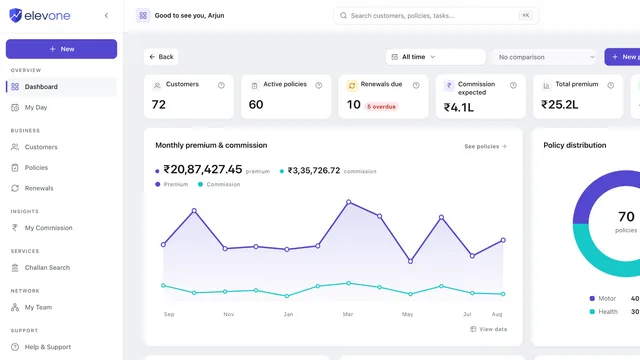
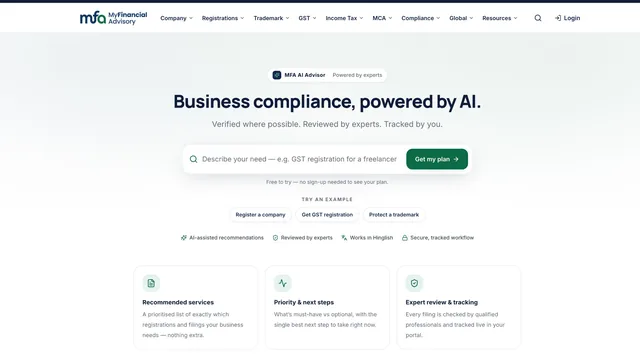
No CRM case is published yet. These two are delivered platforms with role-based workspaces and operations consoles — the record-and-stage capability this page describes, in another category.
Questions
CRM, answered.
- What is CRM software?
- CRM software is the system a business uses to record every enquiry, contact and customer account in one place, with an owner, a current stage and a next step against each one. It replaces the mix of inboxes, phones and spreadsheets that enquiries otherwise scatter across.
- What can a custom CRM manage?
- Leads, accounts and companies, contacts, opportunities, activities such as calls and notes, quotes and proposals, follow-ups and tasks, stage history, and the handover once a deal is won.
- Can a CRM capture leads from our website and other channels?
- Yes. Website forms, WhatsApp and messaging where the platform supports it, email, phone calls logged by the team, referrals, and imports can all land in the same pipeline, each keeping the source it came from.
- Can sales reps and managers see different CRM views?
- Yes. Visibility is set by record and by stage. A rep works their own assigned pipeline and follow-ups; a manager sees the team’s pipeline, ownership and exceptions; an admin sees more and can change configuration where that has been scoped.
- Can follow-ups and reminders be automated?
- Yes. Rules can assign an owner when an enquiry arrives, create a follow-up when a quote is sent, raise a deal that has gone quiet, and require a handover before a won deal closes. Which rules run is agreed before the build; nothing is on by default.
- Can a CRM include quotes and proposals?
- Yes. A quote can live against the opportunity it belongs to, with its versions, what changed between them, internal approval where that is scoped, the date it was sent and the follow-up attached to it.
- Can you migrate leads from spreadsheets or another CRM?
- Usually. Spreadsheets, an existing CRM export, contact databases and historical opportunities can all be sources. What actually comes across depends on data quality, format, duplicates, field mapping and how much history the export contains — so we establish it from a sample of your real data rather than promising a lossless migration.
- Can a CRM connect with our existing tools?
- Where the other system allows it. Connections depend on that system’s API, database, export or other available access. We confirm what each existing tool can expose during scoping, then define the integration around what is genuinely there.
- Can a CRM work on mobile?
- Yes, as responsive web — the same CRM in a phone browser, including a compact view for the day’s follow-ups and calls. A native mobile app is a separate build rather than part of a CRM scope by default.
- How much does custom CRM development cost?
- It depends on scope rather than on a seat count: pipeline complexity, which modules are included, how many roles and integrations, how much automation, the state of the data being migrated, reporting depth, permissions and which surfaces are needed. We scope those with you and price the build that results.
Explore next