
Mobile app development
Build the experience that earns a place on the phone.
We design and develop custom mobile apps for iOS and Android — the experience itself, and the backend, admin and integrations that make it useful once the user has put the phone away.
Assigned to you
CHECK #218- Site
- Site B · North gate
- Due
- Today
- From
- R. Menon
Photograph the lower bracket
1 photo attached
Panel seal intact, minor corrosion on the lower bracket.
Submit checkCHECK #218 is finished and safe. It will send itself when there is a connection.
Waiting to sync · 1Sending CHECK #218 and 1 photo.
1 of 1CHECK #218 was submitted and R. Menon has it.
Next checkA notification arrives
- On device
- Assigned
- On the record
- Assigned
Illustrative app · sample data
Before anything
Not everything deserves a place on somebody’s home screen.
The most useful thing we can do in a first conversation is sometimes talk you out of one.
Not every digital product needs an app. A mobile app becomes worth building when the core experience genuinely benefits from frequent use, device capabilities, notifications, offline behaviour, or a repeat interaction that has to be faster than opening a browser. When none of those are true, a good responsive site usually reaches more people for less money.
- How often is it used?Now and thenMost days
- What are they doing?Reading and browsingRepeating a task
- Where are they?At a desk, mostlyMoving, standing, working
- Does the phone help?Not particularlyCamera, location, sensors
- Is the signal reliable?YesNot always
- Does timing matter?They come when they comeSomething has to reach them
- How do people find it?A link, search, sharingThey already have it installed
If most of your answers sit on the left, we will say so. A site you already need is cheaper than an app nobody opens twice.
The moment
One person, one phone, one thing to finish.
Every screen should answer the same question: what do I need to do now?
A mobile app is designed around a moment, not around a feature list. Somebody is standing somewhere with one hand free and a job to finish, so each screen has to answer what to do next without being read carefully. Getting that right is most of what makes an app feel good, and it is decided long before anything is built.
Assigned to you
CHECK #218- Site
- Site B · North gate
- Due
- Today
- From
- R. Menon
Photograph the lower bracket
1 photo attached
Panel seal intact, minor corrosion on the lower bracket.
Submit checkCHECK #218 is finished and safe. It will send itself when there is a connection.
Waiting to sync · 1Sending CHECK #218 and 1 photo.
1 of 1CHECK #218 was submitted and R. Menon has it.
Next check- On device
- Assigned
- On the record
- Assigned
Six screens. No menus to learn, and nothing to read twice.
Behind one tap
Your user sees one button. Several things have to happen behind it.
This is the half of app development that nobody photographs.
A single tap in a well-built app usually triggers a short chain of work: the input is checked, the result is stored on the device so nothing is lost, it is sent when there is a connection, the business record is updated, whoever needs to know is told, and only then does the user see a confirmation they can trust. Screen design decides how it feels; this chain decides whether it works.
- 01Check itIs this complete and valid, before anything else happens
- 02Keep itWritten to the device first, so a lost signal cannot lose the work
- 03Send itWhen there is a connection, retrying if there is not
- 04Record itThe business record updates — one source of truth
- 05Tell someoneWhoever the workflow says needs to know
- 06Confirm itThe user sees a state that is actually true
- On device
- Complete
- On the record
- CHECK #218 · complete
The gap between an app that feels fine in the office and one that works on a rooftop is almost entirely in this list.
What the phone brings
The phone is not a small screen. It is a set of things a browser cannot do as well.
Used where the workflow needs them, and left alone where it does not.
A mobile app can use the camera, location, biometrics, files, background behaviour and notifications more deeply than a browser typically can. Each of those should be in a product because the job needs it, not because the platform allows it — every permission an app asks for is a moment where a user decides whether to trust it.
An app that asks for everything on first launch is asking to be deleted. Permissions are requested when the feature that needs them is used, and only for what the product actually does.
Assigned to you
CHECK #218- Site
- Site B · North gate
- Due
- Today
- From
- R. Menon
Photograph the lower bracket
1 photo attached
Panel seal intact, minor corrosion on the lower bracket.
Submit checkCHECK #218 is finished and safe. It will send itself when there is a connection.
Waiting to sync · 1Sending CHECK #218 and 1 photo.
1 of 1CHECK #218 was submitted and R. Menon has it.
Next checkCamera
When the signal goes
The honest app tells you it has not synced yet.
Two truths, briefly different, and reconciled on purpose.
Parts of an app can be designed to work without a live connection when the workflow needs it. What can be done offline depends on what must be stored on the device, what can safely wait, and how conflicts are resolved when the connection returns — and the app should say which state it is in rather than showing a tick it has not earned.
Assigned to you
CHECK #218- Site
- Site B · North gate
- Due
- Today
- From
- R. Menon
Photograph the lower bracket
1 photo attached
Panel seal intact, minor corrosion on the lower bracket.
Submit checkCHECK #218 is finished and safe. It will send itself when there is a connection.
Waiting to sync · 1Sending CHECK #218 and 1 photo.
1 of 1CHECK #218 was submitted and R. Menon has it.
Next check- On device
- Saved on device
- On the record
- In progress
The work is finished and safe. The business does not know yet.
The app is holding a queue, not a spinner.
Sent in order, with retries if it fails.
Both agree. Now the tick is honest.
That is a product decision before it is a technical one: last write wins, first write wins, or the app asks. Which is right depends on what the record is and what it would cost to get it wrong, so it is agreed per workflow rather than assumed.
Notifications
A notification is a promise that something is worth opening.
It should land on a real event and open on a real next step.
A useful notification connects something that actually happened to something the user can do about it, and opens directly on it. Notifications that exist to raise engagement are the fastest way to have an app muted, and a muted app cannot tell anyone the thing that mattered.
- The event
- CHECK #218 was reassigned to you
- The notification
- “CHECK #218 needs your review — Site B, due today.”
- Where it lands
- Opens directly on CHECK #218, ready to review
- The event
- Nothing happened
- The notification
- “Don’t forget to check the app today! 👀”
- Where it lands
- Opens on the home screen
- Tied to an event
- Something changed, and this person is affected by it
- Says what and where
- Enough to decide without opening it
- Opens on the thing
- Not the home screen, not a menu
- Can be turned down
- Per type, by the person receiving them
How it gets built
One app, three honest ways to build it.
The right answer comes from how the app behaves, not from what is fashionable.
Cross-platform means one application layer running on both iOS and Android with platform-specific adaptation where it matters, and it suits most business apps. Native means building separately for each platform, which earns its cost when a product depends on deep platform behaviour, sustained performance or hardware access. A web app or installable web experience is right when nothing about the product genuinely needs to be installed. Which one fits is decided from the behaviour, the platforms, the roadmap and what already exists.
- Most business and internal apps
- Both platforms from day one
- A roadmap that will keep changing
- A team that has to maintain one thing
- Deep platform-specific behaviour takes more work
- Some newest OS features arrive later
This is where most of our app work sits: React Native and Flutter, with Expo where it suits the project.
- Sustained heavy performance
- Deep hardware or OS integration
- A platform-specific product experience
- One platform only, done exceptionally
- Two codebases to build and maintain
- Usually the largest of the three
When a product genuinely needs this, we will say so — including when that means it is not the right project for us.
- Nothing genuinely needs installing
- Reach matters more than depth
- The audience will not install anything
- Fast iteration without review cycles
- Limited device access
- No store presence
- Notifications are weaker on some platforms
Often the right recommendation, and the one an app company is least likely to make.
We build cross-platform apps in React Native and Flutter, with Expo where it fits, backed by Node or Python services and Postgres or Firebase depending on the project. Which of those is right matters far less than whether the product decisions above are right, which is why they come last on this page.
What sits behind it
The app is the part people see. It is rarely the whole product.
Somebody has to assign the check, and somebody has to read the result.
Most apps need a backend, and many need some form of admin or operational interface: a team has to manage users, assign work, review what came in, handle exceptions and support people. How much admin a project needs depends entirely on what the business has to control behind the app — sometimes it is a handful of screens, sometimes it is most of the build.
- 01The appWhat the person on site usesField team
- 02The service behind itAccounts, records, rules, sync, notificationsNobody sees this, and everything depends on it
- 03The adminAssign work, review results, manage users, handle exceptionsManager
- See the checks assigned to them
- Submit results and photos
- Manage other users
- Change organisation settings
- Assign and reassign checks
- Review and reopen results
- See the whole site
- Change billing or account ownership
Different app users can see and do different things when the workflow requires it. Which roles exist is a product decision made early, because it shapes the data and the screens.
If something already exists
A web product, or an app that has stopped being loved.
Both are common, and neither means starting again.
We review the existing product and its APIs before deciding what can be kept. A web product often already has the accounts, data and services an app needs, and what is missing is the mobile workflow rather than the backend. An existing app is judged the same way: sometimes the interface is the problem, sometimes the dependencies are, and sometimes continuing it costs more than rebuilding around what it proved.
- Backend and API
- User accounts
- A database
- Business logic that works
- Keep
- The backend and API, where they can serve a mobile client
- Adapt
- The workflows — a phone is not a narrow desktop
- Add
- What only mobile needs: offline, push, device access
- Rebuild
- Only what genuinely cannot serve the app
Not every web backend can simply be reused. Whether yours can is something we check rather than assume.
- An interface that has aged
- Dependencies nobody has updated
- A release process people avoid
- Screens that are slower than they were
- Audit
- What is actually wrong, separated from what is merely old
- Keep
- What works and what users already understand
- Replace
- The parts holding the rest back
- Migrate
- Accounts and data, carefully, with the old one still running
We report what we find, including when the honest answer is that it is fine and the problem is somewhere else.
Release
Shipping an app is a process, not a button.
And the first release is the easy one.
App-store submission is a release process, not an automatic approval. A build is prepared, tested on real devices, put in front of a small internal group, given the product information and privacy details the platforms require, and submitted for review — and review feedback is addressed if it comes. Where store submission is part of a project’s scope, we handle that; approval itself is the platform’s decision, and nobody can promise it.
- 01BuildA real, installable build
- 02Device testingActual phones, not just the simulator
- 03Internal releaseA small group using it properly
- 04Store informationListing, screenshots, privacy and permission details
- 05SubmissionSent for platform review
- 06ReviewFeedback addressed if it comes
- 07ReleaseLive, to whoever the release is for
- 08UpdatesThe part that never stops
Apps sit inside operating systems, device generations and third-party services that all keep moving. Ongoing work usually means dependency updates, OS compatibility, fixes, changes forced by a provider, and the features real use turns out to need. What that looks like for a project is agreed as part of its scope rather than sold as a package here.
Scope
What makes one app much larger than another.
Rarely the idea. Usually the count, and what has to be true behind it.
Scope on an app build is mostly arithmetic: how many kinds of user, how many core journeys, whether both platforms are in scope from the start, how much backend and admin has to exist behind it, and how much of the hard behaviour — offline, sync, notifications, payments, device access — the product genuinely needs. What affects development time most is the number of distinct things to design, build, test on real devices and support.
- User rolesHow many kinds of person use it
- Core journeysHow many jobs the app has to support
- BackendWhether one exists, and what it can already do
- AdminHow much the team has to manage behind the app
- Offline behaviourWhat has to work without a connection
- PlatformsiOS, Android, or both from day one
- Native vs cross-platformHow deep into the platform it has to go
- Device accessCamera, location, sensors, background work
- NotificationsHow much logic decides who gets told what
- PaymentsWhether money moves inside the app
- IntegrationsEach other system is its own piece of work
- MigrationAccounts and data carried over from something existing
- Custom motionHow bespoke the interface has to feel
- Device coverageHow many real devices and OS versions are tested
- Store supportWhether submission is in scope
- ComplianceWhere a standard genuinely applies to the data
No. An app that shows the same thing to everyone may not need accounts at all. The moment it holds something personal, assigns work to a specific person, or has to remember anything across devices, it does — and that decision shapes the data model, so it is worth making early.
No, and most business and internal apps never take a payment. Where money does move inside an app, what has to be defined is what is being sold, how it is bought, what the purchase grants and what happens on renewal, refund or cancellation. Platform rules apply to what can be sold in an app and how, and they differ by what you are selling — so that is checked against current platform policy for your specific case rather than assumed here.
An app should ask for what it actually uses, at the point it uses it, and be able to explain why. Access can differ by role, sensitive data gets controls appropriate to the project, and the platforms require accurate privacy information at submission — which is part of preparing a release, not an afterthought.
The app, its source, its assets and its data are yours. Store and service accounts are set up in your name wherever the platforms allow it, so the listing and the users are never held by us. Work is handed over with the repository, the build configuration and the access it runs on, and with documentation where that is in scope.
Selected work
Product and app work we have designed and built.
Published projects, with what each one actually covered taken from its own record.
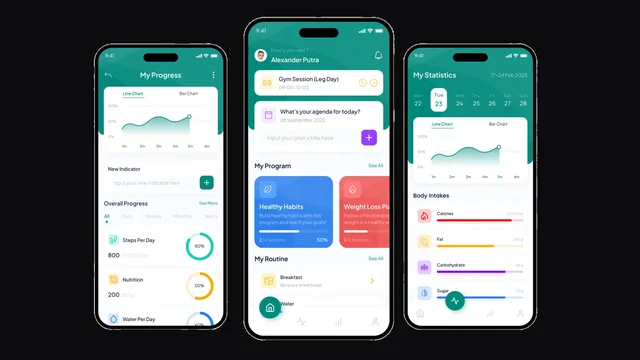

Selected product work. Scope for each project is listed from its own record.
Questions
Mobile app development, answered.
- What is mobile app development?
- Designing and building an application that people install on a phone — the experience itself, and the backend, admin and integrations behind it that make it useful once the phone is back in a pocket.
- Do I need an app or a mobile website?
- A mobile website is often enough when the experience is occasional, mainly reading or browsing, and reached by a link. An app starts to earn its place when people return often, when the phone’s own capabilities matter, when something has to reach them at the right moment, or when it has to keep working without a signal.
- What is the difference between a mobile app and a web app?
- A web app runs in the browser and needs no installation. A mobile app is installed on the device and can use camera, location, background behaviour, notifications and offline storage more deeply. Plenty of products end up with both, sharing the same backend.
- Should we build for iOS, Android, or both?
- It depends on where your users actually are, which is usually knowable from your existing traffic or customer base. Building both from the start is common with cross-platform, and choosing one first is a reasonable way to prove a product before doubling the surface to support.
- Native or cross-platform?
- Cross-platform suits most business apps: one application layer on both platforms, with platform-specific adaptation where it matters. Native earns its cost when a product depends on sustained performance, deep hardware access or platform-specific behaviour. The app’s behaviour decides, not fashion.
- What do you build apps with?
- Cross-platform apps in React Native and Flutter, with Expo where it suits the project, backed by Node or Python services and Postgres or Firebase depending on what the product needs. Which stack is right matters far less than whether the product decisions are.
- Does an app need a backend?
- Almost always. Anything with accounts, shared data, notifications, sync or an admin view needs a service behind it. An app that shows only what is on the device — a calculator, a converter — is the rare exception.
- Does an app need an admin panel?
- Usually some form of one. If a team has to assign work, review what came in, manage users, handle exceptions or support people, that has to live somewhere. How much admin depends on what the business needs to control behind the app.
- Can a mobile app work offline?
- Parts of it can, where the workflow needs it. What matters is deciding what must be stored on the device, what can safely wait to sync, and how conflicts are resolved when the connection returns — and being honest in the interface about which state the user is in.
- Can an app use the camera, location and files?
- Yes, where the product genuinely needs them. Permissions should be requested at the point the feature is used rather than all at once on first launch, and an app should only ask for what it actually does.
- Can the app send push notifications?
- Yes. The useful ones are tied to a real event, say enough to decide without opening the app, open directly on the thing they are about, and can be turned down by type. Notifications sent to raise engagement are the fastest way to get an app muted.
- Can different users have different permissions?
- Yes. Roles decide what each person can see and do — an operator seeing the work assigned to them, a manager assigning and reviewing it. Which roles exist is decided early because it shapes both the data and the screens.
- Can the app connect to our existing CRM, software or API?
- Where those systems allow it. We confirm what each one exposes — what can be read, what can be written, what it will not permit — and design around what is actually available rather than assuming an integration exists.
- Can our existing web product become an app?
- Often, and it is a good starting position: the accounts, data and services may already exist. We review the product and its APIs first, then keep what can serve a mobile client, adapt the workflows for a phone, and add what only mobile needs. Not every backend can simply be reused, which is why it is checked rather than assumed.
- Can an existing app be redesigned or rebuilt?
- Yes. We audit what is actually wrong as distinct from what is merely old, keep what works and what users already understand, and replace the parts holding the rest back. Sometimes the honest finding is that the app is fine and the problem is elsewhere.
- Do all apps need a login?
- No. An app showing the same thing to everyone may need no accounts at all. Once it holds something personal, assigns work to a specific person, or remembers anything across devices, it does.
- Do all apps need payments?
- No — most business and internal apps never take one. Where money does move in an app, what has to be defined is what is sold, how it is bought, what the purchase grants, and what happens on renewal or refund. Platform rules apply to what can be sold in an app and how, so that is checked against current policy for your specific case.
- Can subscriptions be supported?
- Yes, where the product needs them. Beyond the payment itself it means deciding what a plan includes, how access is granted and removed, what happens when a payment fails, and how it is handled on each platform — which is more product work than payment work.
- Who handles App Store and Play Store submission?
- We do, where store submission is part of the project scope: preparing the build, the listing information, and the privacy and permission details the platforms require, then addressing review feedback if it comes.
- Is store approval guaranteed?
- No, and nobody can guarantee it — approval is the platform’s decision. What can be done is preparing a submission that meets the published requirements and responding properly to review feedback, which is what we do.
- Who owns the source code, accounts and data?
- You do. Store and service accounts are set up in your name wherever the platforms allow it, so the listing and the users are never held by us. Handover includes the repository, the build configuration and the access it runs on, with documentation where that is in scope.
- What determines mobile app development scope?
- How many kinds of user, how many core journeys, whether both platforms are in scope, how much backend and admin has to exist, and how much of the hard behaviour — offline, sync, notifications, payments, device access — the product genuinely needs.
- What makes one app project much larger than another?
- Usually offline behaviour, the amount of admin behind the app, and the number of integrations. Those three change a build far more than the number of screens does.
- What affects development time?
- The number of distinct things to design, build, test on real devices and support, the state of any existing backend being reused, and how many product decisions are still open when the build starts.
- What happens after launch?
- Real use shows which parts of the app people actually open, where they stop, and what they contact you about. That decides what comes next — alongside the ongoing work of keeping up with OS versions, devices and third-party services.
- What should we send before starting?
- Who uses the app, what they need to do, where they are when they do it, what already exists, and which phone capabilities you think matter. That is enough to work out whether an app is the right answer and what a first version should contain.
Start here
Bring us the moment that needs to work better on a phone.
Not a feature list. One person, one place, one thing they are trying to finish.
- Who uses it
- The person holding the phone
- What they need to do
- The job, in one sentence
- Where they are
- Desk, van, site, shop floor, moving
- What already exists
- A web product, an app, a backend, or nothing
- Which phone capabilities matter
- Camera, location, offline, notifications