
Manufacturing ERP
One production order, readable from the plan to the floor.
A manufacturing system built around the order itself: what has to be made, which job card is open, who is on it, how much is done, what is holding it up and who takes it next — on one record instead of a call, a sheet and somebody’s memory.
Designed and built for the way your factory actually runs. Machine, accounting and material-planning connections are scoped per project against what your equipment and current systems can genuinely expose.
Line B · Fabrication
PlannerWhat has to be made, and by when?
The order exists and nothing has been committed to the floor yet. This is the last moment where changing the plan is cheap.
PlannerCan the floor start?
Released means somebody accepted that the work can begin: the part is defined, the quantity is fixed and the first operation has a team.
SupervisorWhat is actually running right now?
The job card is the working record on the floor. It carries the operation, the team and what has been completed so far — and it is the row that answers most phone calls.
SupervisorWhat is stopping it?
A hold is a state, not a phone call. The order stays where it is, the reason is on the record, and the person who can clear it can see it without being told.
SupervisorIs it finished, and who takes it next?
Completed is not the end of the record. It is the point where the order stops being production’s problem and becomes somebody else’s — and the handoff is the part most spreadsheets lose.
- Cutting
- Welding
- Finishing
- Stage
- Planned · not releasedReleased to Line BIn productionIn production · heldCompleted
- Operation
- Not startedCutting · queuedWelding · runningFinishing · pausedAll operations closed
- Job card
- No job card raisedJC-4471 raisedJC-4473 openJC-4476 pausedJC-4476 closed
- Completed
- 0 of 400180 of 400310 of 400400 of 400
- Status
- Waiting for material confirmationClear to startRunning to planHeld — finish check not clearedReady for dispatch handoff
- Next action
- Confirm material, then releaseStart cuttingFinish the welding runClear the finish checkHand off to dispatch
Illustrative interface · sample data
Job active. In production. Finish the welding run.Move the order through its states. Every row is filled at every stage — what changes is what the row says, and the marked rows are the ones that just moved.
The problem underneath
Nobody loses the order. They lose the answer to where it is.
The work happens. The record of the work is spread across four places that do not agree.
What is a manufacturing ERP system?
A manufacturing ERP is the system that holds the production side of a factory as connected records rather than separate documents: what has been ordered for production, what has been released to the floor, which work orders and job cards are open against it, which operation each one is at, who owns it, what has been completed, what is on hold and what happens when it is finished. Its job is to make the state of production answerable from one place instead of assembled from several.
What does a manufacturing ERP manage?
At the centre, the production order and everything attached to it — the item and quantity, the release decision, the work orders and job cards raised against it, the sequence of operations, who each operation belongs to, completed quantity, holds and reviews, and the handoff when production finishes. Around that it usually needs to read some material and demand information to decide whether work can start, and to hand something on at the end. What it does not need to become is the whole business: purchasing, stock, storage and finance can stay where they already are.
- The production sheetAccurate the morning it was printed. By Wednesday it is a historical document that people still act on.
- The supervisor’s bookThe only place that knows the job was paused, and the only place that cannot be read from the office.
- The job cardsReal, useful, and physically on the floor — which is exactly where they cannot be counted.
- The spreadsheetUpdated by whoever remembered, in a format that changed twice since March.
- The phone callThe fastest way to find out where an order stands, and the reason the same question gets asked five times a day.
- The dispatch listWritten from what production said yesterday rather than from what production finished this morning.
None of this is carelessness. It is what happens when the order has no single place to live — so every person keeps the part of it they need, and no two versions agree at four in the afternoon.
This is not an argument that a factory needs more software. It is an argument that it needs one record more than it needs four.
The record itself
A production order is not a row in a sheet. It is the spine.
Everything the factory does this week hangs off one of these. So it has to carry more than a part number and a quantity.
Who needs a manufacturing ERP?
Manufacturers whose production has outgrown documents but not yet reached a system: usually a factory running several orders at once, across more than one operation, where more than one person needs to know the state of the work. The signal is rarely size. It is the question "where is that order" taking more than a few seconds to answer truthfully, and the answer differing depending on who you ask.
- What is being madeThe item, the quantity and the version of it that was agreed — so a change is a change to the order, not a note somebody was told.
- Where it came fromThe demand behind it: a customer order, a stock replenishment or a planned run. Production behaves differently when it knows which.
- When it is neededA due date the floor can see, not one that lives in the office. Most late orders were visible days before they were late.
- Who owns itThe line, the work centre or the team. An order without an owner becomes everybody’s to ask about and nobody’s to move.
- What state it is inPlanned, released, running, held, completed. Five words that replace most of the phone calls.
- What is attachedThe work orders and job cards raised against it, each with its own operation and status, all rolling up to the same order.
The test is simple: if somebody asks where MO-2048 stands, can one person answer without opening anything else or calling anyone? If not, the order is not the spine yet.
Production & job cards
A job card is not a smaller system. It is what the order looks like on the floor.
This is the relationship most factories already run on paper, and the one a manufacturing system exists to keep connected.
What is a production job card?
A job card is the working record for one operation on a production order: which order it belongs to, which operation it covers, who is doing it, the planned quantity, what has been completed, whether it is running, paused or closed, and anything that happened worth recording. On the floor it is the instruction. In the system it is where production status actually comes from — the order does not know it is 180 of 400 complete until a job card says so.
Can job cards be part of a manufacturing ERP?
They should be. A job card kept separately produces a second version of the truth that somebody has to reconcile, which is the problem the system was bought to solve. Inside a manufacturing ERP the job card stays exactly what it was — one operation, one team, one status — but completing it moves the production order, and the order can be read without collecting the cards. That is why Branditify treats production and job cards as one system rather than two products.
- Production orderMO-2048What has to be made, and how many. One order, one owner, one state.
- Work orderReleased to Line BThe production work released against it — for the whole order, or for a batch of it where a run is split.
- Job cardJC-4473The working record for one operation: what to do, who is doing it, what has been completed and what stopped.
- OperationWeldingCutting, welding, finishing. The step itself, in the sequence the part actually goes through.
- Status back to the order180 of 400The job card is where the truth is entered, and the order is where it is read. That loop is the whole point.
One job card, openJC-4473
- Against order
- MO-2048 · Mounting bracket 6 mm
- Operation
- Welding · operation 2 of 3
- Assigned to
- Line B · welding team
- Planned
- 400
- Completed
- 180
- State
- Running
- Note
- Second fixture in use — slower than the first run
- Next operation
- Finishing
Job card software on its own can run one operation well and still leave you unable to answer where the order stands. The job card is worth digitising because of what it reports back, not because it is a form.
Before release
Released should mean somebody checked, not somebody decided.
The release decision is where a manufacturing system earns its keep, because it is the last cheap moment.
- Is the order complete?Item, quantity, version and due date are set, and the change history is on the record rather than in an email.
- Is the work defined?The operations are known and in sequence, and the instruction the floor needs exists.
- Is there somewhere to run it?A line, work centre or team is assigned, so the order has an owner the moment it is released.
- Is the material there?The one question this system asks rather than answers. Where a stock system exists, it can be read. Where it does not, it is confirmed and recorded before release.
- Is anything holding it?An open review, a pending approval, a change that has not been accepted. A hold before release costs a conversation; a hold after release costs a run.
Where the stock question belongs
Manufacturing ERP needs to know whether work can start. It does not need to become the system that owns stock. Those are different jobs, and keeping them apart is what stops a production system quietly turning into a half-built inventory system that nobody trusts. Where a stock system already exists, this reads what it can expose. Where one does not, material readiness is confirmed and recorded at release — and a proper stock system is its own project, scoped on its own merits.
Every one of these is answerable before the floor is committed. A release gate is not bureaucracy — it is the difference between finding out on Monday and finding out on Thursday.
The floor, from the office
The useful question is not how much we made. It is what needs somebody now.
A production board earns its place by surfacing the four orders that need a decision, not by counting the ninety-six that do not.
Two of these five need a person today. That is the whole value of the board — and it is why the page shows a status word rather than a percentage. A number tells you how it went; a state tells you what to do.
No efficiency, output or downtime figure appears here, deliberately. Those are the numbers this category advertises and the ones a system cannot promise before it has run in your factory.
One system, three jobs
The planner, the supervisor and the owner are not looking for the same thing.
Same records. Different first screen — because a system that opens the same way for everyone is a system most people stop opening.
What should a manufacturer digitise first?
The production order and its job cards, before anything else. It is the record every other question depends on: you cannot plan honestly, promise a date, or know what to buy until you can see what is actually in production and where it stands. Stock, purchasing and costing are all easier to do well afterwards, and several of them may not need replacing at all. Starting with the floor also gets the system used, which is the part that decides whether any of it survives.
Planner
What has to be released, and can it be?
- Orders due, by date
- What is not released yet
- What is missing before release
- Where a run has to be split
Works ahead of the floor. Their screen is about what has not started.
Supervisor
What is running on my line, and what is stuck?
- Open job cards on their line
- Current operation and who is on it
- Holds and the reason
- What is next in queue
Works on the floor. Their screen is about today, and it has to be usable standing up.
Owner or plant head
What needs me, and what is going to be late?
- Orders needing a decision
- Anything held, and for how long
- Due this week against actual state
- Completed and awaiting handoff
Works across the whole thing. Their screen is about exceptions, not activity.
This is one system read three ways, not three dashboards to maintain. The moment they become separate reports, they start disagreeing — which is the original problem wearing better clothes.
Where this stops
A manufacturing system that tries to be the whole business becomes nobody’s system.
These are real neighbouring jobs. Knowing which one you actually have is most of the decision.
What is the difference between manufacturing ERP and inventory management?
Manufacturing ERP answers what is being produced and where production stands; inventory management answers what stock exists and how its state changes. They meet at exactly one point — a production order needs to know whether material is available before it releases, and consumes material when it runs. Everything else is separate: an inventory system does not care which operation a job card is on, and a production system should not become the place stock levels are maintained. Most manufacturers need both eventually, and are better served building the one their current problem is actually in.
Manufacturing ERP vs a warehouse management system?
A warehouse management system is about physical location and movement inside a facility: receiving goods, putting them away in a bin, picking, packing and dispatching. A manufacturing ERP is about the production process — orders, operations, job cards and completion. A factory can run production properly with no WMS at all, and a distribution warehouse can run a WMS with no production in it. They are neighbours, not versions of each other.
How is this different from general ERP software?
A general ERP spans departments — finance, purchasing, HR, sales, sometimes production as one module among many. This page is about the production side specifically: the operating record for what the factory is making and where each order stands. That focus is deliberate. Market advice for smaller manufacturers is consistent that full enterprise ERP is often more system than the problem requires, and a common working arrangement is a manufacturing-first system for shop-floor execution while finance and purchasing stay in whatever already holds them.
- Manufacturing ERPWhat is being produced, and where production stands. Production orders, work orders, job cards, operations, holds, completion, handoff.
- InventoryWhat stock exists and how its state changes — receipts, reservations, issues, adjustments and stock on hand across the business.
- WarehouseWhere stock physically sits and how it moves inside a facility — receiving, put-away, bins, picking, packing, dispatch.
- ProcurementThe supplier side: requirement, vendor, quote, approval, purchase order and receipt against it.
- CRMThe customer, the enquiry and the order that created the demand in the first place.CRM
- DashboardsReporting that pulls across several systems at once, when the question spans more than production.Dashboards
Inventory, Warehouse and Procurement are systems Branditify builds, each with its own operating record. They are described here rather than linked because each is a separate build with a separate scope — and pointing production work at a stock system, or the reverse, is how both end up half-used.
And the service that builds any of them
ERP & Operations is the Branditify engagement for designing and developing custom operational software — the discipline, the team and the process. This page is one of the systems that engagement produces. If what you need is a manufacturing system, this is the shape of it; if what you need is operational software of a different shape, that starts in the same place.
ERP & OperationsWhat connects, what moves
Two questions every manufacturer asks before the second meeting.
Both have honest answers that start with looking at what you already have.
Can a manufacturing ERP connect to existing inventory or accounting systems?
Often yes, and the honest answer starts with an inspection rather than a promise. What matters is what your current systems can expose — an API, a scheduled export, a database view, or nothing usable at all — and that differs between two factories running the same software. Where a connection is possible, production reads what it needs and sends back what the other system needs. Where it is not, the same information is captured at the point it is confirmed. We check before scoping it, and never assume an integration exists because the vendor lists it.
Can production records in spreadsheets be migrated?
Usually the parts worth having. Item masters, open orders and current work in progress move well because they are structured enough to map. Historical job cards and closed orders depend entirely on how consistently they were kept — and the useful step is to read a real sample first and say what will survive, rather than promising that everything will. Some history is genuinely better left as an archive than carried into a new system as unreliable data.
What it can connect to
Connections are scoped per project, and the first step is always the same: find out what your current system, equipment or provider can actually expose. That answer varies enormously between two factories that look identical from outside.
- The system that holds financeUsually stays where it is. What production needs to send it is normally small and specific, and that is a much smaller piece of work than replacing it.
- Stock and purchasingWhere a system exists and can expose material state, production reads it at release. Where it does not, readiness is confirmed and recorded.
- Demand coming inCustomer orders or forecast, from a CRM, a spreadsheet or an existing system — whichever is actually the source today.
- Equipment and the floorMachine, PLC and device connections are a project question, not an assumption. Some equipment exposes useful data; a lot of it does not, and a system that quietly assumes it does will not run.
What can move across
Manufacturers usually arrive with more history than they expect and less structure than they hoped.
- SourceProduction sheets, item lists, order exports, old job cards, whatever the current system will give up.
- SampleA slice of it, read properly, to find out what is actually in there before anything is promised.
- MapWhich columns are the item, the quantity, the operation, the date — and which ones nobody has used since 2023.
- CleanDuplicates, three spellings of the same part, quantities in two units. This is the part that takes the time.
- MoveItem masters and open orders first, because they are what the system needs on day one.
- VerifyChecked against the source by somebody who knows the parts, not accepted because the import reported success.
- LiveRunning records, with history behind them where history was worth moving.
Not everything should move. Closed orders from four years ago in a format nobody can read are a cost, not an asset — and we say so before the work starts rather than after.
What changes the size
What makes one manufacturing system larger than another.
Mostly how much of the factory it has to hold, and how much has to talk to something else.
What determines the scope of a manufacturing ERP project?
Mainly the shape of your production and how much of it the system has to hold. The number of operations an order passes through, whether runs split across lines or go out for job work, how much has to connect to systems you are keeping, how deep material planning needs to go, and how many roles and sites are involved. What rarely determines it is the number of features listed — most manufacturers need a narrower system built properly around their actual process far more than a broad one they use a fifth of.
Custom manufacturing ERP or off-the-shelf software?
Off-the-shelf is the right answer more often than a software company usually admits. If your process fits how a standard product expects a factory to work, buying it is faster and cheaper, and the honest recommendation is to buy it. Custom earns its cost when the process is genuinely specific — unusual operation sequences, job work that standard products handle badly, existing systems that must be kept, or a way of working that competitors would have to change to adopt. The test is whether you would have to change how you manufacture in order to use the standard product, and whether that change would be an improvement or a loss.
Who owns the system and the data after a custom build?
You do — the system, the source code and the data in it. There is no licence to keep paying for the software itself, and nothing is held back that would stop another team working on it later. Hosting, support and further development are separate arrangements you choose; they are not a condition of keeping what was built.
- How many operations an order passesA two-step process and a twelve-step process are different systems, not the same system with more rows.
- Whether runs get splitOne order producing one batch is simple. Orders that split across lines, shifts or subcontractors are the biggest single jump in complexity.
- Job work and subcontractingWork going out to a vendor and coming back is a real second workflow — issue, receipt, rejection and reconciliation — not a field on the order.
- How much connectsA self-contained system is a contained build. Reading stock, sending to finance and taking demand from another system each add a defined piece of work.
- Material depthRecording what was consumed is straightforward. Planning what will be needed, across levels and lead times, is a materially larger system.
- Who uses it on the floorAn office-only system is one build. Something a supervisor uses standing at a machine is a different interface with different assumptions.
- Roles and permissionsTwo roles is straightforward. Several roles across lines, shifts and sites needs deciding before it is built, not after.
- SitesOne plant, or several with their own lines, teams and stock positions that management wants to see together.
- What history movesStarting clean is fastest. Bringing years of production records is its own piece of work, and worth it only where the records are good.
What we need to start
What you make and roughly how the process runs, the operations a typical part goes through, how production is recorded today and by whom, what happens when something is held, which systems already exist that this would have to live alongside, who needs to see what, and one real example of an order that went wrong. The last one is usually the most useful thing in the conversation.
Background
Relevant capability work.
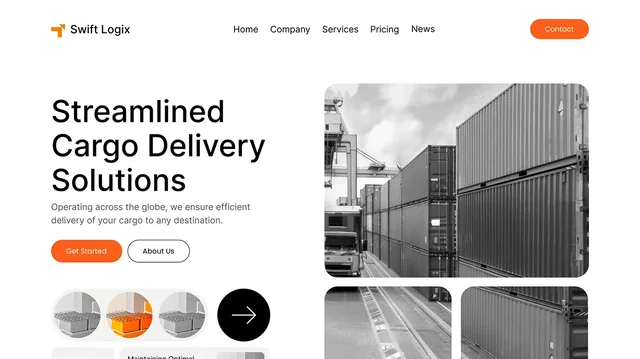
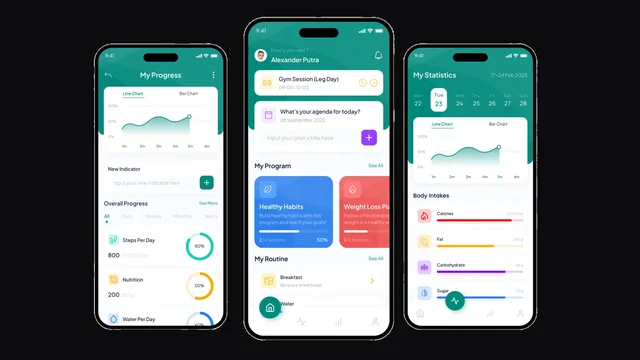
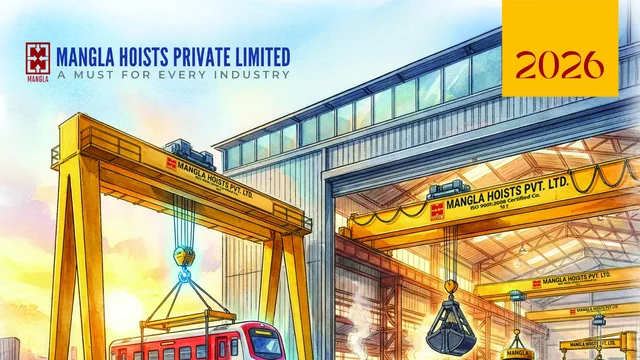
Branditify has not delivered this exact system. These are delivered projects shown for the capability they document — the records, states and interfaces behind them — each listed as what it actually was.
Questions
Asked before commissioning one.
- Does every manufacturer need a full ERP?
- No, and it is worth saying so plainly. A smaller operation usually needs its production records structured and one workflow working properly far more than it needs a system spanning finance, purchasing and HR. Full ERP earns its cost when several departments genuinely need to work from the same data. Until then, a manufacturing-first system that runs the floor well is usually the better first move.
- Can this run alongside the accounting software we already use?
- That is the normal arrangement rather than the exception. Finance usually stays exactly where it is, and production sends it the specific things it needs. Replacing accounting is a much larger decision that rarely needs to be bundled into fixing production visibility.
- Do you connect to machines or PLCs?
- Only where the equipment can genuinely expose something useful, and that is checked before it is scoped rather than assumed. Plenty of machinery cannot, and a system designed around machine data that never arrives is worse than one designed around what people actually record.
- Is material planning included?
- Recording what a production order consumes is straightforward and normally part of it. Full material requirements planning — projecting demand across levels and lead times — is a materially bigger system and is scoped deliberately rather than assumed into the first build.
- Can the floor use it, or is it an office system?
- That is a scoping decision and worth making early. A floor-usable interface has different requirements: fewer fields, larger targets, usable standing up and often on a shared device. It changes the build, so it is better decided at the start than added afterwards.
- What about quality checks?
- A check or review can be a state on the order or the job card — held, awaiting review, cleared — and that covers most of what manufacturers actually ask for. A full quality-management system with certification requirements is a different scope and is treated as one.
- We do job work for other manufacturers. Does that fit?
- It fits, and it is worth raising early because it is a real second workflow rather than a variation. Material going out to a vendor and coming back, with receipts, rejections and reconciliation against what was issued, is one of the clearest reasons a standard product ends up not fitting an Indian manufacturer.
- How long before the floor is actually using it?
- That follows from how much of the factory the first version covers, so it is scoped after seeing the process rather than quoted before. The thing worth protecting in any plan is a first version narrow enough to be used properly, because a system the floor works around is worse than the sheets it replaced.
- What happens to our existing production history?
- We read a real sample of it before deciding. Item masters and open orders normally move well; older records depend on how consistently they were kept, and some are more useful as an archive than as data in a new system. You get told which is which before the work starts.
- Can we start with one line and expand?
- Usually the better way. One line or one product family gives the system a real test with a small blast radius, and the things you learn there change the second phase in ways no amount of planning would have.
- Who can see what?
- Decided per role and built in from the start. A supervisor typically sees their line, a planner sees what is coming, management sees exceptions across everything. It is easier to open access later than to retrofit restrictions.
- What happens after it goes live?
- The first weeks change the system — that is expected, not a failure of the build. Support and further development are arranged separately and are your choice, and you own the system and the code either way.
Start here
Tell us what you make, and where an order last went missing.
The second one is usually the more useful half of the conversation.
- What you make, and roughly how the process runs
- The operations a typical part passes through
- How production is recorded today, and by whom
- What happens when something is held
- Which systems already exist that this has to live with
- Who needs to see what
- One real order that went wrong, and why