
Restaurant Management System
One item ready is not a table ready.
A custom restaurant system built around one table order — what the table asked for, the instructions the kitchen actually received, what is still being prepared, and whether the course is genuinely ready to serve.
Table orderT12 · Party 4 · Dine-inTO-2048
- Server
- Mira
- Course
- Mains
- Ticket
- KT-2048
- Paneer tikkaNo onionReady
- Mushroom pastaPreparing
- Sparkling waterReady
Two of the three are ready. The table is not — and a system that rounded this up to ready is how food reaches a table cold while the rest of it is still being made.
ILLUSTRATIVE INTERFACE · SAMPLE DATA
Order and kitchen
The instruction has to survive the handoff
A guest asks for no onion. The server records it. Whether that reaches the person holding the pan is the entire difference between a restaurant system that works and one that generates complaints — and it is a data-modelling decision, not a training problem.
What the table asked for
TO-2048 · T12
- 1×Paneer tikkaNo onion
- 1×Mushroom pasta
- 1×Sparkling water
What the kitchen received
KT-2048 · Acknowledged
- 1×Paneer tikkaNo onion
- 1×Mushroom pasta
- 1×Sparkling water
The modifier is a property of the item, not a note typed beside the order. There is no second copy for the two views to disagree about, which is why they cannot.
What is restaurant management software?
Software that owns a restaurant’s service order from the moment a table or a takeaway is opened to the moment service is complete: the table and service context, the items and their modifiers, the handoff to the kitchen, the state of each item while it is being prepared, the readiness of the course, changes and voids with their history, and the handoff of the finished bill to whichever system settles it.
What is a KOT, and how is it different from a KDS?
A KOT — kitchen order ticket — is the instruction that goes from the order to the kitchen: what to make, how many, and any modifiers. A KDS is a screen the kitchen reads those tickets on instead of paper. The ticket is the record; the display is one way of showing it. This Product owns the ticket and its states, and whether it appears on a screen, a printer or both is a scoping and hardware decision, not something the page claims by default.
Can restaurant software manage menu modifiers?
It has to, and the test is not whether modifiers can be entered — it is whether they survive. A modifier is stored against the item it belongs to, so the kitchen ticket and the guest’s order render the same instruction from the same source rather than keeping two copies that can drift apart.
Readiness
The table is ready when the last item is, and not before
Three things are being made at once by different people. Each finishes at its own time. The only useful answer to "can we serve this table" is one that waits for all of them — and it is arithmetic, not a judgement call.
- Paneer tikkaReady
- Mushroom pastaPreparing
- Sparkling waterReady
Ready2 of 3
Table readyNo
- Paneer tikkaReady
- Mushroom pastaReady
- Sparkling waterReady
Ready3 of 3
Table readyYes
Nothing here is a percentage, an estimate or a prediction. The gate is closed while any active item is still being prepared, and it opens because there is nothing left to wait for.
Changes and exceptions
A change is a new line. The kitchen still received the first one.
Orders change after they are fired. The tempting fix is to edit the order so it matches what should have happened — which quietly erases the version the kitchen is holding in its hand right now.
- 12:12Table openedT12 · party 4 · dine-in
- 12:16Order sent to kitchen3 items · KT-2048
- 12:17Kitchen acknowledgedTicket accepted
- 12:18Item changedPaneer tikka · modifier added: no onion
- 12:18Kitchen update recordedChange sent against KT-2048
The silent edit
The order is rewritten to say no onion.
The record now claims the kitchen was always told, and nobody can see that a plate already in progress was not.
The recorded change
The change is added at 12:18, against the ticket.
What the kitchen first received is still readable, and so is when it was told otherwise.
What needs a person right now
- TO-2051Kitchen has not acknowledgedPass
- TO-2058One item heldServer
- TO-2062Void waiting for reviewManager
- TO-2070Bill handoff needs attentionCounter
Does one ready item mean the table is ready?
No, and treating it that way is the most common reason food reaches a table at three different temperatures. Readiness is a property of the course, derived from every active item on it: while any one of them is still being prepared the table is not ready, however many others are finished.
Can restaurant software manage tables?
Yes — the table is the context an order belongs to, carrying the party, the service mode and the server. That is different from a seating chart: this Product cares about what a table has ordered and whether it can be served, not about optimising floor layout or turning times unless that is separately scoped.
Can courses be held and fired?
Where a restaurant works that way, yes: items can sit held and be fired when the section decides, and the readiness gate then applies to whatever is currently in flight. What we will not build is a system that predicts an optimal fire time on its own — that decision belongs to the people running the pass.
Can an order be changed after it has reached the kitchen?
Yes, and the change is recorded as its own event against the ticket rather than applied on top of the original. The order history keeps what the kitchen was first told and when it was told otherwise, which is the only version of this that can be explained afterwards.
How should voided items be handled?
As a recorded action with a reason, and — where the restaurant requires one — an approval, so the item leaves the active order without leaving the record. What the system does not do is treat a void as an accounting reversal or a refund: if money has already been taken, returning it belongs to whichever payment process took it.
Does it flag fraud or audit voids automatically?
No. It records who voided what, when, with which reason and under whose approval, which is what a manager needs to review the day. Interpreting that as fraud, reversing it in the books, or treating it as a compliance audit trail are claims this Product does not make.
Service and money
Service completes here. The money is settled somewhere else.
The end of a service order is a bill that is ready to be paid, with the table’s context attached to it. Taking the payment, settling it and reconciling it belong to the systems built to do that.
- This systemThe service order, closed.What was served, to which table, by whom, with every change on the record.
- The billReady, with its context.Split by item, by guest or by amount where the restaurant works that way.
- SettlementA POS, a payment provider or a bank.Where money actually moves, and where its confirmation comes back from.
Split bill
- By item — each guest pays for what they ordered.
- By guest — the table is divided into named checks.
- By amount — an agreed share, entered once.
Splitting decides what each check contains. It does not charge anybody, and it is scoped per project because restaurants disagree about how it should behave.
Can restaurant software split bills?
Yes, where it is scoped: a table total can be divided by item, by guest or by amount, and each resulting check carries the part of the order it covers. Splitting decides what is on each check — it does not take payment, and restaurants differ enough about the rules that this is a scoping conversation rather than a default.
Does the system take payments or settle money?
No. It produces a bill that is ready to be paid and hands it to whichever POS, payment provider or bank the restaurant already uses; where that system is connected, its confirmation comes back onto the order. Charging a card, collecting UPI, refunding and reconciling settlements are done by those systems, not this one.
Can it handle dine-in, takeaway and delivery?
Service mode is a property of the order, so dine-in, takeaway and delivery can each carry their own flow — a dine-in order belongs to a table, a takeaway to a collection point, a delivery to a destination. That is the restaurant’s own configuration, and it is separate from whether any particular delivery marketplace is connected.
Where it sits
A point of sale knows the transaction. This knows the service order around it.
Almost everything a restaurant is sold is one of these systems wearing another one’s vocabulary. They connect well and they are not interchangeable, so the page names each of them rather than absorbing it.
POS knows the transaction. Restaurant Management knows the service order around it.
- POS & retail managementPOS & retail management
- Owns the counter transaction — item, sale, till, store. That is the last few seconds of a service order that has already run for an hour, and it is the right owner for a shop. Restaurant Management owns the table, the modifiers, the kitchen handoff and the readiness around it.
- Booking platformBooking platform
- Owns availability, the slot and the confirmation. A reservation can create the table context an order then belongs to; it does not know what that table ordered.
- Inventory managementInventory management
- Owns item, quantity, location and movement. An order can raise a consumption event where that connection is built. Ingredient stock, recipe costing, yield, batch tracking, expiry and wastage are inventory work and are scoped, never assumed.
- Billing & invoicingBilling & invoicing
- Owns the invoice — its review, its status, what has been recorded against it and its balance. A dine-in check is not a B2B invoice workflow; a catering contract or a corporate account might genuinely be one.
- Payment provider or bank
- Moves and settles the money, and returns the confirmation. Nothing on this page charges, refunds or reconciles.
- Delivery marketplaces
- Own their own orders and their own interfaces. Delivery can be a service mode this system understands without any named marketplace being connected — that is a separate, verified piece of work.
- Accounting
- Owns the books. Sales data can be handed over where that connection is scoped; ledgers, returns and financial treatment stay where they are.
What is the difference between a restaurant management system and a POS?
A POS owns the transaction — the items, the total and the sale at the till. A restaurant management system owns the service order the transaction eventually closes: the table and party, the modifiers attached to each item, the handoff to the kitchen, what is still being prepared, whether the course can be served, and the changes and voids along the way. They connect at the bill, and either can be the right purchase depending on which of those a business actually needs.
Is a restaurant POS different from a retail POS?
In practice yes, and the difference is not cosmetic. A retail sale is one moment; a restaurant sale is the end of a process that involved a kitchen, several parallel preparations and instructions attached to individual items. A retail POS with table numbers added is still a retail POS, which is why this Product is built around the service order rather than the till.
Does it include accounting, inventory or bookings?
No, not by default. It can raise events for inventory, receive table context from a booking system and hand sales data to accounting where each of those connections is scoped against what the other system actually exposes. Owning those domains outright is a different purchase, and each of them already has a better owner.
Can it connect to Swiggy, Zomato or other aggregators?
Only where the integration is genuinely built and the provider’s interface and terms allow it — which is a scoped piece of work, never an included capability. The system understands delivery as a service mode regardless; what it will not do is imply a named marketplace is connected when it is not.
Connect · migrate · choose
Most restaurants should buy. Some genuinely need to build.
Mature restaurant platforms are good, well supported and fast to deploy, and if the standard table, KOT and POS workflow fits how you serve, one of them is the better purchase. We would rather say that than sell around it.
Buy off the shelf when
- Standard table, KOT and POS workflows already match how you serve.
- The integrations you need already exist in that product.
- The hardware ecosystem — terminals, printers, displays — matters to you.
- You want to be running in weeks, with vendor support behind it.
- Standard reporting answers your questions.
Build custom when
- The service model is genuinely unusual and the tools force workarounds.
- Several internal systems have to connect and none of them agree.
- Outlet or service rules differ in ways a settings page cannot express.
- The guest or staff experience is part of what the business is.
- You are building operations you intend to own rather than rent.
The honest signal is a team spending real hours every week working around software the restaurant already pays for.
- 01What exists nowPOS exports, the menu spreadsheet, table and floor data, customer lists, order history.
- 02Sample checkA representative set — simple orders, modified ones, split ones, voided ones, closed ones.
- 03Map the recordMenu and modifiers, tables and service modes, order and item states, staff and roles.
- 04Clean and reconcileDuplicate menu items merged, dead items retired, statuses checked against what the restaurant believes.
- 05Import and verifyLoaded with history intact, and whatever did not reconcile listed rather than quietly accepted.
We will not promise that every historical order and payment reconstructs perfectly. Old totals and statuses are imported as records of what a previous system said, not as verified truth — and the ones that disagree get listed, because a number nobody can explain is worse than a gap everybody can see.
- Outlets and service modes
- One dine-in room is a different build from four outlets running dine-in, takeaway and delivery.
- Menu and modifier depth
- A fixed menu is straightforward. Nested modifiers, combos and per-outlet availability are not.
- Kitchen workflow
- One pass, or several sections with their own tickets, holds and fire control.
- Hardware and tickets
- Screens, printers, or both — and who owns the devices.
- Integrations
- POS, payment, inventory, booking, delivery, accounting — each depending on what the other side exposes.
- Migration weight
- Opening with a clean menu is not the same as reconstructing years of order history.
- Roles and reporting
- Who sees what, and which questions the restaurant needs answered.
Does every restaurant need custom software?
No, and most do not. If standard table, KOT and POS workflows fit and the integrations you need already exist, an established restaurant platform is faster, cheaper and better supported. Custom becomes worth it when the workflow itself is the problem — several systems that must connect, service rules a settings page cannot express, or a guest experience that is part of the business.
Can menu availability be kept up to date?
A menu item existing is not the same as it being available tonight. Availability can come from a manual switch the floor controls, from a kitchen state, from a time or menu rule, or from an inventory integration — and which of those it is depends on the project. We will not show live availability without a real source behind it.
Can multiple outlets use one system?
Yes, with outlet-specific menus, availability, order routing and reporting where that is scoped. What multi-outlet does not automatically include is franchise control, multi-entity accounting, central procurement or warehouse operations — those are separate systems and separate decisions.
Can old menu and order data migrate?
Menus, modifiers, tables, customers and order history can be mapped and loaded, and we check first what the current systems can actually export. Historical orders arrive as a record of what the previous system said rather than as re-verified truth, and anything that does not reconcile is listed rather than quietly imported.
Who owns the system and the data?
You do. Source-code access, hosting, data ownership, exports, handover and any third-party dependencies are defined in the project scope rather than assumed, and the data is exportable.
What determines the cost and timeline?
How many outlets and service modes there are, how deep the menu and modifier structure goes, how the kitchen actually works, what hardware and tickets are involved, which integrations are real, how much history has to migrate, and who needs which access and which reports. We would rather scope those with you than quote a range that ignores them.
What it meets · what changes size
What is in every build, and what a project decides
The service order is the same shape in every restaurant. Service modes, kitchen structure, modifier depth and integrations are not, and those are the parts worth scoping honestly rather than listing as features.
- In every buildTable and service contextThe table, party, service mode and server an order belongs to.
- In every buildOrder and itemsWhat was asked for, with modifiers attached to the items they belong to.
- In every buildKitchen handoffThe ticket the kitchen receives, and whether it has been acknowledged.
- In every buildItem and course readinessEach item’s state, and the derived answer to whether the table can be served.
- In every buildChanges and voidsRecorded as events with reasons, never applied over the original.
- In every buildOrder historyEvery event with its time, readable at the end of service and afterwards.
- In every buildBill handoffA finished bill with its service context, handed to whatever settles it.
- Scoped per projectRoles and viewsServer, kitchen and manager each seeing what their job needs and not the rest.
- Scoped per projectCourse hold and fireWhere the pass controls when items start rather than firing on entry.
- Scoped per projectSplit billsBy item, by guest or by amount, to the restaurant’s own rules.
- Scoped per projectMulti-outletOutlet-specific menus, availability, routing and reporting.
- Scoped per projectIntegrationsPOS, payment, inventory, booking, delivery or accounting, each against a confirmed interface.
- Server
- The table, what it ordered, what is still coming, and the next thing to do about it.
- Kitchen
- Items and their modifiers, in the order they were received, with a state to move them through.
- Manager
- What is stuck — unacknowledged tickets, held items, voids waiting on a decision.
Do servers, kitchen staff and managers see the same screen?
No, and they should not. A server needs the table and what it is waiting for; a kitchen needs items and modifiers with a state to move them through; a manager needs the exceptions. Building one screen that satisfies all three is how restaurant software becomes something staff work around.
Selected work
Records, states and the interfaces people operate them in
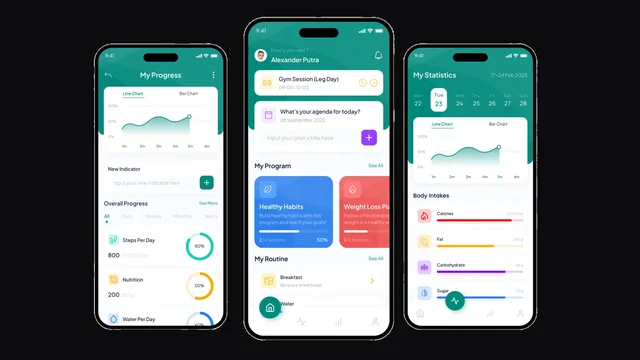
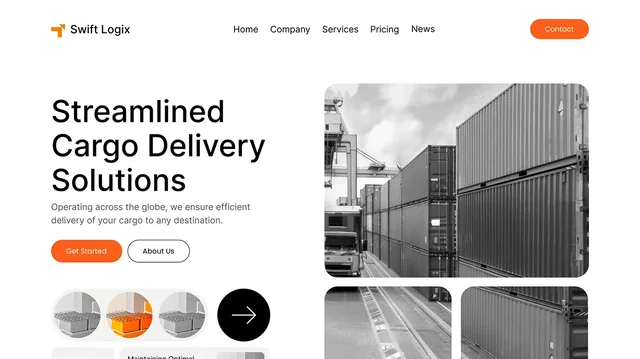
A table order is a structured record with derived state and an operations interface on top of it, used under pressure by people who cannot stop to think about it. These are three builds where exactly that was the deliverable.

Questions
Restaurant systems, answered
- What does a restaurant management system do?
- It owns the service order: the table and party, the items and their modifiers, the ticket the kitchen receives, the state of each item while it is prepared, whether the course is ready to serve, the changes and voids along the way, and the handoff of the finished bill to whatever settles it.
- Is this the same as a restaurant POS?
- No. A POS owns the transaction at the till. This owns the service order the transaction closes — the table, the modifiers, the kitchen handoff and the readiness. They connect at the bill, and a retail POS with table numbers added is still a retail POS.
- What is a KOT?
- A kitchen order ticket — the instruction that travels from the order to the kitchen, carrying what to make, how many, and the modifiers attached to each item. Whether the kitchen reads it on a screen or on paper is a hardware and scoping decision.
- Can an order be changed after it has been sent?
- Yes, and the change is recorded against the ticket as its own event. What the kitchen first received stays on the record, because a system that rewrites the order to match the correction cannot explain what happened afterwards.
- Does it take payments?
- No. It produces a bill ready to be paid, with the table’s context attached, and hands it to a POS, payment provider or bank. Charging, refunding, settling and reconciling belong to those systems; where one is connected, its confirmation comes back onto the order.
- Does it include inventory or recipe costing?
- Not by default. An order can raise a consumption event for an inventory system where that connection is built. Ingredient stock, recipe costing, yield, batch tracking, expiry and wastage are inventory work and are scoped explicitly, never implied.
- Can it connect to Swiggy, Zomato or other delivery platforms?
- Only where that integration is genuinely built against the provider’s interface and permitted by its terms. Delivery works as a service mode without any marketplace being connected, and we will not list a named platform as included capability when it is not.
- Can it run more than one outlet?
- Yes, with outlet-specific menus, availability, routing and reporting where scoped. It does not automatically bring franchise control, multi-entity accounting, central procurement or warehouse operations with it.
- Should we build this or buy an existing restaurant platform?
- Buy, if the standard table, KOT and POS workflow fits how you serve and the integrations you need already exist — that is most restaurants, and those products are good. Build when the workflow itself is the problem, when several systems must connect, or when the guest and staff experience is part of what the business is.
Start
Bring one service, and the order that went wrong in it
The fastest way to scope a restaurant build is a real service with real complications in it. Bring one busy hour, and the table somebody had to go and apologise to.
- How you serve — dine-in, takeaway, delivery, or all three at once.
- How an order reaches the kitchen today, and what it is printed or shown on.
- What happens when a guest changes something after it has been fired.
- How a bill gets split, and who settles it.
- Which system you would keep, and which one your team works around.