
Photography Studio Management Software
The booking, the shoot and the gallery on one record.
A system built around the record a studio actually works from: the client, the shoot and who is on it, the files that come back, the gallery the client opens, what they pick, and what finally goes out. Built for how your studio runs rather than assembled from a CRM and a separate gallery product.
Branditify builds these to order. There is no gallery to log into here — the page describes the system and what a build has to get right.
StudioSomebody asks about a date. It may or may not become a shoot, and it belongs to the studio from this moment.
StudioThe date is held and the scope is agreed. This is the moment a project should exist, and usually the moment a spreadsheet takes over instead.
CrewThe day itself. Whoever is on it should not have to reconstruct the brief from a chat thread.
StudioThe media is back and attached to the project rather than sitting in a folder named after a date.
StudioA status, not an editor. The work happens in the tools the photographer already uses; the record only says where it has got to.
ClientThe client opens their own gallery. Everything they do in it — favourites, album picks, who found themselves in what — comes back to this record.
ClientThe client has finished choosing. This is the handover most studios chase hardest, because nothing after it can start without it.
StudioThe final set and the films are with the client under whatever access rules the studio set, and the project has a history rather than a dead link.
- Client
- Mira & Aarav · wedding · Jaipur
- Crew
- Devika, photographer · Sameer, video
- Media
- Frames and one film attached · originals held
- Gallery
- Shared with the client · downloads off for now
- Selection
- In progress · favourites coming in
- Delivery
- Nothing here yet
Illustrative interface · sample data
Gallery live: The client opens their own gallery. Everything they do in it — favourites, album picks, who found themselves in what — comes back to this record.The state that costs the most is the one above — the gallery is live and the studio cannot move until the client finishes choosing. A record that shows whose turn it is beats a folder that only shows what exists.
The problem underneath
The booking survives. Everything after it scatters.
Almost every studio has this shape, and nobody chose it. The tools arrived one at a time, each solving the thing in front of it.
- 01Chat and emailWhere the enquiry arrived, and usually the only place the client said what they actually wanted.
- 02CalendarThe shoot date, disconnected from the scope it was agreed against.
- 03SpreadsheetWho has paid what, and roughly where each job has got to.
- 04Storage, or a stack of disksThe originals, in a folder named after a date rather than a client.
- 05A gallery linkSent once, sometimes expired, and not connected to the job it came from.
- 06More chatThe client’s favourites, arriving as screenshots and file names.
Every one of these is doing its job. What is missing is anything holding them together, so the answer to "what does this client still need from us" has to be reassembled by hand — usually by the one person who remembers.
This is not an argument against your storage or your chat app. Files belong in storage and clients will always message. The problem is not that the tools exist; it is that the connection between the client, the shoot, the media and the delivery lives only in somebody’s head.
- What is photography studio management software?
- Software that keeps a studio’s clients, bookings, shoots, crew, media, client galleries, selections and final delivery connected around the same project, instead of managing each part in a separate tool. The distinction from general business software is that it understands a shoot as a thing with a date, a crew, files, a client who has to choose from them, and a delivery at the end.
- What is photographer CRM software?
- The part of that which handles enquiries, clients, quotes and follow-up — the relationship rather than the work. Photographers often search for it by that name because the enquiry pile is the first thing that hurts. It becomes studio management software at the point where the same record also has to carry the shoot, the gallery, the client’s selections and the delivery.
The whole idea
One project. The studio sees the job. The client sees their work.
The same record, from both ends. Not two systems kept in step — one record where what the client does is immediately what the studio sees.
- Brief
- Wedding · Jaipur · deliverables agreed at booking
- Date and crew
- Devika on photography, Sameer on video
- Media
- Frames and one film attached · originals held
- Client activity
- Favourites arriving · album selection open
- What is blocking
- Final selection, and the client knows it
- Delivery
- Not built yet · access rules already decided
- Your gallery
- Mira & Aarav · wedding · Jaipur
- Find my photos
- Available to guests you share it with
- Favourites
- Mark anything you love
- Album selection
- Choose the set for the album
- Film
- Highlight film, in the same place as the photos
- Downloads
- Off until the studio turns them on
The client never sees the studio’s side of the record, and the studio never has to rebuild what the client did. That is the entire difference between one system and two products with the same client typed into both.
- How do photographers deliver photos to clients?
- Through a gallery attached to the project rather than a link sent from wherever the files happen to sit. The client opens their own shoot, sees the photos and any film together, marks favourites and makes album selections, and downloads whatever the studio has permitted. Because the gallery belongs to the project, what the client does there lands back on the job instead of arriving as screenshots in a chat thread.
Before the shoot
From "are you free in November" to a crew who knows the plan.
The stretch that decides whether the shoot day is calm. It is also the part most studios run entirely out of a chat thread.
- 01The enquiry arrivesA date, an event and whatever the client said in their own words. Kept, because it is the brief in raw form.
- 02Scope is agreedWhat is being shot, what is being delivered, and by whom. Written down where the crew will later read it.
- 03The date is heldAgainst the studio’s calendar and the people it needs, not just a name in a diary.
- 04The project existsOne record from this moment, and everything after it attaches here.
- 05The brief is writtenTimes, locations, contacts, deliverables, the things the couple asked for specifically.
- 06The crew is assignedWho is shooting what, and who is responsible for the cards at the end of the night.
What the crew should be able to open on the morning
- Client, event and the deliverables that were agreed
- Call time, locations and how to get in
- Who else is on the job and what each of them is covering
- The specific requests — the family group, the first look, the shot the client asked for twice
None of this is complicated. It is just rarely in one place, which is why it gets asked again on the morning of the shoot.
What a build actually does at this stage is a scoping conversation. Quotes and packages, contracts, signatures, deposits and automated reminders are all real work with real cost, and none of them is assumed here just because the category usually bundles them.
- Can photographers manage enquiries and bookings in it?
- Yes, and the useful part is that the enquiry becomes the project rather than being retyped into one. The date, the event, what was agreed and what the client asked for carry straight through to the brief the crew opens on the day. How far the intake goes — quotes, packages, contracts, deposits — is decided in scoping, because each is its own piece of work rather than something that arrives for free.
What the client opens
A gallery that belongs to the shoot, not a link that belongs to nothing.
The client sees their own event: the frames, the film, and the two or three things they are actually being asked to do.
- Private by default
- The gallery opens for the people the studio shared it with, and nobody else. Off
- Downloads
- Off, on, or on for the delivered set only. The studio decides, per project. Off
- Watermark
- On a review set where a studio wants one, off on the delivered set. If in scope
- Expiry
- A gallery can be time-limited, which is a retention decision as much as an access one. If in scope
Illustrative interface · sample data
What makes this different from a link is not the grid. It is that a favourite marked here is a favourite the studio can see on the job, and an access rule set here is a rule the project remembers.
Watermarking, expiry and per-set download rules are each real work. They are listed as build options rather than as things already switched on, because on this page nothing is switched on.
- Can galleries be private and downloads controlled?
- Yes, and both are decisions the studio makes per project rather than global settings. A gallery is shared with named people instead of being public; downloads can be off entirely, on for everything, or on only for the final delivered set once the client has paid or chosen. Watermarking and expiry are the two most commonly asked for after that, and both are scoped work rather than assumed.
Find my photos
A guest at the wedding should not scroll two thousand frames to find themselves.
Face matching inside one authorised event gallery. The most asked-for feature in event photography, and the one most often sold with a number nobody can stand behind.
Every frame from the event, as the client received it.
The frames this guest most likely appears in, marked for them to confirm. Nothing outside this gallery was searched, and no frame has been ruled out — the rest simply were not proposed.
- 01The gallery is sharedWith the client, and with whoever the client chooses to let in.Done
- 02A guest asks to find themselvesFrom inside that gallery. Not a public search, and not an app to install.Done
- 03They supply a reference faceA selfie, used to make the comparison and then handled under a retention rule the studio has agreed.Done
- 04Matching runs inside that collectionFaces already detected in the event’s own frames are compared against the reference. Nothing outside this gallery is searched.Now
- 05Likely matches come backProposed, not asserted — the person looks through them and keeps what is actually them.Likely
Why no accuracy figure appears on this page
Products in this category publish one, sometimes to a decimal place. Branditify has no implementation here and therefore no measurement, and a number produced on somebody else’s benchmark is not a prediction about your gallery. Matching quality moves with the things below, and the honest design response is to return likely matches for a person to confirm rather than to claim every match is beyond question.
- The angle a face is turned at
- Light, and how much of it there was
- Whether the face is partly hidden — a hand, a veil, a garland, another guest
- How much resolution the face actually occupies in the frame
- How dense the group is
- How good the reference image is
- How much somebody’s appearance has changed since it was taken
- How does face recognition help event photographers?
- It removes the worst part of sharing an event gallery. Instead of a guest scrolling an entire wedding to find the frames they are in, they supply a reference face inside the gallery they were given access to and get back the photos they most likely appear in. For the studio the gain is that a large shared gallery becomes useful to individual guests without anyone tagging thousands of frames by hand.
- Does face recognition require an LLM?
- No. Face matching is a computer-vision task, not a language one. Detected faces are turned into numerical representations and compared for similarity within an authorised collection — an approach that predates large language models and does not need one. Where a build uses AI elsewhere in a studio system that is a separate decision; the matching itself does not call for a language model, and describing it as one would be marketing rather than architecture.
- How accurate is face matching?
- Accurately enough to be worth having, and not reliably enough to publish a number for. Real galleries contain profiles, partial faces, low light, dense groups and reference selfies of wildly varying quality, and results move with all of them. Any figure quoted without your gallery behind it is a benchmark result, not a forecast. The right design returns likely matches and lets the person confirm, which is both more honest and more useful than a claim of certainty.
What the client picks
Three different decisions, and studios lose time when they arrive as one.
Favourites, an album set and a retouch list are not the same thing, and treating them as one pile is why selections take three weeks.
- Album
- Favourite
- Album
- Favourite
- Album
- Favourite
- Favourites
- Anything the client loves. No obligation, no count, and useful mostly as a signal of taste. With the client
- Album selection
- The set that goes into the album. A real decision with a real end, and the thing the studio is actually waiting for. With the client
- Retouch list
- The specific frames needing work beyond the standard edit. Small, and expensive when it arrives as a paragraph of file names. If in scope
The studio does not need more selections. It needs to know which of the three has finished, because only one of them unblocks the album.
A selection is worth building properly only if somebody acts on it. Where a studio does not do albums, the album step is not scope — it is furniture.
- Can clients select favourites and choose photos for an album?
- Yes, and it is worth keeping the two apart. Favourites are open-ended and tell the studio what the client responds to; an album selection is a bounded decision with a set to hit and an end point the studio is waiting on. Where retouching is offered, a third list covers the frames needing work beyond the standard edit. Keeping them separate is what lets the record answer whether the album can start.
One project, both crafts
The film and the photographs came from the same day. They should arrive together.
A wedding produces frames, a teaser, a highlight film and sometimes a long edit. Most studios deliver them from four different places.
- Delivered setThe finished photographs, under whatever access rules the project holds.Done
- Album selectionThe client’s chosen set, kept with the project rather than in a message.Done
- TeaserThe short cut, usually out long before anything else.Done
- Highlight filmIn the same gallery as the photographs, not a separate link.Now
- Full filmWhere the package includes one.If in scope
The client should not hold five links to one wedding. The project is the container, and the film is a deliverable on it like any other.
How video is served is an architecture decision made per project, not a feature switched on here. Preview quality, whether a long film streams or downloads, and what happens on a phone with poor signal all have real cost, and it would be dishonest to imply a delivered streaming platform sits behind this page.
- Can videos be delivered through the same portal as photos?
- That is the point of putting them on one project. A wedding produces photographs, a teaser and usually a film, and delivering them from separate places is how clients end up asking for the link again a year later. What varies by build is how the video is served — a short preview is straightforward, while a long film delivered at quality involves storage, encoding and playback decisions that are scoped rather than assumed.
Faces, handled carefully
Face data is not just another feature flag.
Depending on where you and your clients are, a face can be sensitive personal information. That makes this a design decision taken before the feature is switched on, not after.
- Authorised galleries onlyMatching runs inside a single event collection the person already has access to. There is no cross-client search and no global index.
- Purpose limitedThe reference face is used to find that person in that gallery, and for nothing else.
- Reference handlingHow long a reference image and its numerical representation are kept, and what deletes them, is decided before launch rather than left to a default.
- Who can run itWhether a guest can match themselves, or only the client, or only the studio. This is a real choice and different studios answer it differently.
- NoticeTelling people that face matching is available in a gallery, in plain language, at the point they would use it.
- Off is a valid settingPlenty of shoots do not want it. A corporate client may forbid it outright, and the system should let a studio say no per project.
On compliance, plainly
Branditify makes no data-protection, biometric or consent compliance claim on this page, and treat any vendor that does with caution — obligations attach to you and depend on your jurisdiction, your clients and how you use the feature. What a build can do is establish where matching is appropriate, who may run it, what is retained and what deletes it, and implement that. Deciding whether your use is lawful is a question for your own advisers, not for a software page.
- How should face matching be handled privately?
- By scoping it before switching it on. Matching should be confined to a single gallery the person already has access to rather than run across a studio’s whole archive; the reference image should be used for that purpose only, with a decided retention and deletion rule; and it should be clear to people that the feature exists. Who is allowed to run it — guest, client or studio only — is a genuine choice, and being able to turn it off for a project matters as much as being able to turn it on.
The three questions every buyer asks
It is not a CRM, it is not a gallery, and it is definitely not your drive.
All three are real answers to real problems. Which you need depends on where your work actually falls apart.
A CRM
Answers: who is the client and what did we say?
- Enquiries and where they came from
- Clients and contacts
- Quotes and follow-up
- A pipeline with stages
Stops at the booking. Knows nothing about the shoot, the files or what the client chose.
CRMA client gallery
Answers: how does the client see the work?
- A grid of the finished photographs
- Favourites and selections
- Download permissions
- Sometimes face matching
Starts at delivery. Knows nothing about the enquiry, the booking, the crew or the job it came from.
Cloud storage
Answers: where are the files?
- Originals, safely
- Version history
- Sharing by link
- Capacity you can buy more of
Knows about files, not about clients. A folder cannot tell you which shoot is blocked or on whom.
A studio management system
Answers all three, because it holds the one thing none of them holds: the connection. Which client, which shoot, which files, what stage, what the client picked, what is allowed out, and whose turn it is.
A studio system contains CRM-shaped things and gallery-shaped things, and the gallery may well be the part the client loves most. What it adds is that the same record carries the job the gallery came from — which is roughly the whole working week.
- Do photographers need a CRM or a studio management system?
- A CRM is enough while the difficulty is winning work and the delivery side is small enough to run by hand. A studio management system earns its place when the trouble sits after the booking — chasing selections, rebuilding what the client already said, hunting for the folder from a shoot last spring. Most working studios feel the second problem long before the first.
- What is the difference between studio management software and a client gallery?
- A client gallery is the delivery surface — the grid the client opens, the favourites, the downloads. Studio management software is the record the gallery hangs off: the enquiry it started as, the booking, the crew, the media, the selections that came back and what still has to go out. A gallery is usually one part of a studio system; on its own it delivers work beautifully and knows nothing about the job that produced it.
- Why not just use cloud storage?
- Because storage answers "where are the files" and a studio’s real questions are "whose are they", "what stage is this job at", "what has the client chosen" and "what is allowed out". Those are questions about relationships between things, and a folder tree cannot hold them. Good storage stays underneath a studio system rather than being replaced by it — most builds keep using it and put the record on top.
Where the line is
Five things this is not, and one of them is where your craft actually happens.
Each is a real category with real products. Being clear about the boundary is more useful than implying it is all included.
- A photo or video editorYour editing stays where it is. A studio system holds the job around the media — whose it is, what stage it is at, what the client picked — while the work itself happens in the tools you already know.
- Enterprise digital asset managementDAM organises a large organisation’s asset library by rights, taxonomy and reuse. A studio needs media attached to a client, a shoot and a delivery, which is a different shape and a much smaller one.
- A consumer photo organiserPersonal photo apps sort one person’s life by date and place. This sorts a business by client and job.
- A stock libraryLicensing images to strangers is a different product with a different buyer. Everything here belongs to a named client and a named shoot.
- Wedding planning softwarePlanners run the event; photographers are one of its suppliers. Their buyer is not this buyer, and their workflow is not this workflow.
- Does studio management software replace Lightroom or Photoshop?
- No, and it should not try. Studio-management software organises clients, shoots, galleries, selections and delivery while editing stays in whichever creative tools you already use. The two meet at a status — the record knows the edit is in progress or finished, without pretending to do the edit — and a product that claimed to replace both a catalogue and an editor would do all three jobs badly.
Where the files actually live
Media is the expensive part, and it is where vague promises get made.
The pipeline is straightforward. What it costs and where it sits is a decision, not a default.
- 01Export from the editThe delivery-quality files, produced in the tools the studio already uses.
- 02Upload against the projectAttached to a client and a shoot rather than dropped in a dated folder.
- 03Originals and delivery filesTwo different things with two different retention answers, kept apart deliberately.
- 04Gallery and filmWhat the client opens, at the quality the project calls for.
- 05Client accessUnder the rules the project holds — who, what, and whether downloading is on.
- 06Archive and retentionWhat is kept, for how long, and what quietly stops costing money.
On storage, without the marketing
Media storage is a running cost that grows with every wedding, and nobody can honestly promise it away. Branditify claims no free, unlimited or permanent storage and names no provider on this page. What a build does is decide storage around real volume, the quality you deliver at, how long you retain, and how clients reach it — including the common answer of keeping the storage you already pay for and putting the record on top of it.
Moving what you already have
- See what comes outClient lists, bookings, project folders, old gallery links, payment records if any.
- Read a real sampleA season of actual jobs tells you more than any description of how things are filed.
- Map itWhich folder is a client, which is a shoot, and what the ones nobody can explain contain.
- Move or connectSome media is copied; a great deal is better left where it is and pointed at.
- VerifyAgainst the source, by somebody who knows the book of work well enough to spot what is wrong.
Not everything comes across cleanly, and promising otherwise would be dishonest. Expired gallery links, jobs that predate the current filing habit, and clients who exist only in a phone’s contacts are the usual three losses. What can be recovered is knowable in the first pass.
- Can photographers connect the storage they already have?
- Usually yes, and it is often the cheapest correct answer. A studio already paying for storage rarely benefits from copying terabytes somewhere new; the system can hold the record, the client access and the delivery rules while the media stays where it is. Whether that works depends on what your current storage can expose, which is confirmed during scoping rather than assumed.
- Can existing client and project data be moved across?
- Most of it, and a first pass over a real export tells you which parts. The predictable losses are old gallery links that have expired, jobs filed before whatever system you use now, and clients who live only in a phone. Deciding what to bring over is a business decision made early rather than a technical surprise discovered late.
What changes the size
What makes one studio system larger than another.
Not the number of shoots, which barely moves the build.
- Media volume and videoPhotographs are manageable; long films at delivery quality change the storage and playback architecture underneath everything.Effect on scope: 3 of 3
- Face matchingDetection, matching, reference handling and the privacy controls around it. A feature with its own design decisions, not a switch.Effect on scope: 3 of 3
- Client authenticationHow clients and guests get in, and what each of them may see. The quiet driver behind most of the rest.Effect on scope: 3 of 3
- Selections and proofingFavourites alone are simple. Album sets, retouch lists and review rounds are each their own workflow.Effect on scope: 2 of 3
- Crew and rolesA solo photographer needs almost none of this. A studio with editors, second shooters and freelancers needs all of it.Effect on scope: 2 of 3
- Quotes, packages, paymentsStatus tracking is modest. Anything that has to be right to the rupee is a different conversation.Effect on scope: 2 of 3
- MigrationDecided by the state of your current filing rather than its size.Effect on scope: 2 of 3
- MobileWhether crew and clients need an app rather than a browser, which is a second build.Effect on scope: 2 of 3
- NotificationsWhere and how people are told something needs them.Effect on scope: 1 of 3
What we need to scope one
How enquiries arrive, how shoots get scheduled, where client information lives now, where media is stored, how clients review and choose, how final delivery happens today, whether face matching is genuinely useful for your work, and what old records have to come across. A look at one real recent job is worth more than any description of the process.
Whose work, whose system
The distinction worth keeping straight is between the media and the system. Copyright in your photographs and films is governed by your contracts and your jurisdiction, not by software, and this page states no rule about it — what the system does is apply the access and download rules you configure. The system itself, its configuration and any code written for you are yours, handed over as agreed in scope. There is no per-shoot fee and no licence to renew.
- What makes one photography studio management build larger than another?
- Mostly video and face matching. Photographs and a gallery are a contained build; long films delivered at quality bring storage, encoding and playback decisions, and face matching brings detection, reference handling and privacy controls that need designing rather than switching on. After that it is how clients and guests authenticate, how many kinds of selection you actually use, whether a crew with different roles needs different access, and the state of the records being migrated.
Background
Relevant capability work.
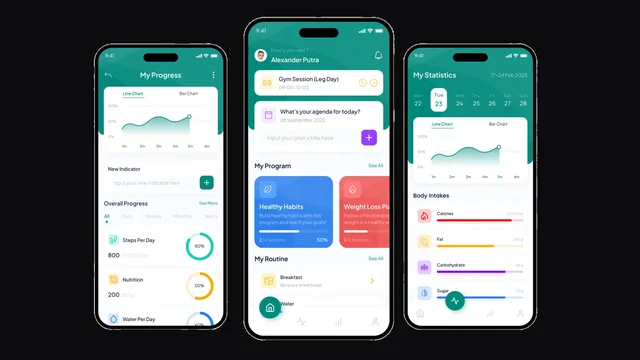
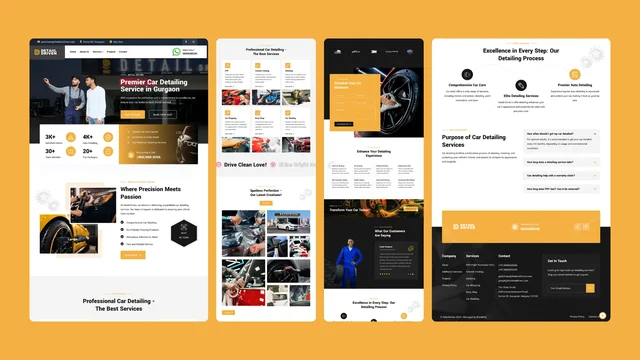
Branditify has not delivered this exact system. These are delivered projects shown for the capability they document — the records, states and interfaces behind them — each listed as what it actually was.

- Custom software How a system like this gets built
- All work Every project, with what was delivered on each
Questions
Asked before commissioning one.
- Should we just buy one of the existing studio products?
- Often, yes, and we would say so. Several established products serve photographers well and cost a fraction of a build. Commissioning one makes sense when your studio does something the ready-made options fight — an unusual delivery flow, a crew structure that does not fit their roles, a client experience you want to own outright — or when you would otherwise be paying for two products and reconciling them by hand.
- Can clients log in to see only their own shoots?
- That is the normal arrangement: a client reaches their own projects and nothing else. How they get in is a scoping decision — a shared gallery link is the lightest option and individual accounts the most controlled, with guests usually treated differently from the client who booked.
- Can guests find their own photos at an event?
- That is what the face-matching feature is for, inside a gallery they have been given access to. It is worth deciding early whether guests may run it themselves or only the client can, because that answer shapes both the design and the privacy position.
- Can a studio turn face matching off?
- Per project, and it should be able to. Corporate and editorial clients sometimes rule it out contractually, and a system that cannot be told no for one shoot is a liability rather than a feature.
- Does the system store the photographs themselves?
- It holds the record and the access rules; where the media sits is a separate decision. Many studios keep the storage they already pay for and put the system on top, and no provider is named or assumed on this page.
- Can crew members be given different access?
- Where the studio needs it. A second shooter who only sees their own jobs, an editor who reaches the media but not the money, and a freelancer whose access ends with the project are the three most commonly asked for.
- Can it track what a client has paid?
- Status tracking is a modest addition — what the package was, what has come in, what is outstanding. Anything that has to reconcile exactly, or that touches invoicing and tax, is a heavier scope and no payment provider is claimed here.
- Will old galleries and links keep working?
- Assume not, and plan for it. Links from previous tools usually expire or die with the account, so the practical approach is deciding which past jobs deserve to be rebuilt in the new system and accepting that the rest stay archived.
- Does it work on a phone?
- It has to. Clients open galleries on phones almost exclusively and crew check briefs on them, so mobile is the primary case rather than a smaller version of a desktop screen. Whether a separate installable app is needed on top of that is its own scoping question.
- What happens to our galleries if we stop working with you?
- They should keep working, and that is worth writing into scope rather than trusting. Ask for the handover to cover the accounts the system runs on, an export of the records, and code another developer can pick up — because a studio whose past weddings become unreachable has a client-relations problem, not a software one. Rights in the images themselves were never ours to begin with.
- What about security?
- Client galleries hold private moments and, where face matching is enabled, face data, so access rules, retention and where media sits are settled early rather than after launch. No certification is claimed on this page; what is offered is that those requirements are established with you before the architecture is fixed.
- How long does one take to build?
- It follows from the video and face-matching scope and the state of the records being migrated, so it is quoted after seeing a real job and a real export rather than before. Looking at one recent wedding end to end tells you more about the timeline than any requirements document.
- What happens after it goes live?
- The first full season is the real test, because that is when the parts designed from description rather than observation show themselves. Wedding work is seasonal, so planning for adjustments after the first busy run is more realistic than treating launch as the end.
Start here
Bring us the part between the shoot and the final delivery.
The most useful first conversation is about one real job — how it arrived, how it was shot, and everything that had to happen before the client had their photographs.
- How enquiries reach you, and where they sit now
- How shoots get scheduled and who gets told
- Where client information actually lives
- Where the media is stored today
- How clients review and choose
- How final delivery happens now
- Whether face matching is genuinely useful for your work
- What old records need to come across