
Case study · Mobile app
LeanTrack: Health and fitness tracking, built around the day ahead
LeanTrack is a weight and health tracking app. Branditify designed and developed its mobile app, organising it around a daily loop: plan the day, log it, and see it add up.
The project
A health tracker designed to be opened every day
LeanTrack is a weight and health tracking mobile app. Branditify designed and developed it.
LeanTrack is built for people tracking their weight, activity and nutrition. Its core jobs are goal and weight management, progress reports and personal health insights.
Branditify designed and developed the mobile app: the user experience, the interface of every screen shown on this page, and the app itself.
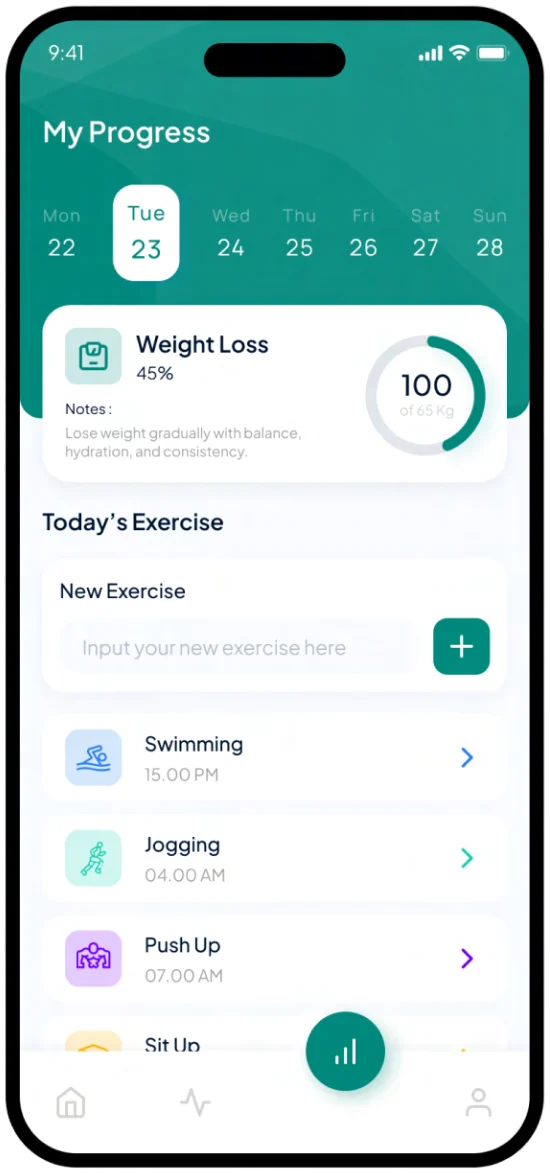
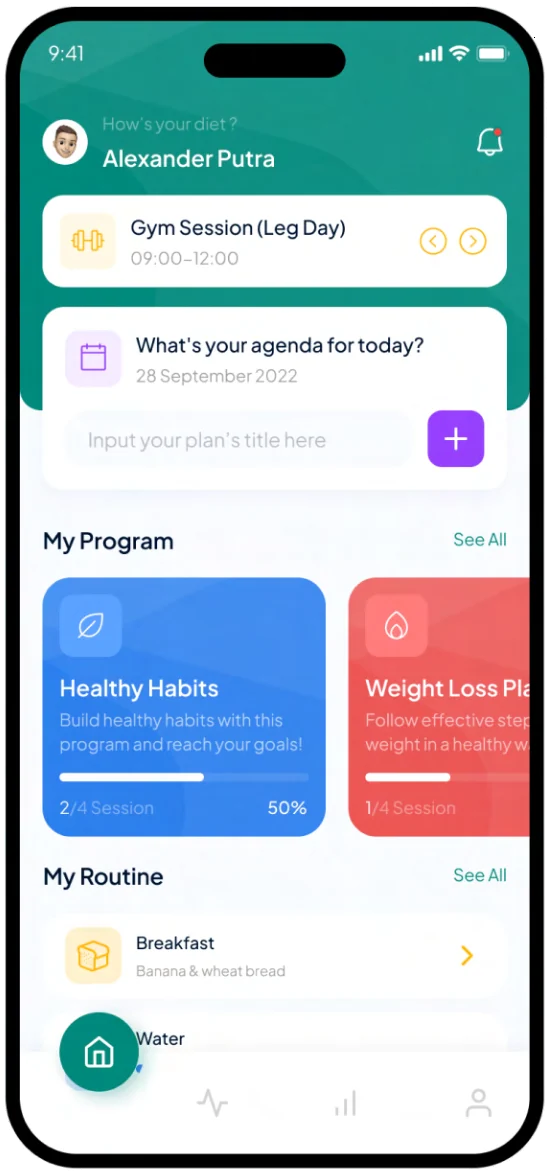
The screens organise all of that around one day. Home opens on today’s session, agenda, programmes and routine. Logging, progress and statistics each get a screen of their own, and a bottom bar keeps Today one tap away.
What did Branditify do for LeanTrack?
Branditify designed and developed the LeanTrack mobile app: the user experience and interface of its screens, from sign-in and sign-up to today, progress, statistics, exercise and body weight, and the app build.
What kind of app is LeanTrack?
A consumer health and fitness app for tracking weight, activity and nutrition, with goals, progress charts and a weekly statistics view.
Was this a mobile app project?
Yes. The work was the LeanTrack mobile app, covering both its UX/UI design and its development.
The project at a glance
- Client
- LeanTrack
- Project type
- Mobile app
- Category
- Consumer health & fitness tracking
- Scope
- UX/UI design · Mobile app development
- Screens shown
- Sign-in, sign-up, today, progress, statistics, exercise, body weight
- Sign-in options
- Email, Google, Facebook, Apple
Where it starts
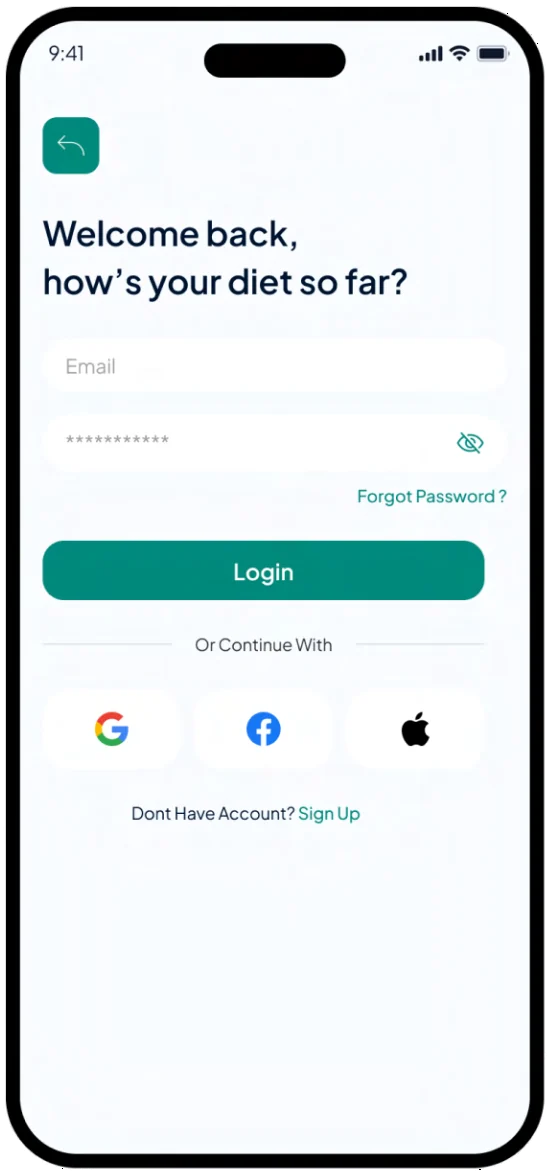
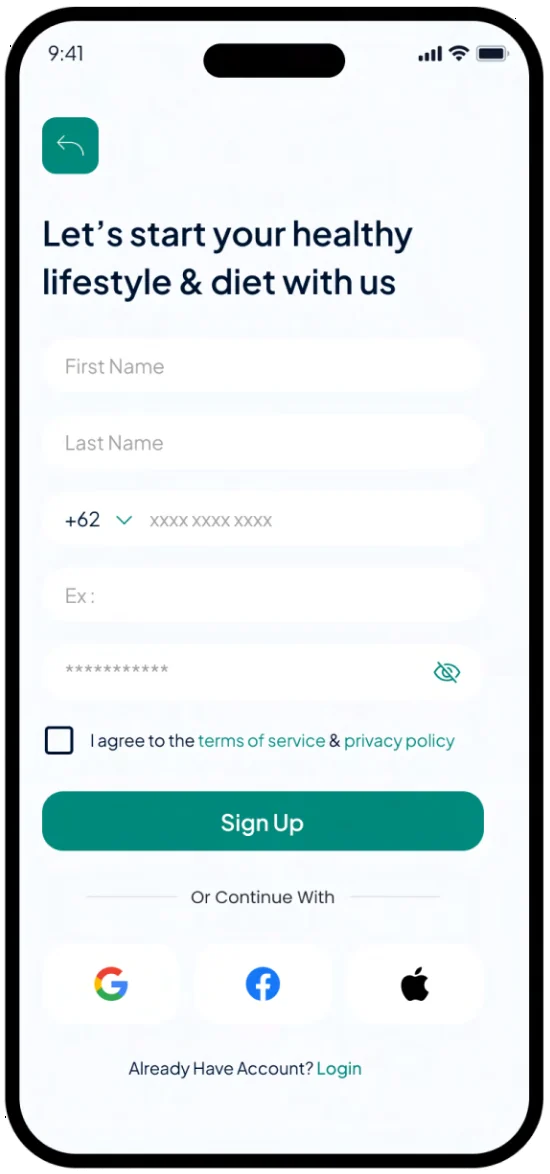
Sign in with email or with Google, Facebook or Apple. Sign-up asks for a name, phone number, email and password, then goes straight to Today.
The daily loop
Plan the day, log it, see it add up
The app is built around a loop someone repeats every day. Each screen does one job in it, and the bottom bar brings them back to the start.
Today
Home holds the day: the next session, an agenda with room to add a plan, the programmes under way and the daily routine.
Log
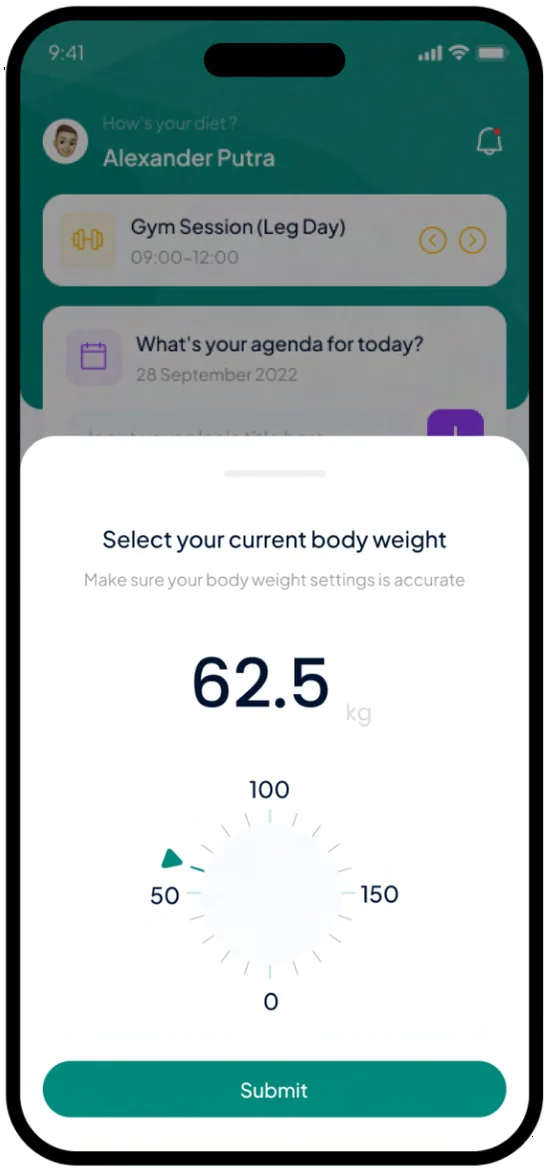
Body weight goes in on a dial rather than a keyboard. One reading, then Submit.
Progress
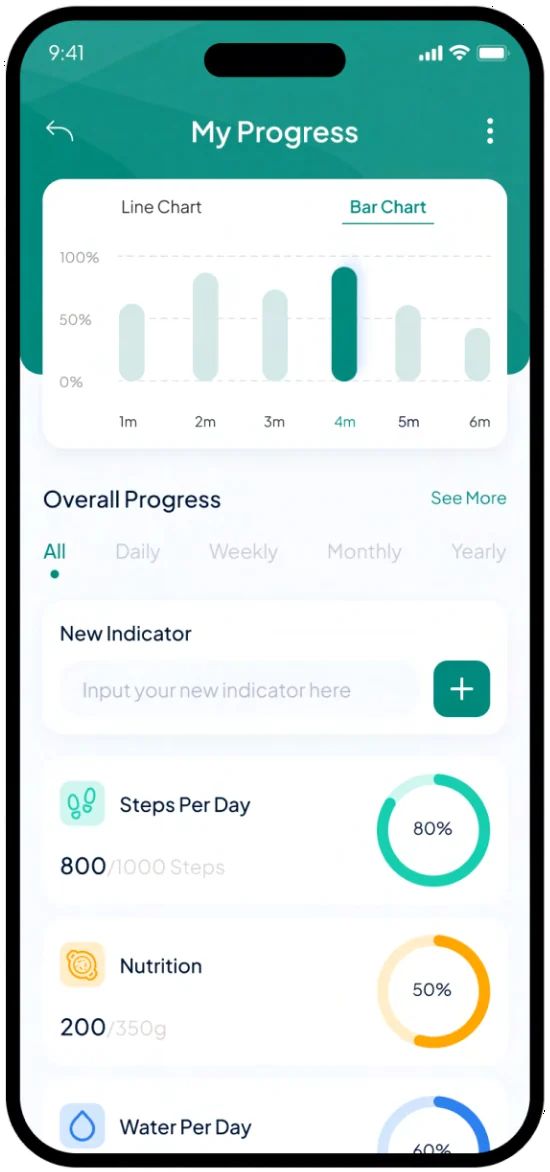
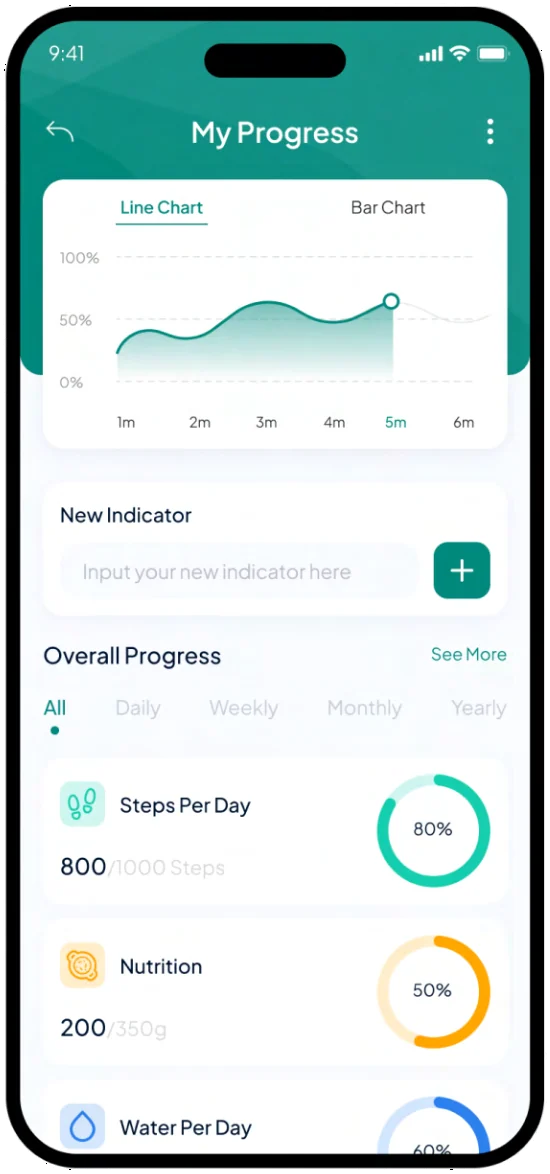
Steps, nutrition and water each show how far through today’s target they are, as a ring and a number.
Review
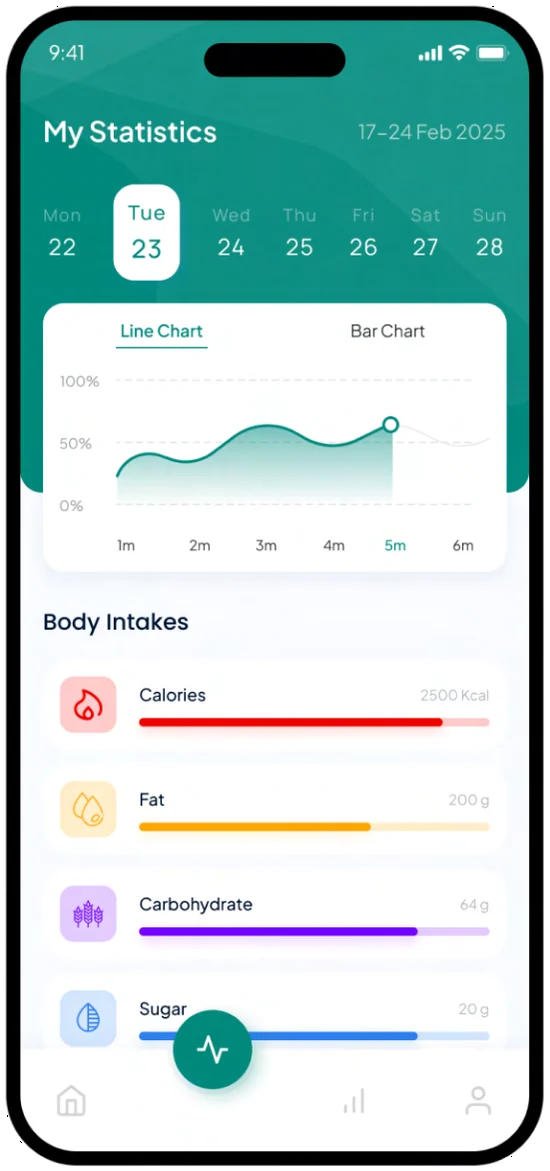
Pick a day of the week to see the trend, with intake broken down into calories, fat, carbohydrate and sugar.
And back to Today
How is the LeanTrack app organised?
Around four jobs in a daily order: today’s plan, logging, progress against targets and a weekly review. Each has its own screen, and a bottom bar links them.
Progress
Progress, shown at three distances
One idea, progress against a target, appears at three scales: the programme, the day and the week.
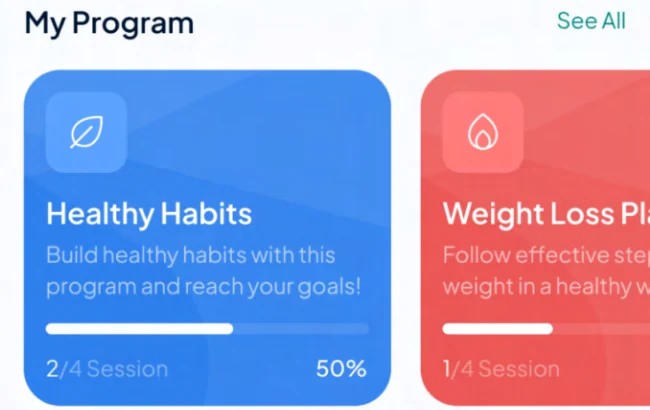
This programme
Programme cards count the sessions done, with a bar and a percentage beside it.
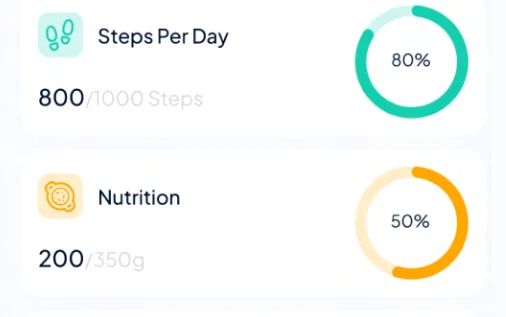
Today
Daily targets become rings: steps, nutrition and water, each with the day’s figure against its target.
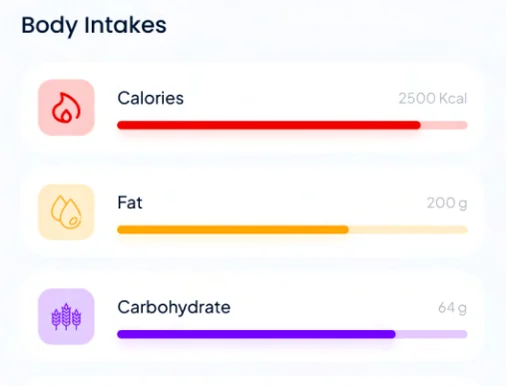
This week
Statistics break intake into calories, fat, carbohydrate and sugar, each bar filled against its own limit.
Line or bars
The progress chart switches between a line and bars over the same figures, and filters by day, week, month or year.
How does the app show progress?
At three distances: sessions completed on each programme, rings for today’s steps, nutrition and water targets, and a weekly breakdown of intake. The progress chart reads as a line or as bars.
Logging
Every screen has one obvious way to add something
Adding takes the same form everywhere: a single input row with a plus button beside it. Body weight, a single reading, gets a dial.
- Home
- “What’s your agenda for today?” with a field for a plan and a plus button.
- Progress
- “New indicator”, the same row, for adding something new to track.
- Exercise
- “New exercise” above today’s list: swimming, jogging, push-ups and sit-ups.
- Body weight
- A bottom sheet with a round dial and one Submit button.
What was delivered
The LeanTrack mobile app, designed and developed
- UX/UI design for the LeanTrack mobile app
- Mobile app development
- Sign-in and sign-up, with email, Google, Facebook and Apple
- A home screen built around today: session, agenda, programmes and routine
- Progress screens with line and bar charts, daily targets and time filters
- A weekly statistics view with an intake breakdown
- Exercise logging and a body-weight dial
Did Branditify build the backend?
This case study covers the LeanTrack mobile app: its design and its development. The servers and systems behind the app are outside what this page describes.
Which Branditify service relates to LeanTrack?
App Development, which covers mobile app design and development.
Does this project prove a Branditify software Product?
No. LeanTrack is the client’s own consumer app, designed and developed for them. It is not one of Branditify’s software Products.
Can Branditify work on a similar consumer app?
Yes. If your app has a job people come back to every day, tell us about it through the enquiry form and we will reply with how we would approach it.
Related at Branditify
The service behind this project
Questions
About this project
What did Branditify do for LeanTrack?
Branditify designed and developed the LeanTrack mobile app, including the user experience and the interface of its sign-in, home, progress, statistics, exercise and body-weight screens.
What kind of app is LeanTrack?
A consumer health and fitness tracking app for weight, activity and nutrition.
Did Branditify build the complete LeanTrack technology platform?
This case study covers the mobile app, which Branditify designed and developed. It does not describe the systems behind the app.
Is LeanTrack a Branditify software Product?
No. It is the client’s own app, built for them, and not one of Branditify’s software Products.
Which Branditify service relates to this work?
App Development, which covers mobile app design and development.
Can Branditify build a similar app for my business?
Yes. Tell us what your users need to do each day through the enquiry form, and we will reply with how we would approach it.
Start a project
Planning an app people open every day?
Tell us what your users need to do each day, and we will reply with how we would approach the app.