
SEO
Service Page SEO: How to Build Pages That Rank and Convert
A practical guide to building service pages that rank on Google, answer AI search intent and convert visitors into qualified enquiries.

On this page
- What a service page has to do
- Reading the commercial intent behind a service query
- One page or several: deciding how to split services
- Parent and child service architecture
- Mapping topics and entities before writing
- The anatomy of a service page that ranks and converts
- H1 and H2 structure that carries the argument
- Writing the opening answer
- Scope, deliverables and process, stated plainly
- Who the service suits, and the situations that bring buyers to it
- Proof that is relevant, real and publishable
- FAQs and pricing direction that answer real objections
- Geography, service areas and the thin location page
- Internal links, comparison pages and cannibalisation
- Service schema, BreadcrumbList and answer-ready structure
- Calls to action, forms and page speed
- Measuring, iterating in Search Console and refreshing
- A service page checklist to work through
A service page ranks and converts when it matches one commercial intent. It names the service plainly, explains scope, fit and process, and shows relevant proof. It answers the questions real buyers ask, links to related pages for context and offers one clear next step. Ranking and converting are jobs for the same page.
What a service page has to do
A service page has one job with two halves: to be the most useful answer for someone searching for a specific service, and to move the right buyer towards a conversation. The halves are not in tension. What helps a search engine understand the page — what the service is, who it is for, what it includes, how it works, what has been delivered before — is exactly what a buyer needs before filling in a form.
Weak service pages usually fail at both at once. They open with a slogan instead of the name of the service, list benefits that could describe any provider, skip the scope, hide the process, borrow proof from unrelated work and end with a generic “Contact us”. A search engine struggles to tell what the page offers; a buyer struggles to tell whether the provider does what they need. The shared cause is a page written to sound impressive rather than to help someone decide.
A more useful picture is a decision page built around search intent. At the centre sits the intent — the specific thing the searcher is trying to get done. Around it sit layers, each resolving part of the decision:
- A clear service. The page names what is offered, in the words buyers use.
- Scope and answers. It explains what is included, how delivery works and what buyers usually ask.
- Proof. It shows relevant, real evidence that the work has been done before.
- Internal context. It connects to related services, case studies and guides, so people and crawlers can see where it sits.
- A next action. It offers one step that suits a qualified visitor.
Everything in this guide hangs off that model. If a block on the page serves neither the intent nor one of those layers, it is decoration, and decoration spends attention that visitors arrived intending to use on a task.
Reading the commercial intent behind a service query
Commercial intent means the searcher is evaluating providers or options to buy, not simply learning about a subject. Someone searching “what is a technical SEO audit” wants an explanation; someone searching “technical SEO audit for an ecommerce site” is shopping. A service page should target the second kind of query, and its structure should reflect what that shopper needs to see before acting.
Three signals worth reading
The query is the first signal. Modifiers such as “agency”, “company”, “services”, “consultant”, “cost”, an industry or a place name suggest a buyer comparing providers. Modifiers such as “how to”, “what is”, “examples” or “template” suggest research, which usually belongs in an article that links to the service page.
The results page is the second. Search the query and look at what already appears. If the first page is mostly provider service pages, the search engine has concluded that searchers want providers. If it is mostly guides and listicles, a service page may struggle however well it is written, and an article that introduces the service may be the better vehicle. If map listings and directories dominate, the intent is local, and the page will need genuine local substance.
Your own sales conversations are the third signal, and the one most teams ignore. The questions prospects ask on a first call — “Do you work with companies our size?”, “Is content included?”, “What do you need from us?”, “How will we know it is working?” — are the questions the page should answer before the call happens.
Write the intent down
Before any copy exists, write one sentence describing the searcher and the job: “A marketing lead at a multi-location clinic group looking for a partner to rebuild service pages so they are found locally and produce bookings.” That sentence decides the vocabulary, the proof selected, the questions answered and the call to action. It also exposes the most common mistake: trying to serve the student researching the topic, the small business wanting a quick fix and the enterprise buyer wanting a programme on one page that convinces none of them.
Treat the sentence as a hypothesis. When the results page changes character or the enquiries arriving from the page stop resembling it, revisit it.
One page or several: deciding how to split services
Give a service its own page when it has a distinct buyer, distinct search demand and enough distinct substance to answer that buyer properly. Keep services together when buyers treat them as one purchase and search for them as one thing. The test is how buyers search and decide, not how your internal teams are organised.
A single “Our services” page listing eight offers in short paragraphs rarely performs well for any of them, because each offer gets a sentence where a buyer needs a page. It converts poorly for the same reason: proof, process and questions are necessarily generic. Separate pages let each offer carry its own scope, fit, proof and questions.
Splitting can also go too far. Separate pages for “logo design”, “logo designer”, “logo design services” and “professional logo design” chase one intent with near-identical copy, which confuses search engines about which to show and gives visitors nothing to tell them apart. Variants of the same query belong on one page.
Questions that settle the split
- Do the results differ? Search both terms. If the same providers and pages appear for each, the search engine treats them as one intent. If the results differ materially, separate pages may be justified.
- Is the buyer different? A founder buying a brand identity and a marketing manager buying social content have different concerns, budgets and approval paths.
- Is the scope different? If deliverables, process and timeline are substantially the same, a separate page will repeat itself.
- Is there distinct proof? A page with no relevant case study, no specific process and no specific questions often signals a feature of a larger offer rather than a service.
- Is it ever bought on its own? If not, it is probably a section on the parent page.
When the answers are mixed, start with fewer, stronger pages. Splitting a page that has shown demand for a sub-service is far easier than consolidating a spread of thin pages later, with the redirects and merged content that involves.
Parent and child service architecture
A parent service page covers a broad offer and routes buyers to more specific child pages; a child page covers one specific version of that offer in depth. The structure works when each level answers a different intent: the parent answers “who can help with this category of problem”, and the child answers “who does exactly this, for someone like me”.
A digital studio might have a parent page for search optimisation with children for technical audits, content-led SEO and answer-engine optimisation. A law practice might have a parent for corporate law with children for mergers, commercial contracts and employment disputes. In both patterns the parent is not a list of links. It explains the category, helps the buyer work out which child applies, and carries proof and questions that genuinely span the category.
Rules that keep the hierarchy clean
- Each child links up to its parent and across to close siblings, so a buyer who landed on the wrong child finds the right one in a click.
- The parent summarises each child in a sentence or two and links with anchor text that names the service.
- The parent does not duplicate child content. A full process for every child on the parent makes the pages compete.
- URLs reflect the hierarchy where it aids comprehension, but a clear, stable URL matters more than nesting. Do not change an established URL purely to express structure.
- Visible breadcrumbs show the path, orienting visitors and giving search engines a consistent signal of the hierarchy.
One limit is worth enforcing: do not create a child page until you can write its scope, fit, process and questions without borrowing sentences from the parent. If you cannot, the child is a section. This discipline stops the slow sprawl in which every unusual sales conversation spawns another underdeveloped page.
Mapping topics and entities before writing
Topic and entity mapping means listing the concepts, audiences, deliverables, tools, related services and questions that a genuinely complete page on the service should address. Search engines understand pages partly through the entities they mention and how those entities relate. A bookkeeping services page that never mentions reconciliation, GST filings, payroll or month-end reporting reads as thin — not because a keyword is missing, but because the subject is.
What the map should hold
- The service. Its plain name and the alternative names buyers use. Pick one primary name for the H1 and use the others naturally.
- The provider. Who delivers it, described consistently with your about, team and contact pages.
- Audiences. Industries, company types and roles the service suits.
- Deliverables. Concrete outputs: an audit report, a set of templates, a migration plan, a monthly report.
- Process. Stages, inputs needed from the client, platforms involved.
- Related work. Prerequisite services, common follow-on services and the problems the service addresses.
- Questions. Real questions from sales calls, onboarding, “People also ask” boxes and forums.
The map shows what the page must cover and what belongs elsewhere. Concepts that deserve long explanation — how a technology works, how to choose between approaches — usually belong in supporting articles. The service page mentions and briefly explains them; the article teaches them; a link joins the two.
Entity coverage is not a list of words to insert. Pages that mechanically mention every related term read as padded to humans and gain nothing from search engines. Cover an entity when a buyer would expect it addressed, at the depth that buyer needs.
The anatomy of a service page that ranks and converts
A service page that ranks and converts has six parts, in roughly this order: answer, scope, fit, proof, questions and next step. The order follows the buyer’s thinking — what is this, what do I get, is it for me, can they do it, what about my concerns, what do I do now — and it gives search engines a page whose purpose is clear from the top.
1. Answer
A heading and opening lines that name the service and who it is for. A visitor should know at a glance they are in the right place. “SEO services for multi-location clinics” does that; “Grow without limits” does not.
2. Scope
What is included, what is not, and how it is delivered. Scope turns a vague promise into a purchasable offer and filters out buyers expecting something else.
3. Fit
Who it suits, the typical situations that lead people to buy it and the use cases it covers. Fit lets a qualified buyer recognise themselves and lets an unsuitable one leave without costing anyone time.
4. Proof
Relevant case studies and client words you have permission to publish. Proof should match the service and, ideally, the buyer’s situation; a strong project in an unrelated discipline is weak evidence here.
5. Questions
Real FAQs, and pricing direction where it genuinely exists. This is where objections are handled in the open instead of on a call.
6. Next step
One clear action, with related services and articles linked. The action suits a qualified visitor who has read this far; the links catch visitors who need more context or a neighbouring service.
The parts are not rigid blocks. A line of proof can sit under the opening answer and a full case study further down. A timeline question can sit beside the process. What matters is that each part exists, is specific to this service and appears where the buyer is likely to need it. The chapters that follow take the parts in turn, then the structures around them: headings, geography, links, schema, conversion mechanics and measurement.
H1 and H2 structure that carries the argument
The H1 should name the service in the words buyers search, optionally with the audience or place it serves, and the H2s should read on their own like a summary of the decision. Someone who scans only the headings should leave knowing what the service is, what it includes, who it suits, how it works, what proof exists and what to do next.
The H1
Use one H1 per page and put the service name at or near the start, because that is what both searcher and search engine are checking. Add a qualifier only when it is true and useful: an audience (“for SaaS companies”), a delivery model (“fixed-scope”) or a place the business genuinely serves. A brand line can sit near the H1 as supporting text; it should not replace it.
The title tag and H1 need not be identical. The title is written for the results page, where it competes with other listings and may carry the brand name; the H1 is written for someone already on the page. Both should describe the same service in compatible language, so nobody feels a mismatch between what they clicked and what they see.
The H2s
Descriptive H2s serve scanners and answer engines better than clever ones, because both use headings to understand what each block answers. Compare “Our approach” with “How the audit works, stage by stage”, or “Why us” with “Proof from similar projects”. The second of each pair tells the reader what they will get.
- Phrase H2s as the buyer’s question or as a plain label for the content beneath.
- Keep one idea per H2; if a section needs two headings to describe it, split it.
- Use H3s for genuine parts — stages of a process, tiers of an offer — not for visual variety.
- Keep heading levels in order so assistive technology and parsers can follow the outline.
Do not force the target phrase into every heading. Once the H1 names the service, later headings can refer to it naturally. Repetition reads as manipulation to people and tells a search engine nothing new.
Writing the opening answer
The opening of a service page should state, in a sentence or two, what the service is, who it is for and what it is designed to achieve. It is the part most likely to be read, most likely to be quoted in a snippet or AI answer, and most likely to decide whether anyone scrolls.
A workable formula is service, audience, outcome, difference. A pattern for an accounting firm might read: “Outsourced bookkeeping for growing ecommerce brands, covering daily reconciliation, GST-ready records and a monthly management report, handled by one named accountant rather than a rotating pool.” Every clause earns its place: the buyer knows what it is, whether it applies, what they receive and why this provider differs.
What to keep out of the first screen
- Slogans in place of substance. “Your growth partner” could head any page on the internet.
- Throat-clearing. Opening with the state of the industry delays the answer the visitor came for.
- Unsupported superlatives. “Best” and “leading” cost credibility unless evidence follows immediately.
- Promises nobody can keep. Guaranteed rankings or guaranteed leads attract the wrong buyers and create disputes later.
Beneath the opening, a short supporting block can carry the most decision-critical facts — delivery model, the kind of clients served, one line of relevant proof — and a primary call to action. Referrals and returning visitors often arrive ready to act and should not have to scroll for the button.
The opening should also survive being lifted out of the page. Snippets and answer engines extract passages without their surroundings, so a first paragraph that depends on a hero image to make sense will be quoted badly or not at all. Read it alone; if it still makes sense, it works.
Writing this well is harder than it looks, because it forces decisions about positioning that many teams have deferred. Where no one in-house combines subject knowledge with search-aware writing, content and copywriting support can help, provided the people who deliver the service review every draft for accuracy.
Scope, deliverables and process, stated plainly
Scope is the most under-written part of most service pages, and it is where a page stops being marketing and becomes a purchasable offer. State what the client receives, what the provider does, what the client must supply and what sits outside the engagement.
Deliverables
Write deliverables as nouns a buyer could hold you to: “a prioritised audit report”, “rewritten copy for each core service page”, “Service and BreadcrumbList structured data”, “a handover session with documentation”. Verbs such as “we optimise” or “we enhance” describe activity rather than output and make offers impossible to compare. Where an offer has tiers, say what changes between them — number of pages, depth of research, level of ongoing support — so buyers can place themselves before they enquire.
Exclusions and dependencies
Saying what is not included feels risky but builds trust and filters mismatched enquiries. A search engagement might exclude paid link placements, advertising management or development on a platform the team does not support. A website build might exclude copywriting or photography unless added. Dependencies matter as much: analytics access, a decision-maker for approvals, existing brand assets, and time from the client’s own specialists.
Process
A process section should show the stages, what happens in each, who is involved and what the client sees at the end of each. Four to six stages is usually concrete enough without becoming a project plan:
- Discovery. Intent research, a review of current pages and data, and conversations with the people who sell the service.
- Architecture. Which pages exist, how they relate and which queries each owns.
- Content and design. Drafts written against the intent sentence and entity map, reviewed by subject experts, then designed around the six parts.
- Build. Templates, structured data, internal links, forms and tracking.
- Launch and review. Pre- and post-release checks, then an agreed review rhythm using search and enquiry data.
Give a duration only for the provider’s own delivery work, and be clear that search performance after launch depends on things no provider controls: competition, the site’s history, how quickly pages are recrawled. Committing to deliverables by a date is good project management; promising a ranking by a date misleads.
Who the service suits, and the situations that bring buyers to it
A fit section tells a qualified buyer “this is for you” and an unsuitable one “this probably is not”, and both outcomes help. It raises enquiry quality, reduces calls that go nowhere and gives search engines clear audience signals that connect the page to industry- and role-specific searches.
Describe situations, not demographics
“For small and medium businesses” describes nearly everyone. Situations are sharper and easier to recognise: “Referrals keep you busy, but your service pages never appear when prospects search”; “You added three services last year and they live as bullet points on one page”; “You are changing platforms and cannot afford to lose the pages that bring enquiries today.” A buyer who sees their situation described accurately assumes the provider understands the problem.
Use cases
Use cases show the service applied to a specific need: the starting point, what the service does and what the client ends up with. Two to five are usually enough. They can draw on real delivered work without naming the client, as long as the description stays accurate and implies no result that was not achieved.
Who it is not for
A short “not the right fit if” list is among the most effective and least used elements on service pages. It might say the service does not suit teams needing results before next month’s board meeting, sites on a platform the team does not support, or buyers after a single tweak rather than a structured engagement. Stated calmly, these lines read as confidence rather than rejection.
Fit is also the natural place to link to industry pages, so a buyer from a particular sector can find sector-specific context without the service page trying to cover every industry in depth.
Proof that is relevant, real and publishable
Proof on a service page should show that you have delivered this service, for buyers like this one, and that the people involved are willing to say so. Relevance outweighs volume: one well-documented project in the same discipline persuades more than a wall of unrelated logos.
Forms of proof, strongest first for most services
- Case studies of the same service, explaining the starting problem, the decisions made, what was delivered and what changed.
- Client words you have permission to publish, attributed where the client agrees and specific to the work rather than general praise.
- Work samples: before-and-after page structures, excerpts from deliverables with sensitive detail removed, shipped work.
- People: the specialists who would actually do the work, and their relevant experience.
- Client names and logos, only with permission and only as supporting evidence.
Rules for proof you can stand behind
- Never fabricate or embellish testimonials, reviews, metrics or client names. Invented proof destroys trust when discovered and can create legal exposure.
- Get written permission before naming or quoting a client, and respect confidentiality agreements.
- Describe outcomes accurately. If the result was a clearer structure and better-qualified enquiries, say that; do not turn it into a number you cannot evidence.
- Match proof to the page. A branding project on an SEO service page answers a question the buyer did not ask.
- Keep proof current, so it reflects how the service is delivered now.
When a service is new, point to adjacent real work that demonstrates the underlying capability, describe the people and method in detail, and add case studies as projects complete. A page should show what exists; it should never narrate what it lacks.
Case studies do search work of their own. A well-structured case study can appear for problem-led queries and link to the service it demonstrates, so teams that systematically turn delivered client work into case studies build proof that strengthens every related service page over time.
FAQs and pricing direction that answer real objections
A service page FAQ should answer the questions buyers genuinely ask before committing, starting with those that most often stall a decision. It is not a place for questions invented to repeat a keyword. Good FAQs handle objections in public, cut repetitive sales explanations and give answer engines clearly bounded pairs to draw on.
Where the questions come from
- First calls and proposal meetings.
- Lost deals, and the concerns that stopped them.
- Onboarding, where new clients reveal what they wish they had known.
- “People also ask” boxes and related searches for the service query.
- The paragraph your team keeps pasting into sales emails.
Answers that work
Answer in the first sentence, then add the condition or nuance. “Yes, copy for the core service pages is included; supporting articles can be added” beats a paragraph that circles the question. Keep answers specific to this service and do not bury essential terms — scope, contract length, what happens if the engagement ends — in an accordion some visitors never open.
Pricing direction, only where it is real
Buyers want to know whether a service is within reach before investing time in a conversation. Where a genuine published starting price or pricing model exists, stating or pointing to it qualifies enquiries. Where cost truly depends on scope, explain what drives it: the number of pages or locations, research depth, whether content and design are included, integrations, ongoing support and urgency.
Two traps are worth avoiding. Do not invent a range to look transparent if the business does not price that way; buyers anchor on it and feel misled later. And do not copy prices across dozens of pages where they drift out of date. Keep the authoritative figures in one place — explain cost drivers on each service page and send buyers to starting prices on the pricing page — so a change happens once.
Geography, service areas and the thin location page
A service page should reflect geography only as far as place is part of the buyer’s intent and of how the service is delivered. A clinic, contractor or local law practice serves people in specific places, and searchers either name those places or expect local results. A consultancy serving clients remotely across the country may have no location-driven intent to satisfy at all.
Local pages and service-area pages are different
A local page represents a physical presence customers can visit: a real address, opening hours, directions, the team at that site and the services offered there. It corresponds to a business profile and competes in map-driven results.
A service-area page represents delivery into a place where the business has no premises, such as a firm that installs, repairs or consults on site across a region. It cannot imply a local address. Its substance must come from genuine delivery there: projects completed in the area, local conditions that affect the work, approvals specific to that place, response arrangements and the team that covers it.
The thin location page trap
The pattern to avoid is one template duplicated across dozens of towns with the place name swapped in. Such pages add no information, compete with each other and match what search engine spam policies describe as doorway pages. They fail visitors too: anyone who notices identical copy on a neighbouring town’s page stops trusting the site.
Before creating a location or service-area page, ask what a buyer in that place needs to know that the main service page does not tell them. If the honest answer is nothing, one service page that clearly lists the areas served, with a line on how delivery works in each, serves buyers and search engines better. If there is real local substance — a team, completed projects, local requirements — the page has something to say.
Location signals extend beyond the page: consistent business details across the web, a maintained profile where a premises exists, and reviews gathered honestly. A fuller guide to local SEO for service businesses covers those; the service page’s narrower job is to be the substantial destination they point to.
Internal links, comparison pages and cannibalisation
Internal links tell search engines which pages matter and how they relate, and they give buyers routes to the context they need. A service page nothing links to looks unimportant; a service page competing with a blog post for the same query splits its own strength. Deliberate architecture prevents both.
Internal linking for both audiences
- Link into the service page from navigation or a services hub, from its parent, from case studies that demonstrate it and from articles about the problem it solves.
- Link out to its parent and siblings, to supporting case studies, to guides explaining concepts buyers need and to relevant industry pages.
- Use descriptive anchor text that names the destination — “technical SEO audit”, not “click here” — and let it vary naturally.
- Place links where they help, inside the relevant paragraph rather than only in footers.
Links from articles matter because articles attract research-stage readers who may later buy. A reader still working out the difference between SEO and AEO is well served by an explanatory article first, and that article can then introduce the service that puts both into practice.
Comparison pages
Comparison pages serve buyers weighing options: one approach against another, in-house against outsourced, one tier against another. That intent is distinct, and a service page should not try to satisfy it in full. A good comparison is fair, including the situations where the alternative is the better choice, and links to the relevant service page for readers who conclude your option suits them. Comparing approaches is usually more useful, and less legally fraught, than comparing named competitors.
Avoiding cannibalisation
Cannibalisation happens when several pages on one site target the same intent, so search engines alternate between them or favour none. Typical causes are a blog post titled like a service page, near-duplicate service variants, cloned location pages and a homepage trying to rank for every service.
- Give each query cluster one owner page and record it in a simple map.
- Separate by intent. Articles own “how”, “what” and “why” queries; service pages own “services”, “agency”, “cost” and audience-specific queries.
- Link supporting pages to the owner with anchors that describe the service.
- Check Search Console for queries where several of your URLs gain impressions, and decide whether they genuinely serve different intents.
- Consolidate true overlaps by merging the strongest content into the owner page and permanently redirecting the rest.
Calls to action, forms and page speed
A service page converts when the next step matches the visitor’s readiness, asks for no more than it needs and loads fast enough that nobody leaves before seeing it. Search brings the visitor; these mechanics decide whether a qualified visitor becomes an enquiry.
One primary action
Choose one primary call to action and use it consistently: request a proposal, book a consultation, request an audit, check availability. Repeat that same action at natural decision points — after the opening, after the proof, after the FAQs — instead of presenting a different offer in every section. Secondary routes, such as a case study or a related guide, should look secondary.
Button text should describe what happens next. “Request a scoped proposal” sets an expectation; “Submit” sets none. Nearby text can settle last-second doubts: what happens after sending, who replies, whether there is any obligation.
Forms that qualify without deterring
- Ask only for what the first reply genuinely needs; a name, a contact method and a short description often suffice.
- Add qualifying fields — service interest, company size, timeline, budget band — only if the team actually uses them to route enquiries.
- Label every field visibly, because placeholder text vanishes as people type.
- Write error messages that explain the fix, and keep what the visitor typed.
- Offer phone or messaging where buyers in the market prefer it, and make sure someone monitors it.
- Confirm submission clearly and say what happens next.
Page speed and stability
Slow, unstable pages frustrate buyers, especially on mobile connections, and page experience signals such as Core Web Vitals are part of how search engines assess pages, although relevance and quality carry far more weight. The usual culprits on service pages are predictable: oversized hero images and background video, sliders and animation libraries loaded everywhere, chat and tracking scripts that block rendering, web fonts without a fallback strategy, and layouts that jump as banners and cookie notices load.
Measure with field data where it exists and lab tools for diagnosis, fix the largest causes first and re-test after every template change. Speed work is unglamorous, but it protects every other investment on the page.
Sometimes the template itself is the ceiling: a theme that cannot be made fast, or a builder that hides content inside scripts. At that point a premium website build around the page model described here may achieve more than any amount of copy revision.
Measuring, iterating in Search Console and refreshing
A service page is never finished: it is measured, adjusted and refreshed as buyers, competitors and results pages change. The measurement that matters connects search visibility to qualified enquiries, not traffic alone.
What to measure
- Visibility: impressions, clicks, click-through rate and average position for the queries the page owns.
- Engagement: whether visitors reach the proof, FAQs and call to action, using section-view events rather than time on page alone.
- Conversions: form submissions, calls and messaging clicks tracked as separate events and attributed to the landing page.
- Lead quality: whether enquiries from the page are qualified, which needs a simple feedback loop from whoever handles them.
Iterating with Search Console
The performance report, filtered to the page, shows the queries it appears for. Read it for patterns:
- Impressions with few clicks suggest the title and description do not reflect what searchers want. Rewrite them around the intent.
- Relevant queries the page does not directly answer suggest missing sections or questions. Add substance, not just the phrase.
- Irrelevant queries suggest the page is ambiguous. Sharpen the opening answer and headings.
- Queries shared with other URLs suggest cannibalisation. Revisit the ownership map.
- Indexing problems, visible through URL inspection — canonical conflicts, stray noindex tags, pages crawled but not indexed — are technical, and copy changes will not fix them.
Change one significant thing at a time where practical, note the date, and allow search engines time to recrawl and re-evaluate before judging. Search data is noisy; seasonality, algorithm updates and competitor moves all shift it. Read it alongside enquiry data before drawing conclusions.
When and how to refresh
Refresh a service page when the offer changes, new proof exists, sales conversations surface new questions, the results page shifts, or performance declines without a technical cause. A real refresh updates scope and process to match current delivery, replaces dated proof, adds newly common questions, checks every internal link and structured data value, and re-reads the opening answer against the current intent. Changing a date or swapping synonyms is not a refresh.
Avoid changing the URL of an established page without strong reason; if you must, redirect permanently and update internal links. Larger rebuilds need more care, and working through a website redesign checklist helps protect the pages that already bring enquiries.
A service page checklist to work through
Use this before publishing a new service page and when reviewing an existing one. Each item is a yes-or-no question, which keeps reviews on substance rather than taste.
Intent and architecture
- Is there a written intent sentence describing the searcher and the job?
- Do the results for the primary query show that searchers want providers?
- Does this page own a query cluster no other page on the site targets?
- Does it sit correctly in the parent and child hierarchy, with links up and across?
- Does the entity map show the coverage a buyer expects?
Page content
- Does the H1 name the service in buyer language?
- Do the opening sentences state service, audience and outcome, and make sense out of context?
- Are deliverables, exclusions and dependencies stated?
- Is the process described in stages, with the client’s role clear?
- Does the page say who it suits and who it does not?
- Is every piece of proof relevant, real and permitted?
- Do the FAQs come from real buyer questions?
- Is pricing genuinely stated, explained through its drivers, or pointed to one authoritative source?
Search signals and structure
- Is any location content backed by genuine presence or delivery in that place?
- Do relevant case studies, articles and parent pages link here with descriptive anchors?
- Does Service and BreadcrumbList markup match visible content and validate?
- Is the key content in the rendered HTML?
- Do the headings read as a summary of the decision?
Conversion and upkeep
- Is there one primary action, repeated at decision points?
- Does the form ask only for what the team uses?
- Is the page fast and stable on mobile?
- Are submissions, calls and messaging clicks tracked separately?
- Does the page have a named owner and a review date?
A page that passes every item is still not guaranteed to rank, because nothing guarantees that. It is a page with no avoidable reasons to fail, where search visibility and enquiries are earned by the same substance. Teams wanting intent research, architecture, content, structured data and measurement handled together can scope that as an SEO and AEO engagement; teams doing the work themselves can hold every page to this list.
Frequently asked questions
What is service page SEO?
Service page SEO is the work of making a page about a specific service both findable for commercial searches and persuasive for the buyers who land on it. It covers intent research, site architecture, headings, scope, proof, FAQs, internal links, structured data and conversion elements. The aim is one page that answers a buyer’s decision, not a page written separately for search engines and for people.
Should every service have its own page?
A service deserves its own page when it has a distinct buyer, distinct search demand and enough distinct substance, such as its own scope, process, proof and questions. Near-identical variants of the same query belong on one page. If a service is only ever bought as part of a larger offer, it is usually better as a section on that parent page.
How long should a service page be?
There is no fixed length that makes a service page rank. It should be as long as it takes to answer the buyer’s decision properly: what the service is, what it includes, who it suits, how it works, what proof exists and what to do next. A simple service may need little; a complex, high-consideration service usually needs more.
Does Service schema improve rankings?
Service and BreadcrumbList markup help search engines interpret what a page offers and where it sits, but structured data does not guarantee rankings or citations. It must match what the page visibly says, and it cannot compensate for thin content. Treat it as a way to remove ambiguity, not as a ranking lever.
Should a service page show prices?
Show a price only where a genuine published starting price or pricing model exists, because buyers anchor on any figure they see. Where cost depends on scope, explain what drives it, such as the number of pages, research depth, content, integrations and ongoing support. Keeping authoritative prices in one place avoids outdated figures scattered across pages.
How do I stop a service page and a blog post competing for the same search?
Give each query cluster one owner page and separate them by intent: articles own explanatory “how” and “what” queries, while service pages own provider, cost and audience-specific queries. Link the article to the service page with descriptive anchor text. If both pages genuinely overlap, merge the stronger content into the owner and permanently redirect the other.
Are separate pages for every city a good idea?
Only where the business genuinely operates there and the page has real local substance, such as a premises, a local team, completed projects or location-specific requirements. Template pages with only the place name changed add nothing for visitors and resemble doorway pages. Otherwise, one strong service page that clearly lists the areas served is usually the better choice.
How often should a service page be refreshed?
Refresh it when something real changes: the offer, the available proof, the questions buyers ask, the search results for its main query, or its performance without a technical cause. A useful refresh updates scope, proof, FAQs, links and structured data. Changing a date or swapping synonyms is not a refresh.
What makes a good call to action on a service page?
A good call to action offers one step that suits a qualified visitor, such as requesting a proposal or booking a consultation, and describes what happens next. Repeat the same action at natural decision points rather than offering something different in every section. Keep the form short, asking only for information the team actually uses.
Where this fits
Related solutions
The Branditify work this article connects to, and nothing it does not.
SEO & AEO
Structure your site so search engines and answer engines understand what you do.Explore →ServicePremium Websites
Turn a website into a clearer, faster path from finding you to talking to you.Explore →ServiceContent
Write the pages, articles and answers that do the explaining before a call happens.Explore →Proof
Related work
Projects whose own record names this kind of work.
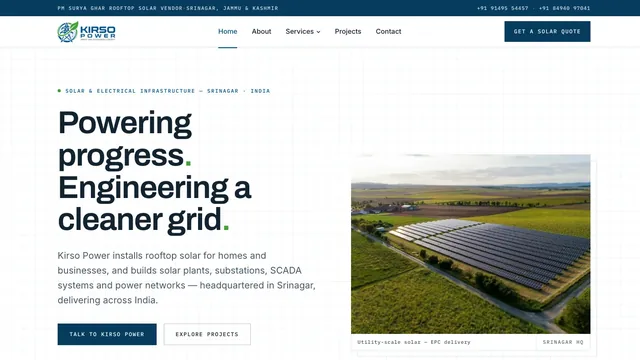 Solar and electrical infrastructure
Kirso Power
brand identity and logo · website design and build · services hub and detail pages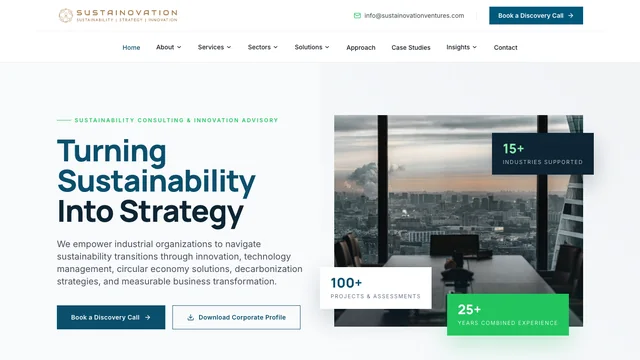 Sustainability advisory
Sustainovation
website design and build · information architecture · sector and service pages Law firm
Lex Polaris
website design · website development · information architecture


Start something
Have a similar challenge?
Tell us what you are building and we will help you figure out the right way forward.